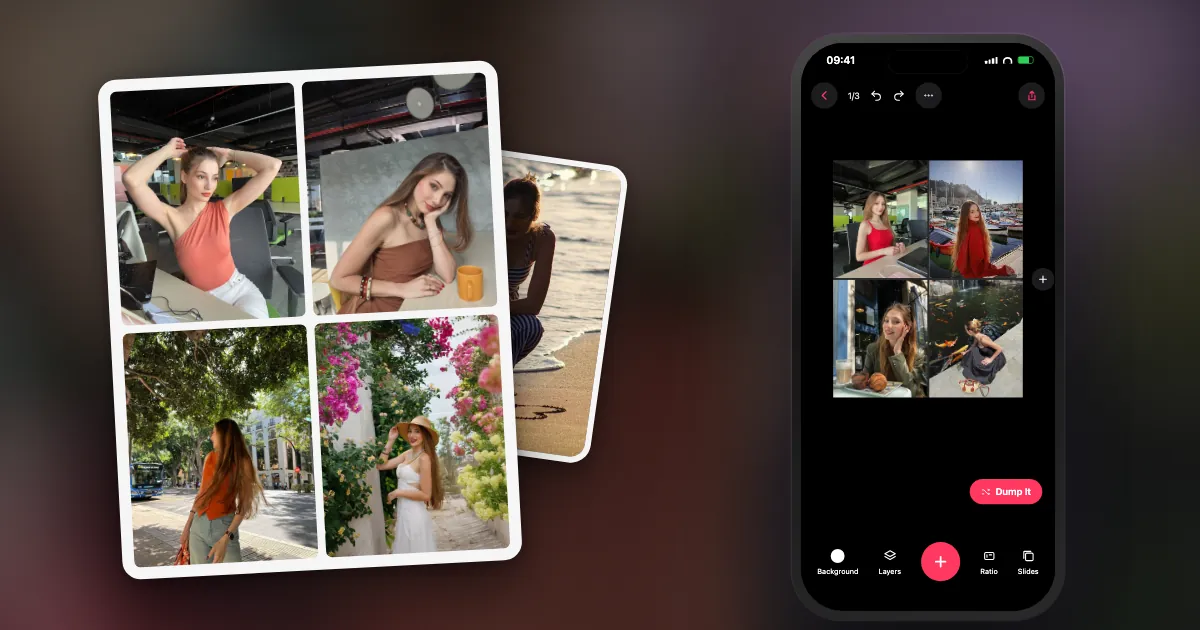
A disclosure first: I built one of these apps, DUMP. I have tried to write the catches for all of them, including mine.
Which free collage makers are worth trying?
Seven cover almost every need: two you may already have, three collage apps and two browser tools. The table shows where each one fits.
| Tool | Works on | Best for | The catch |
|---|---|---|---|
| Google Photos | iPhone, Android, web | A fast grid from photos already there | Few layouts; needs a Google account |
| Apple Freeform | iPhone, iPad, Mac | Overlapping, scrapbook layouts | Hard to hit an exact output size |
| DUMP | iPhone, iPad | Grids plus photo picking; on-device | Apple only; smaller template library |
| PicCollage | iPhone, iPad, Android | Playful cards and stickers | Some content and features are paid |
| PhotoGrid | iPhone, iPad, Android | Many grid layouts, photo and video | Some content and features are paid |
| Canva | Web, iPhone, Android | Designed collages with text | Needs an account; many elements are paid |
| Adobe Express | Web, iPhone, Android | Templates and brand-style posts | Needs an account; premium templates are paid |
Which free collage tools do you already have?
The iPhone's Photos app has no collage button, but Shortcuts and Freeform are free Apple apps that can do the job. If you use Google Photos, it can also make a quick collage.
Google Photos: select a few photos, tap Create (or Add to), choose Collage, and save the result. It takes seconds, but you have little control over the layout.
Apple Freeform: drop photos on a board, then drag, rotate and overlap them. It is the most flexible free option and suits a scrapbook look. The drawback is sizing, because it exports the board rather than a fixed canvas.
Apple Shortcuts: a small automation with Combine Images makes uniform grids. There are step-by-step instructions in how to make a collage on iPhone.
Looking for Instagram's old Layout app? Instagram discontinued Layout in May 2024 and moved its features into Stories, so apps with similar names today are from other developers.
Which collage apps have a usable free version?
DUMP, PicCollage and PhotoGrid are all free to download with optional paid upgrades. They differ in style: DUMP is built around carousels, PicCollage around playful cards, and PhotoGrid around many grid layouts.
DUMP has freeform collage pages and 28 grid layouts, edge-to-edge or spaced, with ratios for feed posts and Stories. It renders pages at 2160 px on the long edge, adds no ads or watermark on images, and needs no account. Its difference is that it can choose the photos for you. Some templates, frames and stickers are Premium.
PicCollage is the long-running favourite for birthday cards, invitations and sticker-heavy collages, with well over a million App Store ratings. PhotoGrid focuses on grids and social formats, and it handles video collages too. Read each listing's in-app purchases and App Privacy section before you commit, because they change.
What is the best free online collage maker?
Canva and Adobe Express are the usual choices on a computer because of their template libraries. Both ask you to sign in and upload your photos to the service.
A browser is the better option if you are on a laptop, you need text and graphics, or the collage is for print or a presentation. For personal photos, remember that an online maker normally means uploading them. If that bothers you, stick with a tool that works on your device.
What are the catches with free collage makers?
Watch for six things: watermarks, low-resolution exports, locked templates, ads, trial screens that become subscriptions, and uploads you did not expect.
- Watermark: check the exported file, not the preview.
- Resolution: for Instagram you want at least 1080 px wide.
- Locked templates: the attractive ones are often the paid ones.
- Trial screens: read what the button does before you tap. On iPhone you can see and cancel subscriptions in Settings.
- Uploads and tracking: the App Privacy section on the App Store shows what an app says it collects.
How do you get a sharp collage?
Start from originals, export at 1080 px wide or more, and never screenshot the result. Every extra compression shows up in faces and skies.
A collage hides a problem: each photo appears smaller, but it also gets compressed along with everything else. Use camera originals rather than saved copies from messaging apps, choose the highest quality on export, and post that file. Set the ratio before you place photos, because changing it later crops them. For Instagram, 4:5 (1080 × 1350) uses more of the feed than a square. See the Instagram post size guide for every shape.
Which free collage maker should you pick?
Use the simplest tool that does what you need. Use Google Photos for a quick grid, Freeform for a scrapbook, Canva for a designed layout with text, and DUMP if you want the photos chosen for you.
Not sure what you want it to look like? Browse these photo collage ideas first, then pick the tool.
Frequently asked questions
What is the best free collage maker?
For a quick grid on a phone, Google Photos. For overlapping layouts on Apple devices, Freeform. For designed collages on a computer, Canva or Adobe Express. For having the photos chosen for you on iPhone, DUMP. The best one is the one whose free export meets your needs, so test it first.
Is there a free collage maker with no watermark?
Yes. Apple Freeform and Apple Shortcuts add no watermark, and DUMP adds none to exported images. Other apps vary, so check a test export.
Does iPhone have a built-in collage maker?
Not in the Photos app. The free Shortcuts and Freeform apps from Apple can both make collages.
Can I make a collage without downloading an app?
Yes. Browser tools such as Canva and Adobe Express work without an install, though both need an account and upload your photos.
What happened to Instagram's Layout app?
Instagram discontinued it in May 2024 and moved its features into the Stories tools in the main app. Apps named Layout today are from other developers.
Grids, freeform pages and no watermark
DUMP has 28 grid layouts, freeform collage pages and a button that fills empty slots from your photos. Pages save at 2160 px with no watermark. Free on iPhone and iPad, no account.
 On a computer?Scan with your iPhone camera
Free · iPhone & iPad · iOS 18.6+ · No account · Works offline

Whichever one you use, make the test export before you spend an hour on a layout. If you find a free tool I should add here, tell me.
Indie iOS developer, and the maker of DUMP. Say hello on Instagram or at solostaseraofficial@gmail.com.
Sources
- Instagram: notice that Layout would be discontinued on 29 May 2024, with its features moving to Stories.
- App Store listings, checked 3 Nov 2026 (free to download; in-app purchases vary): PicCollage, PhotoGrid, Canva, Adobe Express, Google Photos.
- DUMP facts were checked against the source code of DUMP 3.0.1, the version on the App Store on 1 Nov 2026.