It picks the photos
Smart Dump chooses sharp, varied shots from this weekend, last month, or a trip it found by itself.
Thousands of photos and nothing posted? DUMP goes through your camera roll on your iPhone, skips the blurry shots and burst repeats, and builds a carousel in the order things happened. Swap anything, then save it to a new Photos album in your order, at original quality.
For weekend recaps, trips, monthly dumps, and anyone who'd rather post than scroll.
 On a computer?Scan with your iPhone camera
Free No account iPhone & iPad iOS 18.6+ “Data Not Collected” Optional Premium (price on the App Store) By indie developer Gül Eda Aydemir
If you take hundreds of photos a month and post almost none, it's usually because choosing takes longer than living it. DUMP does the boring part, so the good moments actually get seen, even if you only send them to your family.
Smart Dump chooses sharp, varied shots from this weekend, last month, or a trip it found by itself.
Turn on reminders and every Sunday “Your week” is drafted and waiting. You check it and post.
Your originals go into a new album in posting order. In Instagram, pick the album, tap your slides, post.
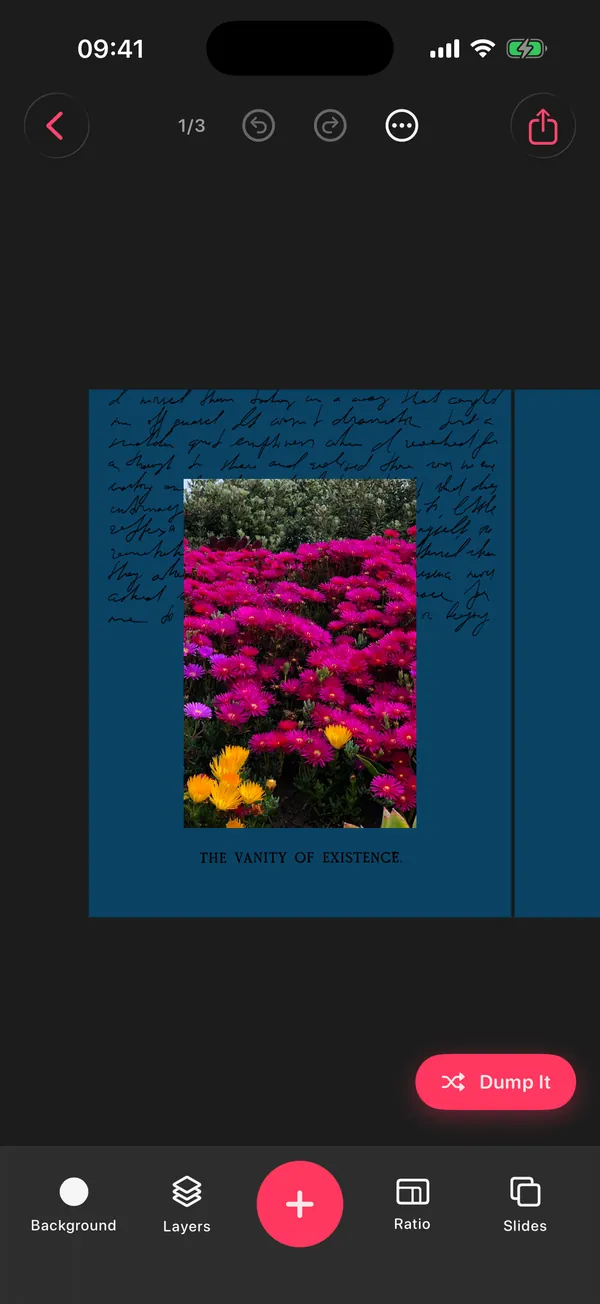
Real screens from the app, no mockups.
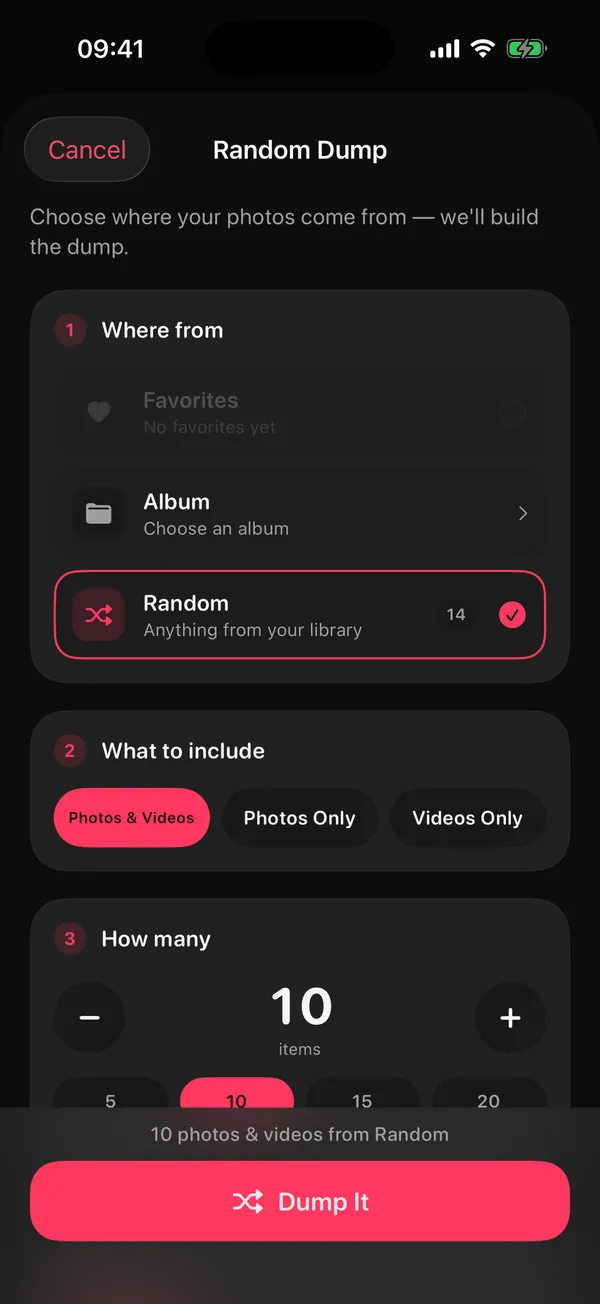
Favorites, one album or your whole library. Photos, videos or both, and how many (up to 10 free, 20 with Premium). Pick Smart Dump and DUMP chooses the best shots for you.
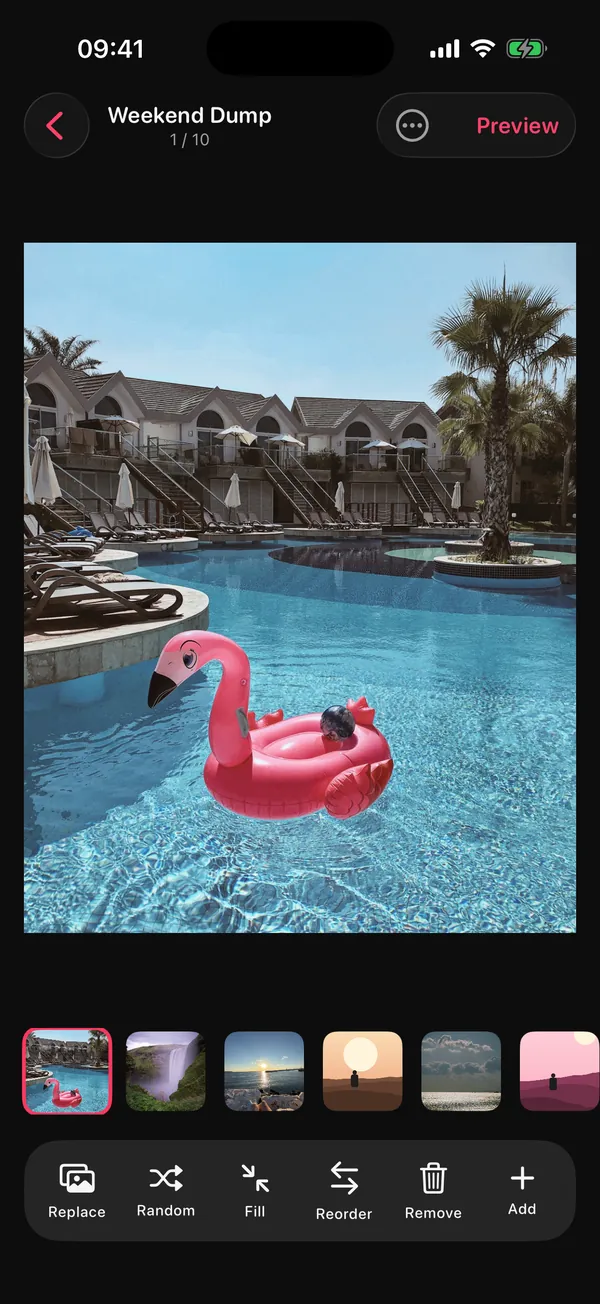
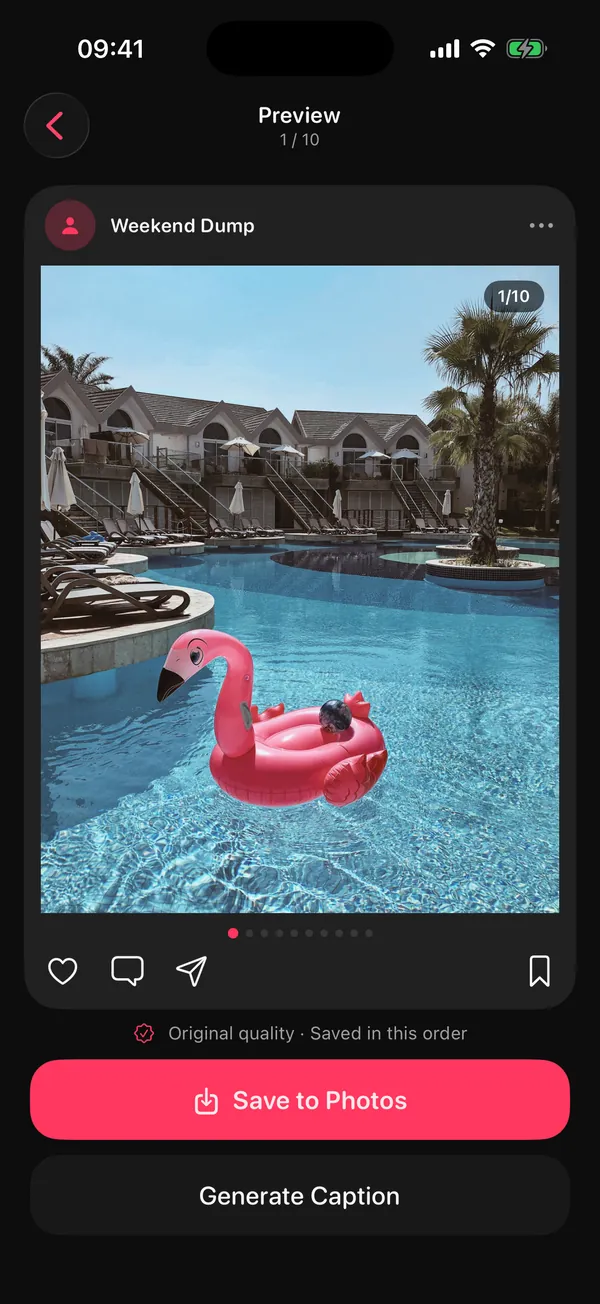
Replace any slide yourself or at random, shuffle, drag to reorder, add or remove. Then preview it the way your followers will swipe it.
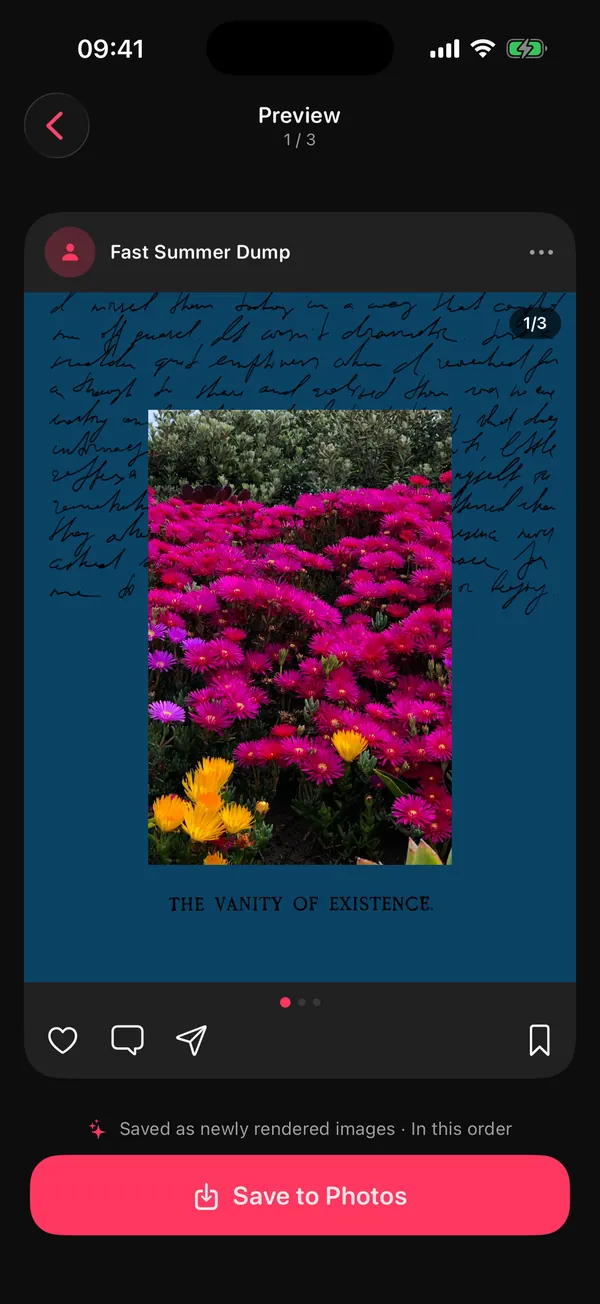
DUMP saves a new album named after your project, in posting order. Swipe carousels keep your originals untouched; collage pages are rendered at 2160 px.
A picker that does the first pass, and a studio for when you want it to look designed.
Choosing is the part that makes posts late. Turn on Smart Dump and DUMP looks through up to 180 photos from the moment you choose, right on your iPhone:
From which moment
The moments Smart Dump offers. Trips are found automatically from the location stored in your photos (two or more days, at least 75 km from home), on your iPhone. DUMP never asks for your current location and never identifies faces; it only counts them to balance a dump.
Turn on reminders and every Sunday DUMP drafts your week: the best shots from the last 7 days, your best one as the cover, the rest in order. Check it, swap anything and post it, or simply keep it as a private album of the week.
Prefer a nudge instead? Optional reminders come about twice a week or daily, only within the hours you choose.
The actual Sunday notification

DUMP picked the best shots from the last 7 days. Tap to see your draft.
Scheduled on your iPhone. No server, no account.
When a plain carousel isn't enough, switch to collage pages and build exactly what you see in your head.
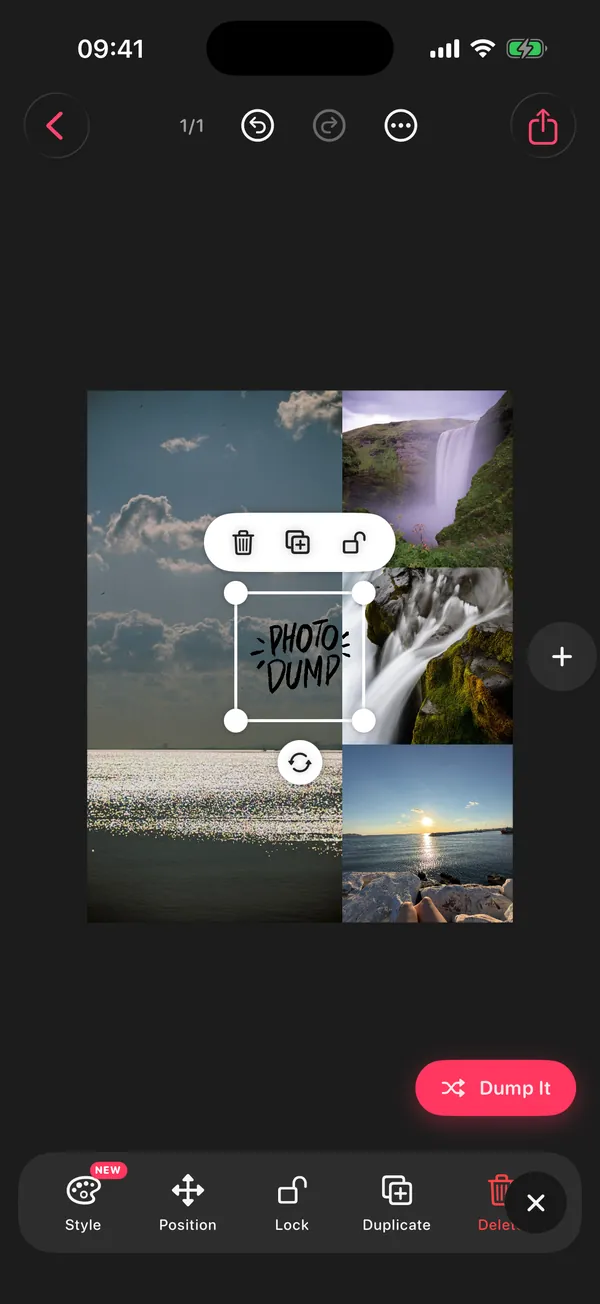
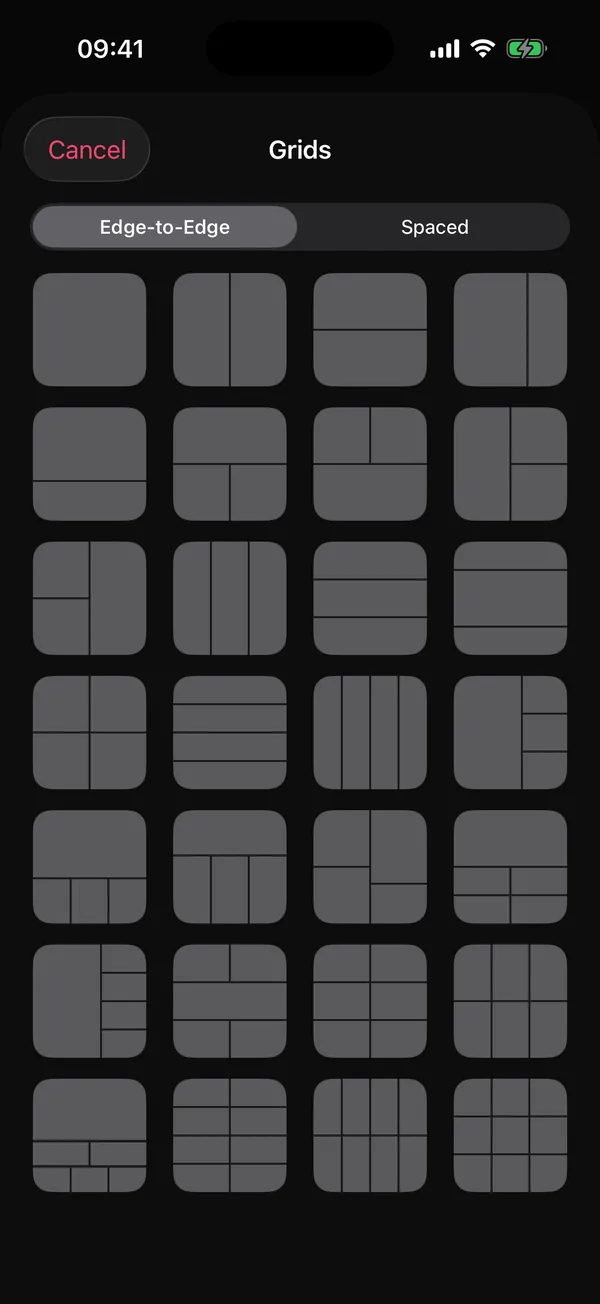
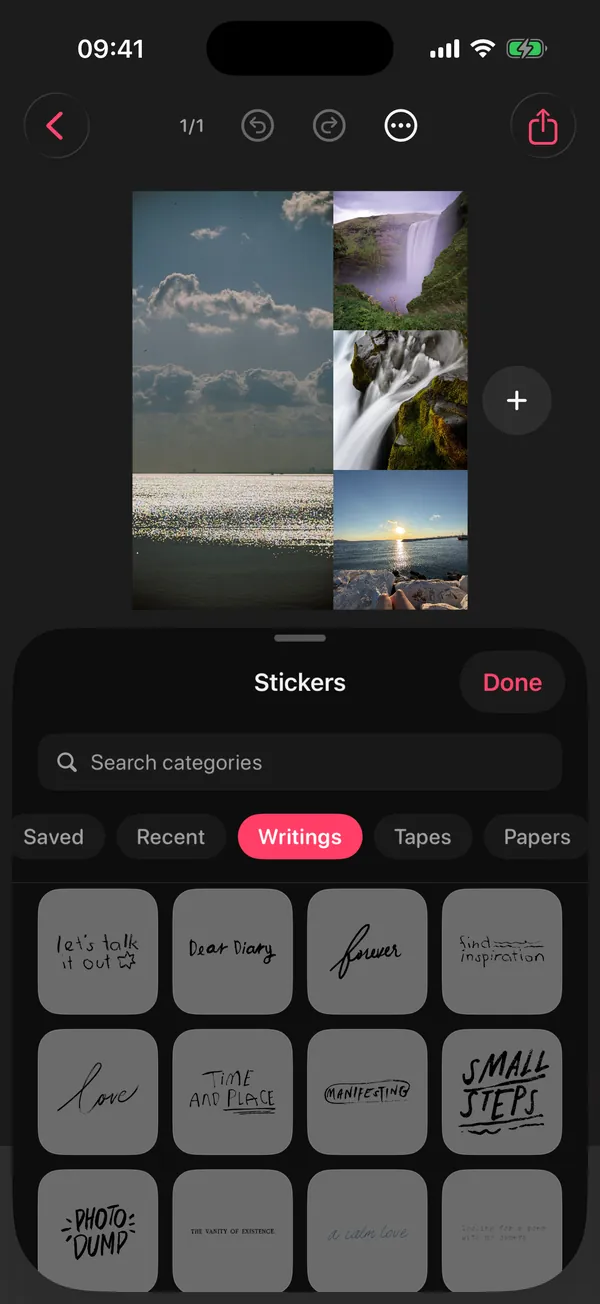
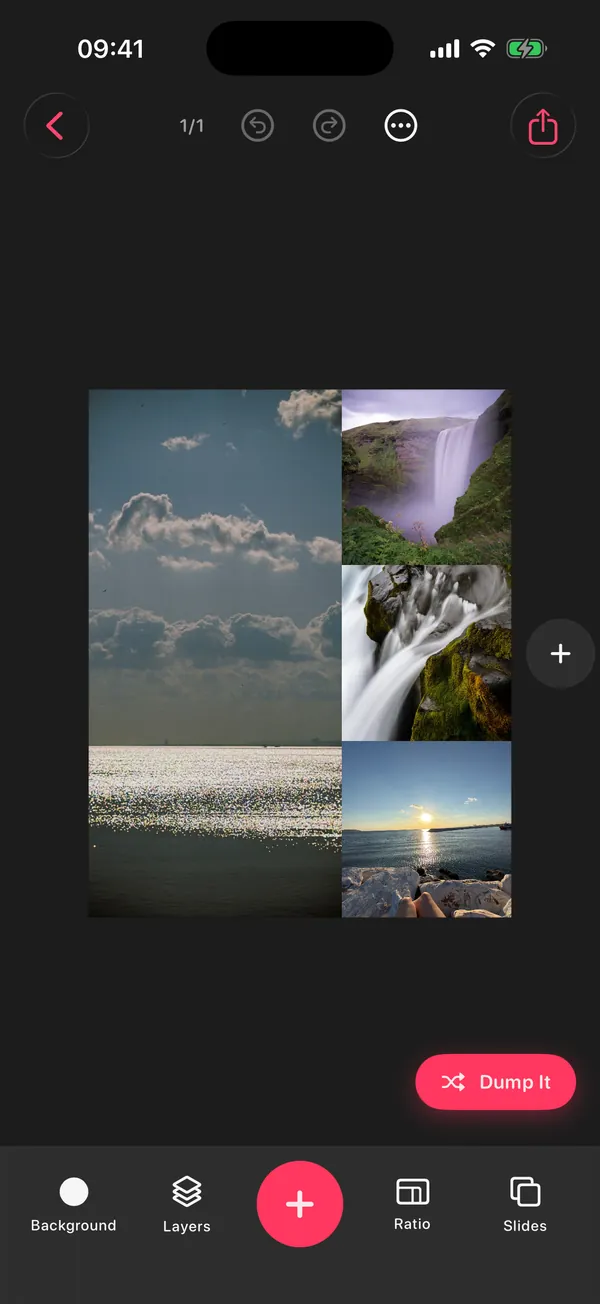
Start from a ready-made layout (stories, summer, birthday, film, grids and more), then tap Dump It. DUMP fills every empty slot with photos from your library, or re-dumps them all until it feels right. Every change can be undone.
Bookmark the templates you love and they wait for you in Saved Templates.
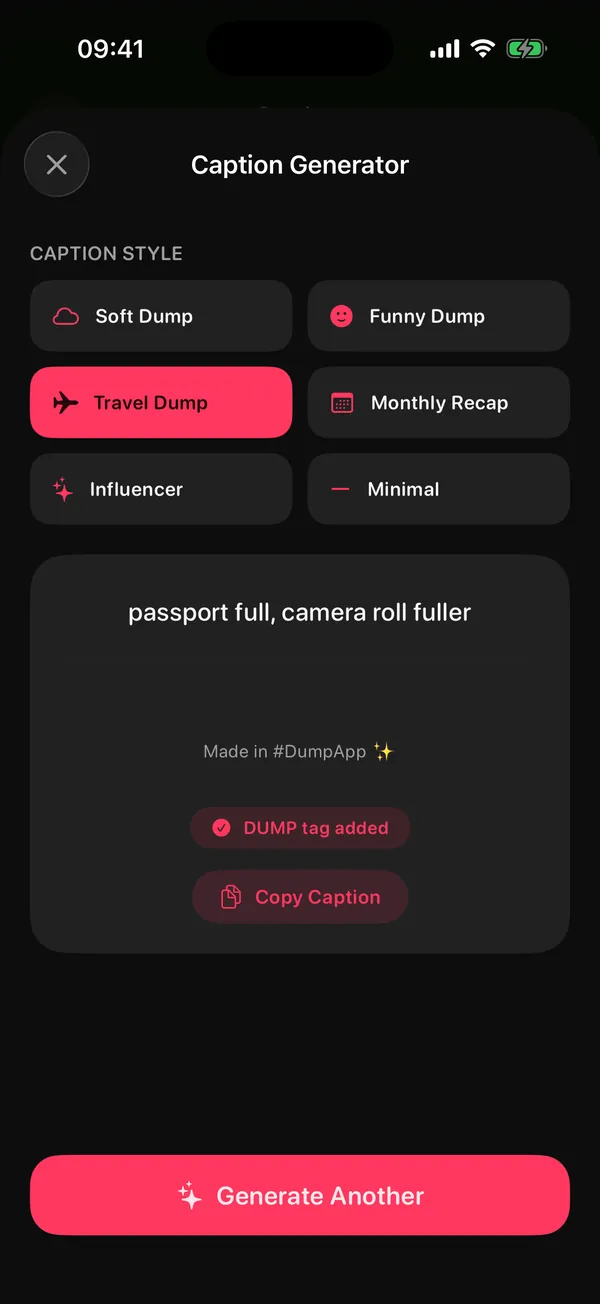
Pick a mood (Soft, Funny, Travel, Monthly Recap, Influencer or Minimal) and copy a hand-written caption line. It isn't AI and it doesn't read your photos; it just gets you past the blank caption box.
Want a Reel instead? Export the whole dump as one swiping video, 10 to 30 seconds long.
DUMP: Carousel & Collage is a free iPhone and iPad app by independent developer Gül Eda Aydemir. It turns a camera roll into Instagram photo dumps, carousels, collages and grids, picks shots on the device, and saves originals to a new Photos album in posting order.
Checked against the App Store listing and the app on 1 November 2026.
“DUMP 3.0 is here - with new ways to turn your camera roll into something worth sharing.”
From the App Store release notes
What arrived in 3.0:
“DUMP 2.0 is here - with new ways to turn your camera roll into something worth sharing.”
From the App Store release notes
What arrived in 2.0:
Yes. DUMP's Smart Dump looks at up to 180 photos on your iPhone, drops blurry shots, keeps only the sharpest of each burst or near-duplicate run, mixes people, places and close-up details, and puts everything in the order you took it. You swap anything you don't love. The picking runs on the device with Apple's Vision framework, so nothing is uploaded.
Pick a short window first: last weekend, last month or one trip. Drop the blurry shots and repeats, lead with your strongest photo, then alternate people, places and small details, with one short video for every three or four photos. Keep it in the order things happened. Smart Dump applies most of these rules for you, and you make the final call. More in the photo-picking guide.
Instagram allows up to 20 photos and videos in one carousel, but 8 to 12 is usually the sweet spot: enough to tell the story, short enough that people swipe to the end. On the free plan, Random Dump, Smart Dump and the Sunday draft build up to 10 items; with Premium, up to 20.
Yes. Turn on reminders and every Sunday, within the hours you allow, DUMP sends a notification that opens “Your week”: a draft of your best shots from the last 7 days, with your best shot as the cover and the rest in the order you took them. Check it, swap anything, save. The notification is scheduled on your iPhone; there is no server.
No. There is no account and no server. DUMP's App Store privacy label is “Data Not Collected”, the app contains no third-party SDKs, and you can make and save a whole dump in airplane mode. DUMP itself only talks to Apple's purchase system (StoreKit), when it checks or processes Premium. If you use iCloud Photos with Optimize iPhone Storage, iOS may download your own full-size originals from iCloud when DUMP shows or saves them; that's between your device and your iCloud account.
Only on your iPhone, and only to pick shots for you. Both Smart Dump and the Sunday draft read photos by date and use Apple's on-device Vision framework: Smart Dump judges sharpness, spots near-duplicates and counts faces (it never identifies who anyone is); the Sunday draft rates how good each photo looks, skips receipts and documents, and gives extra weight to your Favorites. To suggest trips, DUMP reads the location already stored in your photos. None of this leaves your device, and DUMP never asks for your current location. Details are in the privacy policy.
Not in Swipe Carousel mode. DUMP adds your original photos and videos to a new album in your order: nothing is re-encoded, resized or duplicated. The one exception is a photo you add a date stamp to, which is re-rendered as a high-quality JPEG. Collage, grid and template pages are rendered at 2160 px on the long edge and saved as 98%-quality JPEG (pages with video are saved as MP4). Instagram still compresses on upload; this way it only happens once.
After you save, tap Share to Instagram. DUMP copies your caption, and your slides are already in a new album in posting order. In Instagram, start a new post, pick that album, turn on multi-select and tap the slides in order, then paste the caption. Instagram only lets approved scheduling tools publish carousels to professional accounts through its API; DUMP has no account or server, so the last tap is yours.
DUMP is free to download and use, with no ads and no watermark on your images. On the free plan, Random Dump, Smart Dump and the Sunday draft build up to 10 items (20 with Premium), and you can keep up to 3 saved projects. DUMP Premium is optional: an auto-renewing weekly or yearly subscription; see the current price on the App Store. Cancel any time in Settings → [your name] → Subscriptions.
Yes, DUMP is a universal app for iPhone and iPad and needs iOS or iPadOS 18.6 or later. The current version is available in English, French, German, Italian, Japanese, Korean, Portuguese, Russian, Spanish and Turkish, and you can switch the language inside the app. There is no Android or web version.
No. The Caption Generator (Premium) gives you hand-written caption lines in six moods: Soft, Funny, Travel, Monthly Recap, Influencer and Minimal. You pick the mood; it doesn't look at your photos. On the free plan, text you copy from DUMP ends with a small #DumpApp tag, which Premium can turn off.
DUMP is built and supported by one person, Gül Eda Aydemir. About the developer
App Store label “Data Not Collected”. No account, no third-party SDKs. Try it in airplane mode. Privacy policy
Email solostaseraofficial@gmail.com. Replies usually within two business days.
No ads and no watermark on images. Premium is optional, weekly or yearly, cancel any time.
Picking, posting, weekly and travel routines, and an honest app comparison, written by Gül Eda, the developer who built DUMP.
Six rules for the cover, order and mix, plus a checklist.
9 min read HabitPost your week every Sunday in a ten-minute time box.
7 min read TravelThe 10-slide formula and automatic trip detection.
6 min read SeasonalYour 2026 in one carousel, without scrolling 12 months.
5 min read InstagramOrdering, quality and the exact posting steps.
8 min read ComparisonPickers vs studios: privacy labels, prices, free limits.
8 min read
Camera roll full of screenshots and misses? Solo.Swipe, by the same developer, helps you swipe through and clear it in 5-minute daily sessions. Then DUMP turns what's left into a post.
Let DUMP do the picking. You do the posting.
On a computer?Scan with your iPhone camera
Free · No account · iPhone & iPad · iOS 18.6+ · English, Español, 日本語, Türkçe