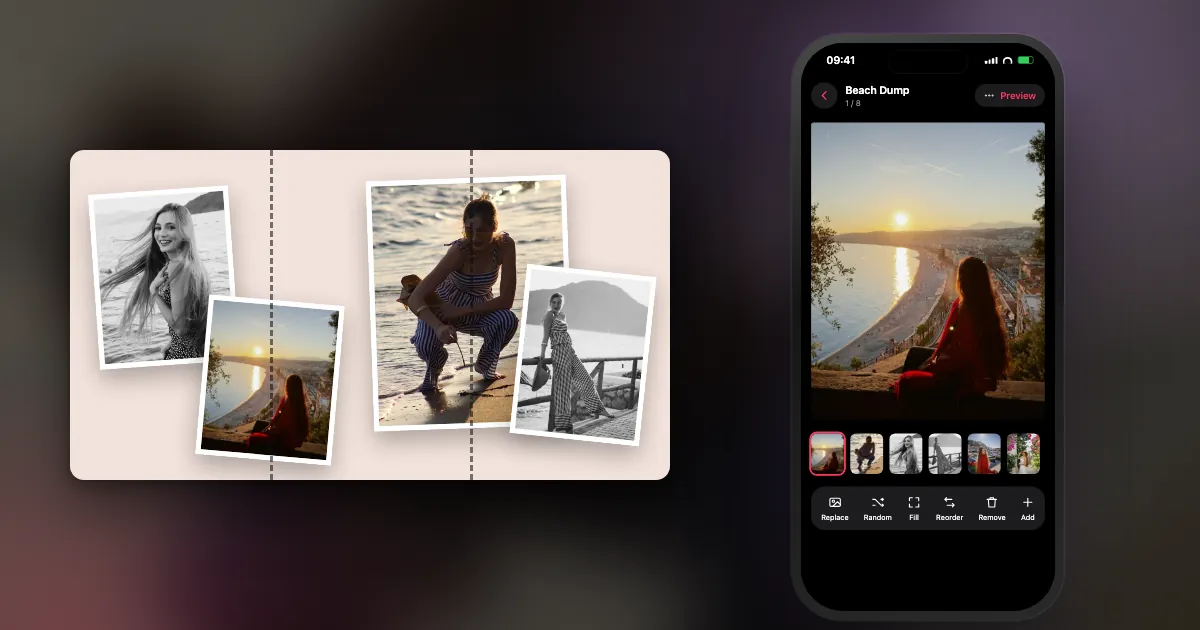
What is a carousel post?
It is one post that holds several images or videos, side by side, which viewers swipe through horizontally. The dots under the post show that there is more.
The name comes from the fairground ride: slides go round one at a time. Each slide is a separate image, and a post can mix photos and videos. Everything shares one caption, one location and one like count. On Instagram the limit went up from 10 to 20 in August 2024.
How do you create a carousel post on Instagram?
Tap the + button, choose Post, turn on multi-select, tap the photos in the order you want, then add a caption and share. Menus can change slightly between app versions.
- Open Instagram and tap +, then choose Post.
- Tap the multi-select icon (the overlapping squares).
- Tap photos and videos in the order you want. The numbers on them show the order.
- Set the shape. Whatever you choose for the first item applies to all of them.
- Tap Next, then add filters or music if you want them.
- Add a caption and tap Share.
Tip: put your photos in a Photos album first, so you are not hunting through your whole camera roll with a selection in progress. The full posting guide covers order and quality. To make the shapes right, see the Instagram carousel size guide.
Why use a carousel post?
A carousel lets you say more in one post, without filling your followers' feed. It also gives people a reason to stay on the post a little longer, because there is always one more slide.
You do not have to choose one photo out of ten. You can also tell a story in order, which a single image cannot do. Instagram has not published a rule saying carousels rank better than single photos, so be wary of anyone quoting exact figures. Think of a carousel as a format that suits certain content, not a growth trick.
What are the types of carousel post?
Most carousels are one of five types: the photo dump, the story, the how-to, the list and the seamless panorama.
| Type | What it is | Best for |
|---|---|---|
| Photo dump | Casual photos from real life | Personal accounts, recaps |
| Story | A sequence with a beginning and end | Trips, events, behind the scenes |
| How-to | One step per slide, usually with text | Teaching, tips |
| List | One item per slide | Recommendations, products |
| Seamless | One wide image across slides | Scenery, designed layouts |
More examples are in these Instagram carousel ideas.
How do you make people swipe a carousel?
Make the first slide raise a question, keep contrast from slide to slide, cut anything that repeats, and put something worth finding on the last slide.
- The cover does the selling. It is the only slide people see before they decide to swipe.
- Hint at what is next. Cropped subjects, unfinished sentences and photos that run off the edge all make people want the next slide.
- Vary the shots. Wide, close, face, detail. Six similar shots make people stop.
- Reward the end. A joke, the result or a final question.
- Shorter is often better. You can post 20, but only post as many as stay interesting.
Do you need a carousel maker or a carousel splitter?
Not for a simple post, since Instagram handles that. Use a carousel maker if you want designed slides or help ordering them, and a splitter if you want to cut one wide image across slides.
A carousel maker builds the slides for you, with templates, text and layouts. A carousel splitter (or image splitter, or carousel cutter) only cuts a wide image into equal pieces. The numbers matter: three 4:5 slides need a 3240 × 1350 px image, cut every 1080 px. See how to make a seamless carousel for the details. DUMP does this without the maths: drag a photo across a slide edge, and it spans both slides.
Do carousels work on other platforms?
Yes. TikTok has photo carousels, Facebook supports multi-photo posts, and on LinkedIn a "carousel" is usually a PDF document uploaded so that it pages sideways.
The ideas carry over, although the sizes do not always match, so check each platform's current specifications before designing. For a LinkedIn carousel post, export your slides as a single PDF and upload it as a document.
Frequently asked questions
What is a carousel post?
A single post containing several photos or videos that people swipe through. On Instagram, one carousel holds up to 20 items and has one caption.
How many photos can you put in an Instagram carousel?
Up to 20 photos and videos in one post, and at least 2. For most posts, 8 to 12 is enough.
How do I create a carousel post on Instagram?
Tap +, choose Post, tap the multi-select icon, tap your photos in order, set the shape, add a caption and share.
Do all carousel photos have to be the same size?
They end up the same shape. Instagram applies the shape of the first slide to all the others and crops them to fit, so match your photos or put them on a background first.
What is the difference between a carousel and a photo dump?
A carousel is the format. A photo dump is a casual kind of carousel, using loosely related photos from real life.
Line up your carousel in DUMP
Smart Dump makes a first draft from your photos. Drag slides into order, preview the swipe, and save your originals in order to a new Photos album. Free on iPhone and iPad, no account.
 On a computer?Scan with your iPhone camera
Free · iPhone & iPad · iOS 18.6+ · No account · Works offline

If you have never posted a carousel, start with one weekend and eight photos. You can get fancy with the next one.
Indie iOS developer, and the maker of DUMP. Say hello on Instagram or at solostaseraofficial@gmail.com.
Sources
- TechCrunch, 8 Aug 2024: Instagram raises the carousel limit from 10 to 20 photos and videos.
- Instagram Help Center, "Share multiple photos": the shape you choose applies to every item.
- DUMP facts were checked against the source code of DUMP 3.0.1, the version on the App Store on 1 Nov 2026.