 Solo.Swipe
Delete Empty Albums on iPhone and Keep Your Photos
Quick answer
Deleting an album in Photos never deletes the photos in it: Apple says they stay in your library and in any other albums. To delete one, open Photos, tap Collections, then Albums, touch and hold the album and tap Delete Album. Photos has no “empty albums” filter, so you find them one by one. Solo.Swipe's Albums view puts every empty album in its own list with Select All, and for full albums lets you choose: delete the album only, the photos only, or both.
Albums are supposed to make photos easier to find. After a few years they do the opposite: “New Album 3”, a trip album that's empty because you cleaned the trip, six albums some app created once. This guide shows exactly what each kind of delete does, so you can clear the mess without losing a single photo you wanted.
Does deleting an album delete the photos on iPhone?
No. In Apple's words: “When you delete an album, the photos and videos within it remain in your photo library and any other albums they were added to.” An album is a list that points at photos, not a folder that holds them.
The confusion comes from the three different actions that sound alike:
| Action | The album | The photos |
|---|---|---|
| Delete Album | Removed | Stay in your library and other albums |
| Remove from Album (on a photo) | Stays, one photo fewer | Stays in your library |
| Delete a photo (trash icon) | Stays, one photo fewer | Goes to Recently Deleted for 30 days, then gone from every album, and from every device if iCloud Photos is on |
So “delete the album” is safe for your photos, and “delete the photos” is not safe for your albums: deleting a photo removes it everywhere it appears.
How do you delete an album on iPhone?
Touch and hold it, then tap Delete Album. The full path in iOS 27, from Apple's iPhone User Guide:
Open Photos and tap Collections
Collections is where albums, Media Types, Utilities and Shared Albums live in the current Photos app.
Tap Albums
Tip: Apple's guide shows how to switch the albums list to List View, which is quicker to scan than covers.
Touch and hold the album, tap Delete Album
The photos inside stay where they are. Repeat for each album you want gone.
Not every album can be deleted this way. Collections the Photos app builds itself, like Media Types, Utilities and Trips, aren't albums you made, and shared albums are managed from Collections › Shared Albums.
How do you find and delete all empty albums on iPhone?
In Photos you have to spot them one by one; Solo.Swipe lists them all in one place. Empty albums are mostly a side effect of cleaning: when you delete every photo in an album, the album itself stays behind.
In the Photos app
Open Collections › Albums and open each album you suspect is empty. There's no filter for empty albums, so you check them one at a time and delete each with touch and hold › Delete Album. Fine for three; tedious for thirty.
In Solo.Swipe
Open Albums from the Home screen
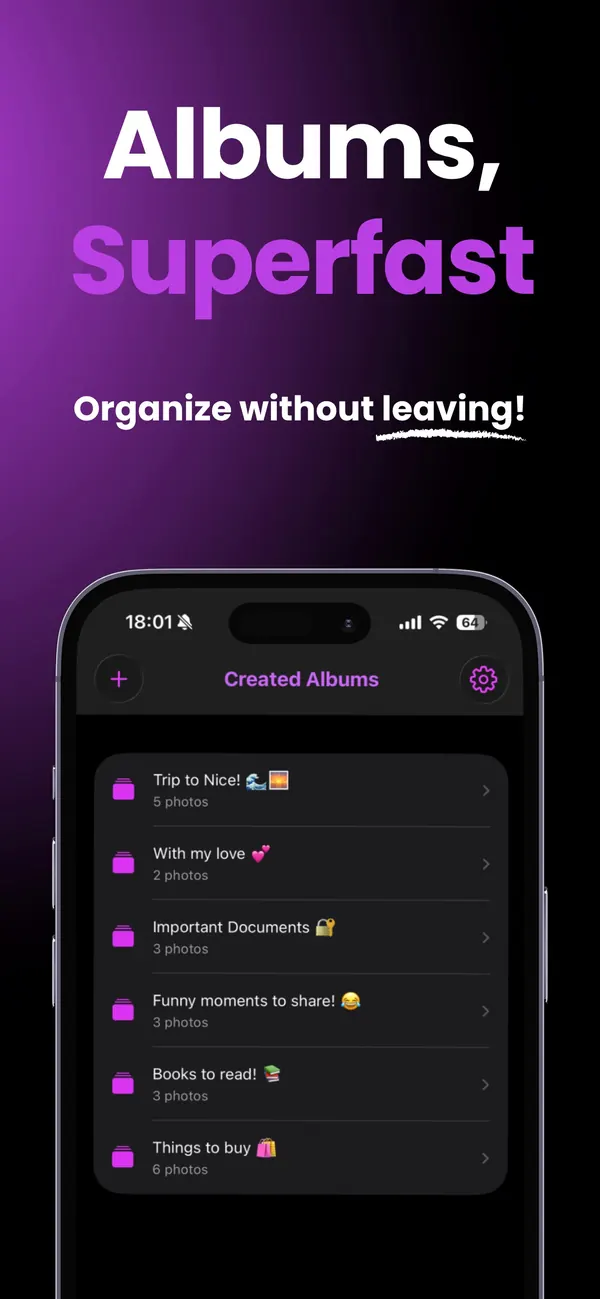
It shows the albums already in your library, split into two sections: Empty Albums at the top, then Albums with Photos.
Tap Select, then Select All in Empty Albums
Only albums iOS allows apps to delete are offered, so you can't select one the system protects.
Tap Delete
The confirmation says it plainly: these albums are empty, so no photos will be deleted. Deleted albums can't be recovered, but an empty album has nothing to recover.
Browsing albums is part of the free version.
How do you delete the photos in an album but keep the album?
Select the photos inside the album and delete them; the album stays, now empty. Remember the catch from the table: deleting a photo removes it from your whole library, not just this album.
- In Photos: open the album, tap Select, then tap the photos (or Select All), and tap the trash icon. They go to Recently Deleted for 30 days.
- To take photos out without deleting them, touch and hold a photo and tap Remove from Album instead. It stays in your library.
- In Solo.Swipe: choose Delete Photos Only (Keep Album) on an album, or open the album in Solo.Swipe and tap Select. For the selected photos it asks: Delete from iPhone, or Remove from Album. If you'd rather decide photo by photo, use Swipe to Review on the album.
Why keep an empty album? Because it's a habit container: “Receipts to file”, “Next post”, “Print this year”. Empty it when the job is done, refill it next week.
How do you delete an album and all its photos at once?
Photos needs two steps; Solo.Swipe does it in one. In Photos, open the album, Select All, delete the photos, then go back and delete the album. In Solo.Swipe, choose Delete Album and Photos.
Either way, the photos go to Recently Deleted for 30 days, so you can still recover them. The album itself can't be recovered in Solo.Swipe; recreate it if you need it.
Several albums at once
Apple's instructions delete albums one at a time. In Solo.Swipe you can select several albums and pick, for all of them together: Delete Albums Only (Keep Photos), Delete Photos Only (Keep Albums), or Delete Albums and Photos.
How do you keep albums from piling up again?
Make fewer albums, name them for a purpose, and file photos while you clean instead of afterwards.
- One album per event, trip or project. “Lisbon Oct 2026” beats “Trip”.
- A few working albums you empty regularly: receipts, next post, to print.
- File as you go. In Solo.Swipe, swipe up on a keeper to add it to an album (or create one) without leaving the session.
- Find the strays. Solo.Swipe's Random mode has a Not in Any Album option: 20 random photos that aren't in any album yet.
- Once a month, clear empty albums. It takes half a minute.
An album of your best photos is also the easiest starting point for sharing them. Solo.Swipe's albums have a Create a post with DUMP card that links to DUMP, a carousel and photo-dump app by the same developer, where you pick that album to build a carousel or collage. For the wider tidy-up of your phone and week, there's the organize-your-life guide.
Questions
Does deleting an album on iPhone delete the photos from iCloud?
No. Deleting an album leaves its photos in your library. If you use iCloud Photos, albums are stored in iCloud too, so the album disappears on your other devices while the photos stay. Deleting a photo, by contrast, removes it from your library on every device using iCloud Photos right away; it's permanently erased after 30 days in Recently Deleted.
How do I delete multiple albums at once on iPhone?
Apple's steps delete one album at a time: touch and hold, then Delete Album. In Solo.Swipe, open Albums, tap Select, choose several albums (or Select All empty ones) and delete them together, choosing whether their photos stay or go.
Why can't I delete some albums?
Some collections in Photos aren't albums you made: Media Types, Utilities and Trips are built by the app, and shared albums are managed from Collections, Shared Albums. iOS also protects some albums from being deleted by apps, which is why Solo.Swipe only offers albums the system allows it to delete.
Can I recover a deleted album?
Not as an album. But if you only deleted the album, every photo is still in your library, so you can create the album again. If you deleted the photos too, they stay in Recently Deleted for 30 days and can be recovered from there.
Why do I have so many empty albums?
Deleting all the photos in an album leaves the album behind, and some apps create albums for their own exports. Both pile up quietly. A monthly sweep of empty albums keeps the list short.
Related guides
Sources
- Apple iPhone User Guide, Create and work with photo albums (Delete Album; photos remain in your library; sort, filter and List View; albums stored in iCloud).
- Apple iPhone User Guide, Add, delete, and find photos and videos in albums (Remove from Album).
- Apple iPhone User Guide, Delete or hide photos and videos (Recently Deleted for 30 days; deletions apply to all devices with iCloud Photos).
Apple pages checked on 15 October 2026 (iOS 27 version of the guide).