 Solo.Swipe
Back From a Trip? Sort Your Photos Within a Week
Quick answer
Sort trip photos within seven days, while you still remember which shot was the good one. Do one day of the trip per session: delete the doubles, blurry shots and screenshots of tickets, keep the best 10 to 20 per day, file them into one trip album, and review the long videos last. Then share or post from the album. In Solo.Swipe that's By Day or Locations, a swipe left, right or up, and Large Files for the biggest clips.
You're home, the suitcase is still half full, and your phone holds 1,200 photos of a nine-day trip. Wait a month and you'll never sort them: the trip becomes a wall of thumbnails you scroll past. Do it in the first week and it takes about ten minutes a day, and you get a trip album you'll actually open again.
Holiday-trip season
Back from a Thanksgiving or end-of-year trip? Block ten minutes on each of the first evenings home and do one trip day per evening. The album is ready before the group chat asks for the photos.
Why should you sort vacation photos within a week?
Because in the first week you still know which shot was the good one, and why. You remember that the third sunset photo was the one with the boat, that the blurry dinner shot is the only one with everyone in it, and which of the twelve beach photos you meant to keep.
Two practical reasons too: trips are where storage disappears (long 4K clips, panoramas, Live Photos), and the urge to share fades fast. A trip posted the week you're back gets a different reaction than one posted three months later.
What should you do before you start?
Make sure your photos are backed up, and decide on the album name. Two minutes, and everything after is lower-risk.
- Backup: if you use iCloud Photos, remember it syncs. Deleting a photo on your iPhone deletes it on your other devices too.
- One album name: “Lisbon Oct 2026”. One album per trip is plenty.
- Travel companions' photos: if friends will share theirs, wait for them before you pick the final set, so you don't keep three versions of the same view.
How do you sort trip photos on iPhone, day by day?
One trip day per session, three passes: rejects out, best shots into the album, videos last. A day of a trip is a set you can finish in ten minutes; the whole trip at once is not.
-
Open one day 30 sec
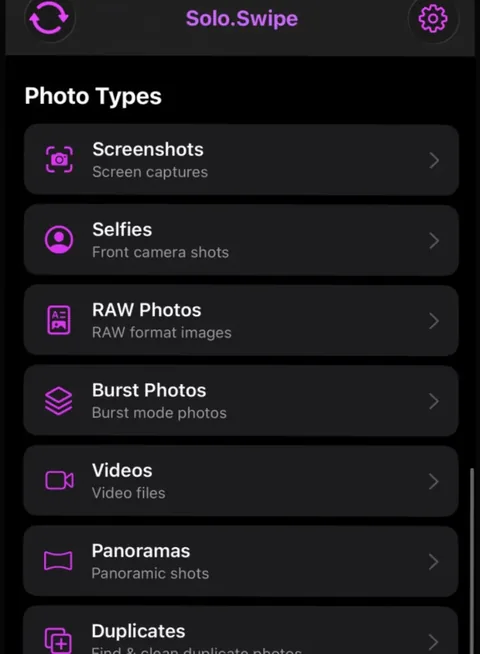
The Photos app groups trips in its Trips collection (Collections › Trips), based on location data in your photos. In Solo.Swipe, open By Day, or Locations to see photos by city.
-
First pass: the obvious rejects 4 min
Swipe left on doubles, blurry shots, accidental pocket photos and screenshots of tickets, maps and booking codes whose job is done. If a photo needs more than two seconds of thought, swipe down to skip it.
-
Second pass: the best of the day 4 min
Swipe up to file the keepers into the trip album. Favorite the two or three you'd frame. For a run of similar shots of the same view, keep one.
-
Leave videos for last 1 min
Videos take the longest to judge and the most space. Handle them in their own pass (see below).
-
Confirm and stop 30 sec
Check the Final Review screen, confirm, done for today. Tomorrow, day two.
How many vacation photos should you keep?
A good starting point is 10 to 20 per day of the trip, plus the photos of people. It's not a rule; it's a number that forces a choice without hurting.
| Trip | Keep in the album | Why |
|---|---|---|
| Weekend away | 30–50 | Enough for a carousel and a few prints. |
| One week | 100–150 | About 15–20 a day: the views, the food, the people. |
| Two weeks or more | 15 a day, then a “best of” of 30 | The best-of album is the one you'll actually show people. |
| Family trip with kids | Add the people shots on top | Photos of people are the ones you can't retake. |
Keep photos of people even when they're not perfect. Blink shots are the exception when a better retake exists: the closed-eyes guide explains the rule.
What should you do with long trip videos and 4K clips?
Review them in a separate pass, biggest first, and keep the clips you'd actually rewatch. A few long 4K videos can outweigh hundreds of trip photos.
- 4K Videos and Long Videos (over 5 minutes) are free filters in Solo.Swipe's Videos view.
- Large Files › Largest 20 Videos lists your heaviest clips first (Pro, or free for the rest of the day after one short ad).
- Short Clips (under 5 seconds) catches accidental recordings.
- Videos play inside the card, so you judge the clip itself, then swipe.
After deleting, empty Recently Deleted in Photos if you need the space now; otherwise the items stay there for 30 days.
How do you share or post your trip photos?
From the trip album, never from the whole camera roll. Once the album exists, sharing takes minutes.
- With people who were there: a Shared Album in Photos lets everyone add their own photos and comments, so you get one album instead of five group chats.
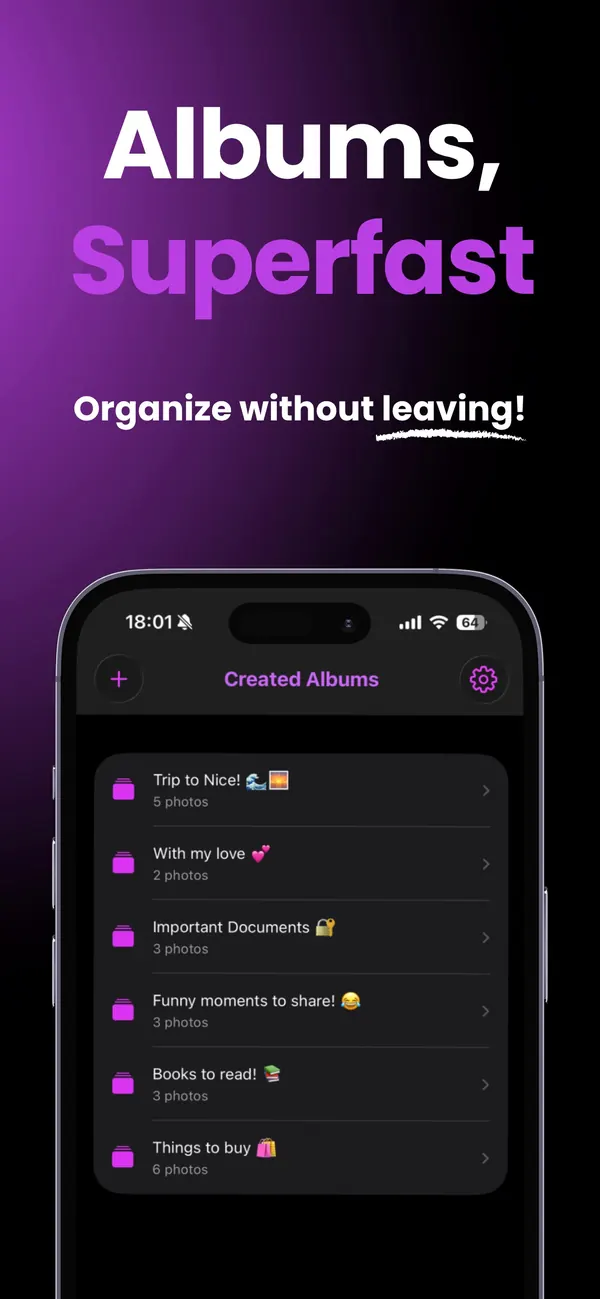
- As a post: Solo.Swipe's albums have a Create a post with DUMP card. It links to DUMP, by the same developer, where you pick the trip album to build a carousel or collage; its Smart Dump can also spot a trip in your photos by itself and pick a balanced set. The travel photo dump guide has a 10-slide formula.
- As a habit: the creator toolkit covers the full shoot, sort, post routine if you share regularly.
What if your iPhone runs out of space during the trip?
Clear the biggest videos and screen recordings first, then empty Recently Deleted. That frees the most space in the fewest decisions, which is what you want at a viewpoint with a full phone.
The five-minute version: open Largest 20 Videos (or 4K Videos), delete what you've already shared or won't rewatch, then empty Recently Deleted. The full order, including offloading apps, is in not enough storage? free space in 10 minutes.
About the Locations view
Solo.Swipe groups photos by city using the location data already in each photo. To turn coordinates into city names it asks Apple's geocoder, which is a network request to Apple. It never asks for your phone's current location, and photos without location data don't appear there.
Questions
How do I find all the photos from one trip on iPhone?
In the Photos app, open Collections and scroll to Trips: Apple groups trip photos using their location data. In Solo.Swipe, use By Day for the trip dates or Locations to browse by city.
How many vacation photos should I keep?
About 10 to 20 per day of the trip is a good starting point, plus photos of the people you were with. For long trips, also make a small best-of album of around 30 photos to share.
Should I delete duplicate photos from a trip?
Yes, but know the difference: exact duplicates are the same photo saved twice, while retakes are separate photos of the same view. Apple's Duplicates collection and Solo.Swipe's Duplicates view (exact pairs only) handle the first. For retakes, browse the day and keep the best one.
How do I share trip photos with friends who were there?
Create a Shared Album in the Photos app and invite them. Everyone can add their own photos and comments, and you avoid sending the same pictures through several chats.
Does Solo.Swipe work offline while traveling?
Swiping through photos stored on your iPhone works without a connection. Some things need one: city names in Locations come from Apple's geocoder, photos stored only in iCloud have to download, and ads in the free version need the internet.
Related guides
Sources
- Apple iPhone User Guide, Find your travel photos and videos (the Trips collection).
- Apple iPhone User Guide, Create shared albums in Photos.
- Apple iPhone User Guide, Delete or hide photos and videos (Recently Deleted for 30 days; iCloud Photos sync).