 Solora
Why do family time and self-care keep slipping?
Because they don't shout. Work has deadlines, meetings and people waiting; a bedtime story, a date night or your own walk has none of that, so it loses every urgency contest. Planning by role gives the quiet things a place to live.
It isn't about doing more. Most working parents already do plenty. It's about making sure the few things you care most about this week are written down somewhere other than the back of your mind at 11pm.
Which roles should a working parent plan by?
Start with four: your job, being a parent, being a partner (or friend, or family member, if that fits better), and you. Four is enough to see balance and few enough to manage in a busy week.
| Role | What lives here | Example weekly target |
|---|---|---|
| Professional | Work outcomes, not every email | 5 |
| Parent | Time with the kids, school admin, appointments | 3 |
| Partner | Check-ins, dates, shared decisions | 2 |
| Wellness (you) | Movement, sleep, a hobby, time alone | 3 |
Home admin (groceries, bills, repairs) can go under a fifth role like Home Manager, or under Parent if it's mostly kid-related. Single parent? Swap Partner for Friend or Family Member: the role that keeps you connected. More on picking roles in role-based planning.
What's one non-negotiable per role?
It's the one thing per role that would make this week feel right, decided on Sunday and protected like a meeting. Four non-negotiables a week is realistic; twelve is a wish list.
- Professional: “Ship the budget draft by Thursday.”
- Parent: “Saturday morning at the park, phone in the bag.”
- Partner: “Wednesday dinner after the kids are asleep, no screens.”
- Wellness: “Two lunchtime walks.”
Then each day, pick just three priorities (your Big 3). On busy days, one of the three should be a step toward a non-negotiable, even a tiny one like “Book the babysitter”.
Which tiny family habits are worth tracking?
The ones that take five minutes or less and that you'd regret skipping for a month. Small, repeatable moments add up to the week feeling connected, and they survive busy weeks far better than big plans.
| Habit | What it looks like |
|---|---|
| Kids Check-In | Two questions at bedtime: the best part of their day, and the hardest part |
| Read to Kids | 15 minutes in the evening (one short book on chaotic nights) |
| Child-Led Play | 20 minutes where they choose the game |
| Screen-Free Meal Together | One meal with phones out of reach |
| Patience Pause | Breathe before reacting. Track it when you manage it |
| Prep for Tomorrow | Bags and lunches ready the night before |
| Daily Connection | Ask your partner about their day and listen, a hug, a thank you |
| Quality Time Together | 30 minutes with your partner in the evening |
Don't add them all. Pick one for each relationship and give it a flexible streak, so a single missed evening doesn't wipe out your progress.
And decide the bad-day version now: if the full 15-minute story isn't happening, one short book still counts. See what to do on a low-energy day for more easier versions.
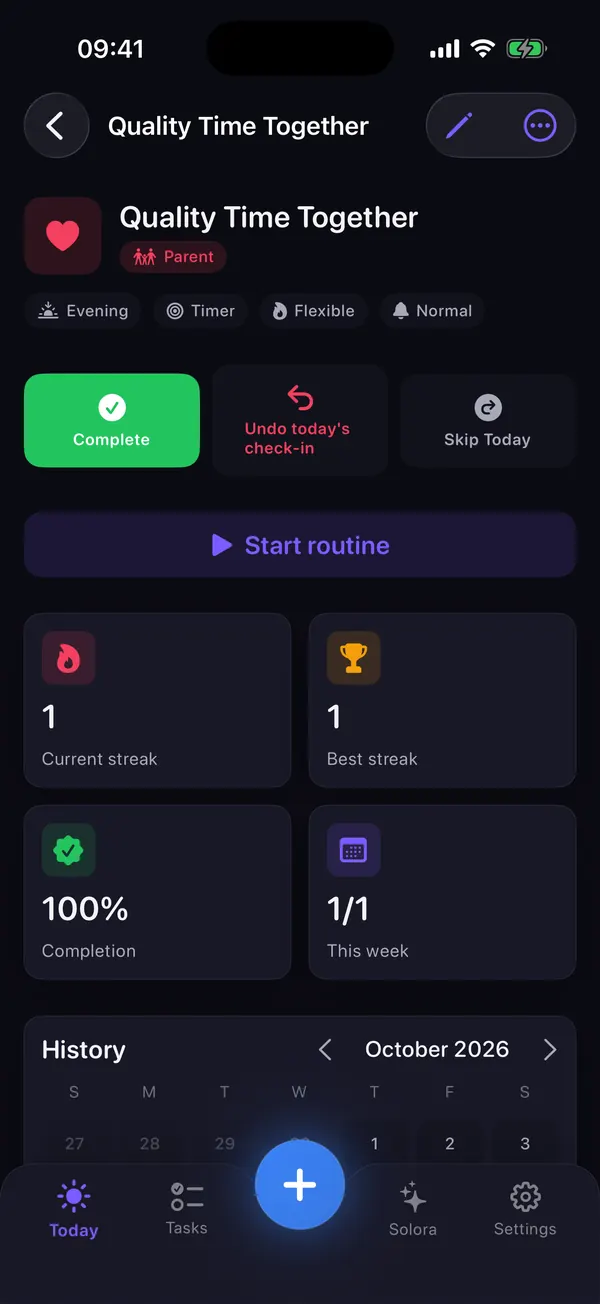
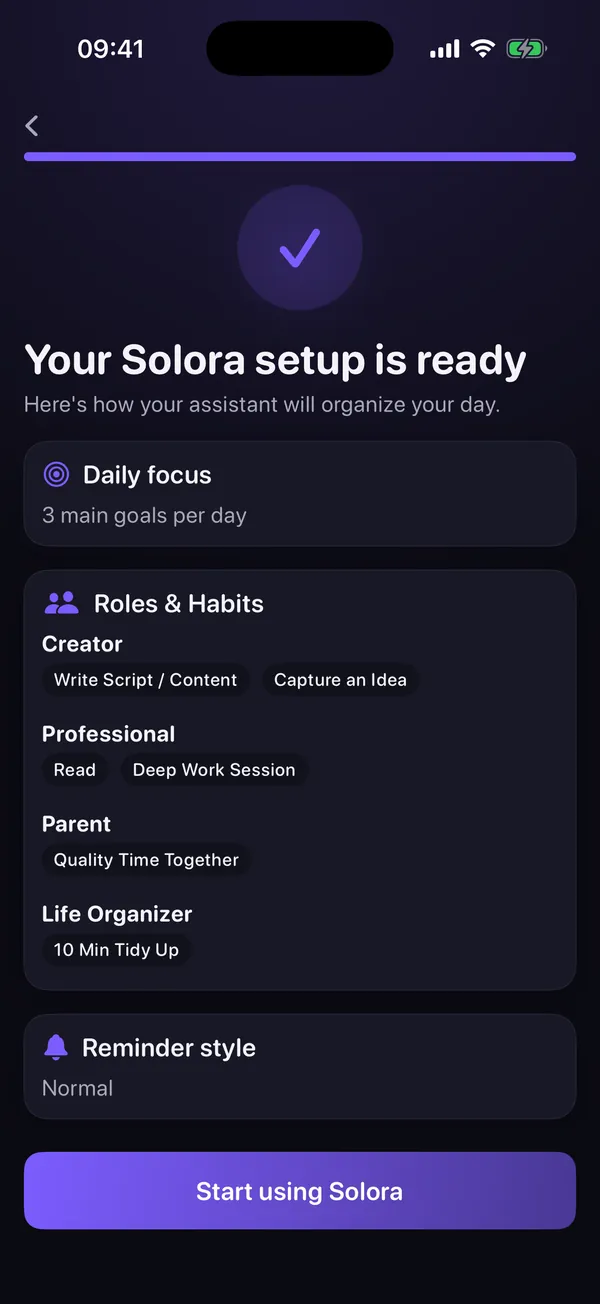
Try it in Solora
A calmer week for the whole family, planned on your phone
Solora: AI Life Planner gives each part of your life its own space, so work stops swallowing everything else.
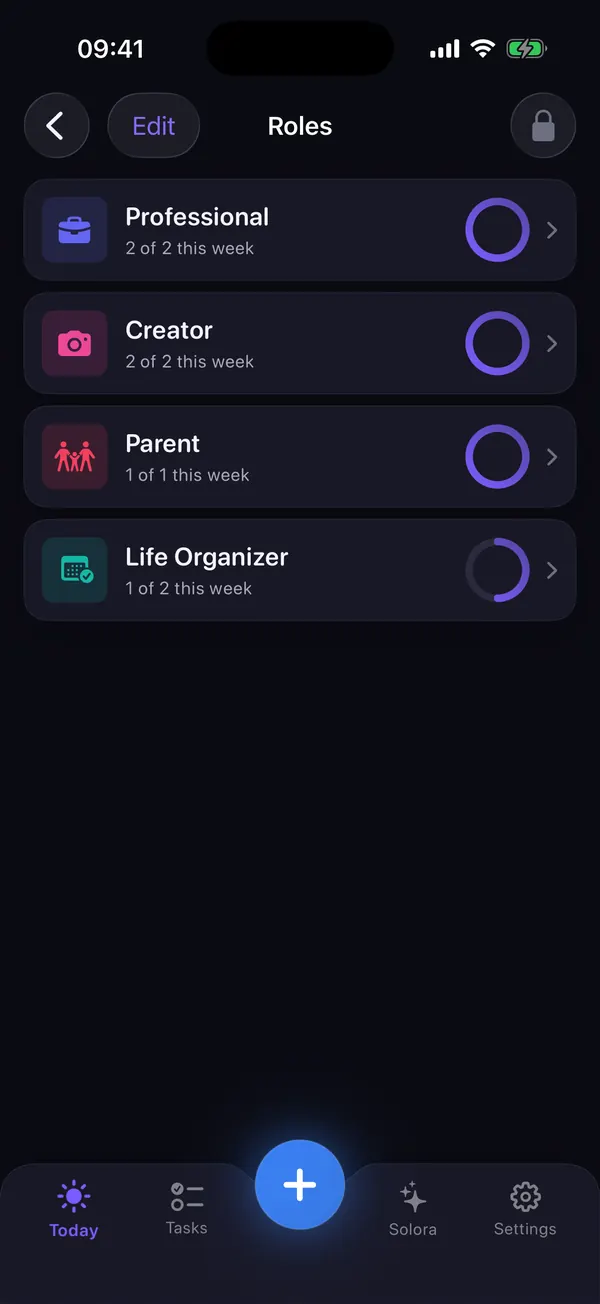
- Parent, Partner, Family Member and Home Manager roles, each with a weekly target for finished tasks (in Solora 3.0, habits like Read to Kids don't count toward it yet).
- Family habit templates like Kids Check-In, Read to Kids and Prep for Tomorrow.
- A daily Big 3 on the Today screen, and unfinished items carried over to tomorrow.
- The Weekly Review shows completed tasks vs target for every role, so you see which one got squeezed.
 On your computer?Scan with your iPhone camera
The free plan includes 4 roles: exactly the starter set above. No account needed.
How do I check the week in 10 minutes?
On Sunday evening, look at each role and ask: did it get its non-negotiable? The role that didn't gets one small, specific action on Monday. Then pick next week's four non-negotiables and you're done.
- Wins (2 minutes).
What went well for each role? Say one out loud to your partner if you can.
- The squeezed role (3 minutes).
Which role got the least? One small fix for next week.
- Next week's non-negotiables (3 minutes).
One per role, with a day attached.
- Monday's Big 3 (2 minutes).
So the week starts with a plan, not with the inbox.
The full version, with a printable checklist, is in the 15-minute weekly review.
What if the week falls apart (sick kids, school closures)?
Shrink the plan instead of dropping it. Go from three daily priorities to one, protect streaks with an honest reason like “Sick day” or “Emergency”, and move everything else to a specific later day. The system is meant to bend, not break.
The worst thing you can do is stare at a full plan made for a normal week. Re-plan in two minutes: one thing for work, one for the kids, and the rest waits. Next Sunday's check will catch whatever slipped.
What Solora isn't (so you can choose well)
Solora is a personal planner, not a shared family organizer. There are no shared lists, no family accounts and no sync between your phone and your partner's.
- No shared lists. For a shared grocery or chores list, keep using a shared-list app alongside Solora.
- No cloud sync. Your data stays on your device (and in its normal backup). If you use both an iPhone and an iPad, each keeps its own plan.
- No shared calendar. With your permission, Solora can read your calendar to find free time and add planned project steps to it, but it doesn't manage a family calendar.
If those are deal-breakers, a family organizer app is a better fit. If you want a private planner that keeps your roles in balance, Solora is built for that. Starting from scratch? The where-to-start guide has a short first reset.
Working parents FAQ
Is Solora a family organizer app?
No. Solora is a personal planner for one person on their own iPhone or iPad. It has Parent, Partner and family roles and family habit templates, but no shared lists, family accounts or sync between devices.
How much time does this system take each week?
About 10 minutes on Sunday and two minutes a day to pick three priorities. Tiny habits take five minutes or less each. If it takes longer, you've added too many roles or habits.
Is Solora free for this?
Yes. The free plan includes 4 roles, 15 active tasks, 20 habits and 5 projects. Premium (monthly, yearly or one-time Lifetime; see the current price on the App Store) removes the limits and adds AI extras such as calendar-aware day planning.
What if my partner wants to use it too?
They can install it on their own phone and plan their own roles. Your data won't be shared or synced between the two phones, so agree on shared plans out loud, or in a shared list app.
Your whole life. One focused day.
Four roles, three things a day, one calmer week
Set up Work, Parent, Partner and Me in a few minutes, and let Solora show you which one needs attention before it becomes a problem.
On your computer?Scan with your iPhone cameraFree on iPhone and iPad (iOS 18.6+). App Store privacy label: Data Not Collected.
Sources
- Role and habit templates, streak rules, Weekly Review, calendar access and plan limits checked against the shipped app (Solora 3.0) on 15 October 2026.
- The roles-and-weekly-goals idea draws on FranklinCovey, “Habit 3: Put First Things First”: franklincovey.com