 Solora
What is an evening shutdown routine?
An evening shutdown is a short, fixed sequence at the end of your working day that closes open loops, so your brain stops rehearsing tomorrow's to-do list at dinner. It ends with a clear “done” signal.
The best-known version comes from computer scientist and author Cal Newport, who wrote in 2009 about a shutdown ritual that ends with the phrase “Schedule shutdown, complete.” The point of the phrase isn't magic. It's proof: you only say it after you've checked everything, so when a work worry pops up later, you can remind yourself it's already been handled.
You don't have to say it out loud. But you do need some ending. Closing a laptop isn't an ending; deciding what happens to every open item is.
How do I do an evening shutdown in 10 minutes?
Tick off what you finished, decide what happens to everything still open, glance at tomorrow's first priority, tidy one small thing, and say the day is done. Five steps, about two minutes each.
- Tick off what's done.
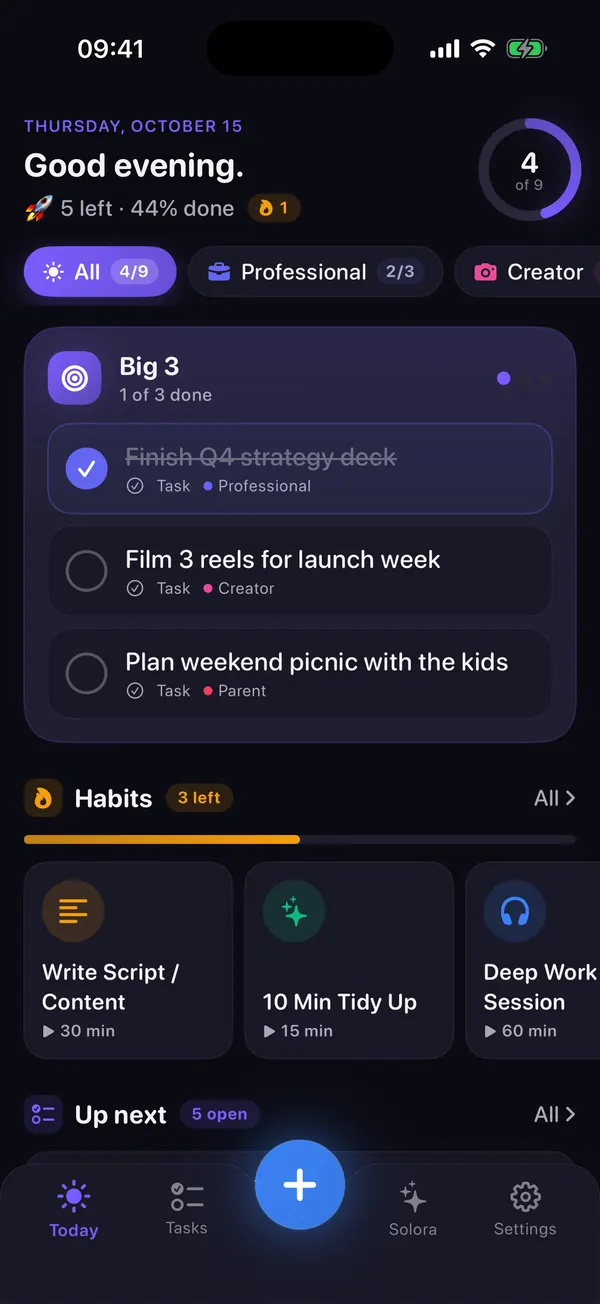
Including the things that weren't on the list. Seeing “4 of 6 done” is calmer than staring at the 2 that weren't.
- Give every open item a decision.
Tomorrow, smaller, a specific later day, or gone. Nothing stays “sort of open”. If you couldn't do something, ask what got in the way: no time, too tired, too vague, too big, waiting for someone?
- Glance at tomorrow.
What's the first thing you'll do? If you know it tonight, tomorrow starts with action instead of email.
- Clear one small surface.
Close the tabs, put the papers in one pile, plug in the laptop. Two minutes, not a deep clean.
- Close the day.
A phrase, a button, putting the laptop in a drawer. Same signal every day.
Dark evenings tip. When the clocks go back and it's dark by five, it's tempting to “just keep going” because it feels like evening anyway. Do the opposite: set your shutdown at a fixed time, a little earlier than usual, and treat the dark as the signal rather than a reason to stay on.
What should a 5-minute morning routine include?
A planning morning routine only needs three things: an honest energy check, a Big 3 that fits that energy, and starting the first item before you open messages. Everything else (coffee, a walk, journaling) is a bonus, not a requirement.
- Energy check (30 seconds).
High, normal, low or exhausted? Be honest; there's no prize for pretending.
- Match the plan (3 minutes).
High energy: hardest item first. Normal: your usual Big 3. Low: shrink to one small win and let the rest wait. (More on that in what to do on a low-energy day.)
- One morning habit (optional).
Water, daylight, a short stretch: whatever reliably gets you going.
- Start before you scroll (1 minute).
Open the first priority before messages. Even two minutes on it makes the rest of the morning easier to aim.
If you set your Big 3 the night before, the morning becomes a quick check: does the plan still fit how I feel? Adjust, then go. See how to pick a good Big 3.
Try it in Solora
A morning kickoff and an evening shutdown, built in
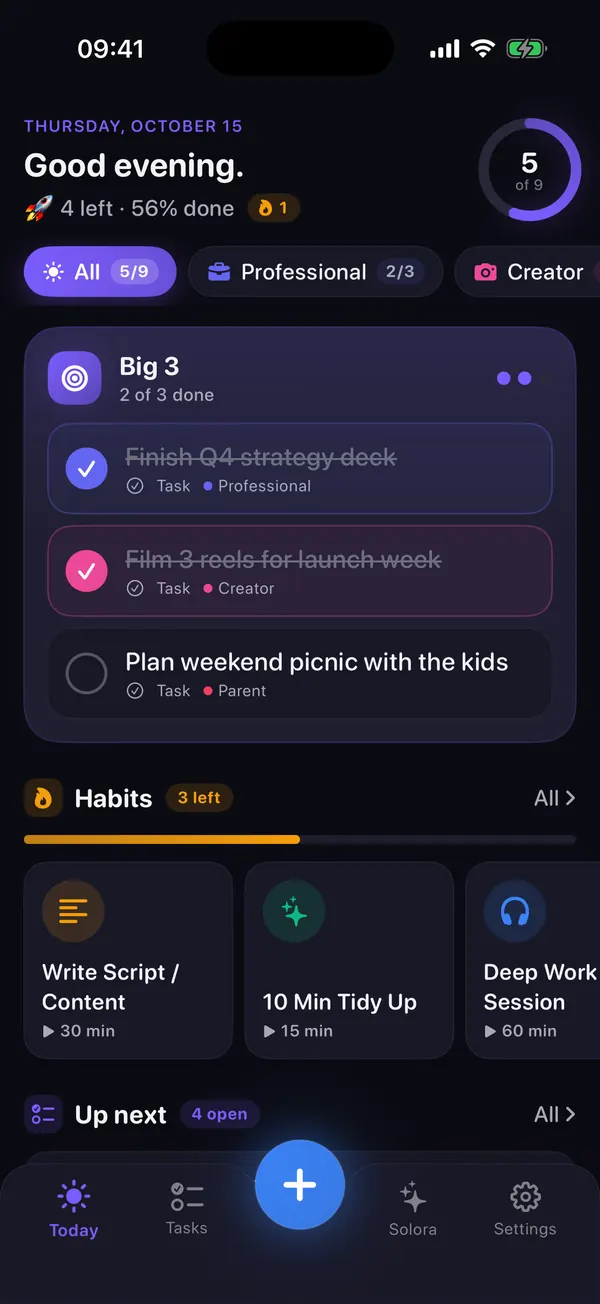
Solora: AI Life Planner has both rituals on the Today screen, plus optional reminders at the hours you choose.
- Morning Kickoff: “How are you feeling?” (High, Normal, Low or Exhausted), your Big 3 with suggestions to fill it, your morning habits, then “Start the Day”. On a low day it suggests keeping today light with smaller wins.
- Evening Shutdown: how much of today is done, the Big 3 items still open, quick wins to clear the board, and a “Close the day” button.
- Anything you couldn't do? Choose “I couldn't do this”: Solora asks what got in the way and lets you move it to tomorrow, break it into smaller steps, make it easier or drop it.
 On your computer?Scan with your iPhone camera
Free on iPhone and iPad (iOS 18.6+). Both rituals work without Apple Intelligence; the optional AI assistant needs iOS 26 on a supported device.
How do I turn a routine into steps I don't have to think about?
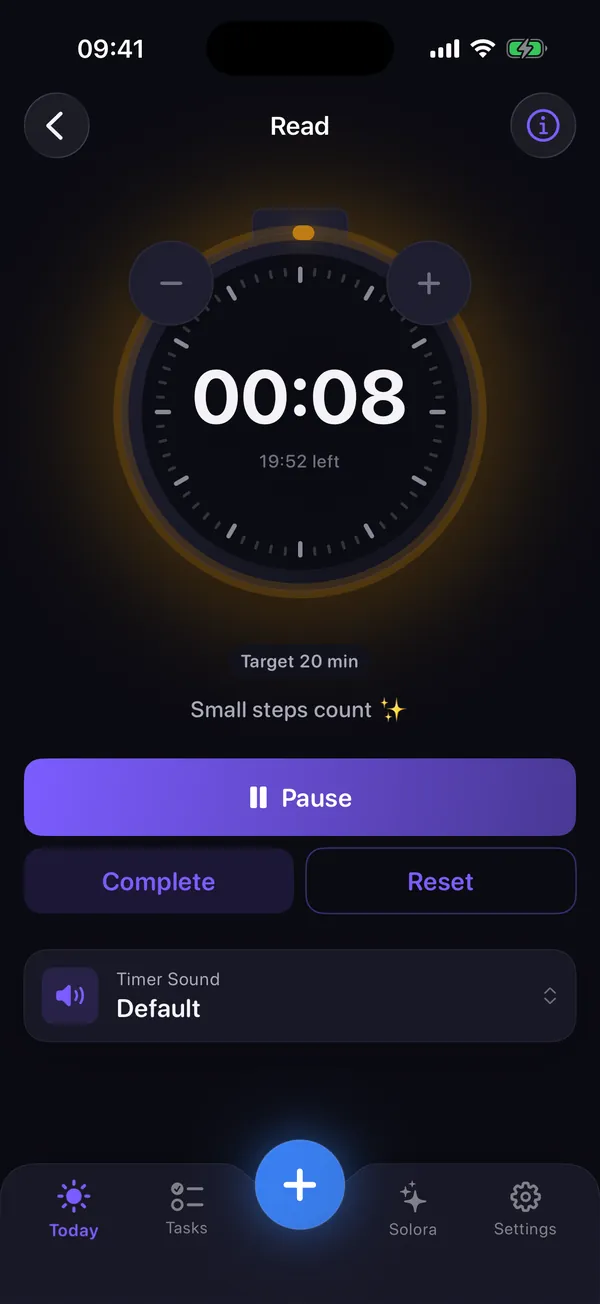
Write the routine as a short checklist with a fixed order, and if it has a time element, add a timer. When the steps are decided in advance, the routine runs on autopilot even on tired days.
Good routine checklists are short: three to five steps. For example:
- Plan the workday: clear and organize the inbox, set the top 3 priorities, block time in the calendar.
- Evening wrap-up: tick off today, move what's open, write tomorrow's first step.
- Prep for tomorrow: bags, lunches, clothes, keys by the door.
In Solora, a habit can be a simple check, a count, a timer or a step-by-step routine you run through one step at a time. “Plan the Workday”, “End of Day Wrap-Up” and “Prep for Tomorrow (Bags/Lunches)” are among the 52 habit templates.
Looking for more tiny routines that make a day feel organized? See small daily rituals.
What if I still can't switch off at night?
A shutdown closes the to-do list, but it doesn't always quiet a busy mind. If thoughts keep spinning after you've closed the day, a short, calming wind-down before bed can help, and so can writing the worry down with one next step.
My breathing app ATHA has a practical guide to a wind-down routine that takes ten minutes, and another on racing thoughts at bedtime. If poor sleep or stress goes on for weeks, talk to a doctor; a routine can help, but it isn't treatment.
Morning and evening routine FAQ
How long should an evening shutdown take?
About ten minutes. If it regularly takes 30, you're doing tomorrow's planning in detail; keep the shutdown to decisions (done, tomorrow, smaller, later, gone) and save the deep planning for your weekly review.
Is it better to plan in the evening or in the morning?
Do the heavy lifting in the evening and a quick check in the morning. Evening planning means you start the day with action; the morning check lets you adjust the plan to how you actually feel.
What if I didn't finish anything today?
Then the shutdown is even more useful. Give each item a decision, shrink tomorrow's plan to one small win, and close the day anyway. A missed day handled calmly is better than one that leaks into your evening.
Do I need an app for these routines?
No: a sticky note works. An app helps by showing what's still open, carrying unfinished items to tomorrow and reminding you at the same time every day. Solora does all three and works without an account.
Your whole life. One focused day.
Aim the day in five minutes. Close it in ten.
Pick your Big 3 in the morning, close the day in the evening, and let Solora carry over whatever didn't fit.
On your computer?Scan with your iPhone cameraFree on iPhone and iPad (iOS 18.6+). No account, and your plans stay on your device.
Sources
- Cal Newport, “Drastically Reduce Stress with a Work Shutdown Ritual” (June 2009): calnewport.com
- Solora Morning Kickoff, Evening Shutdown, reminders, recovery options and habit templates checked against the shipped app (version 3.0) on 15 October 2026.