
“I shoot all week and post nothing.”
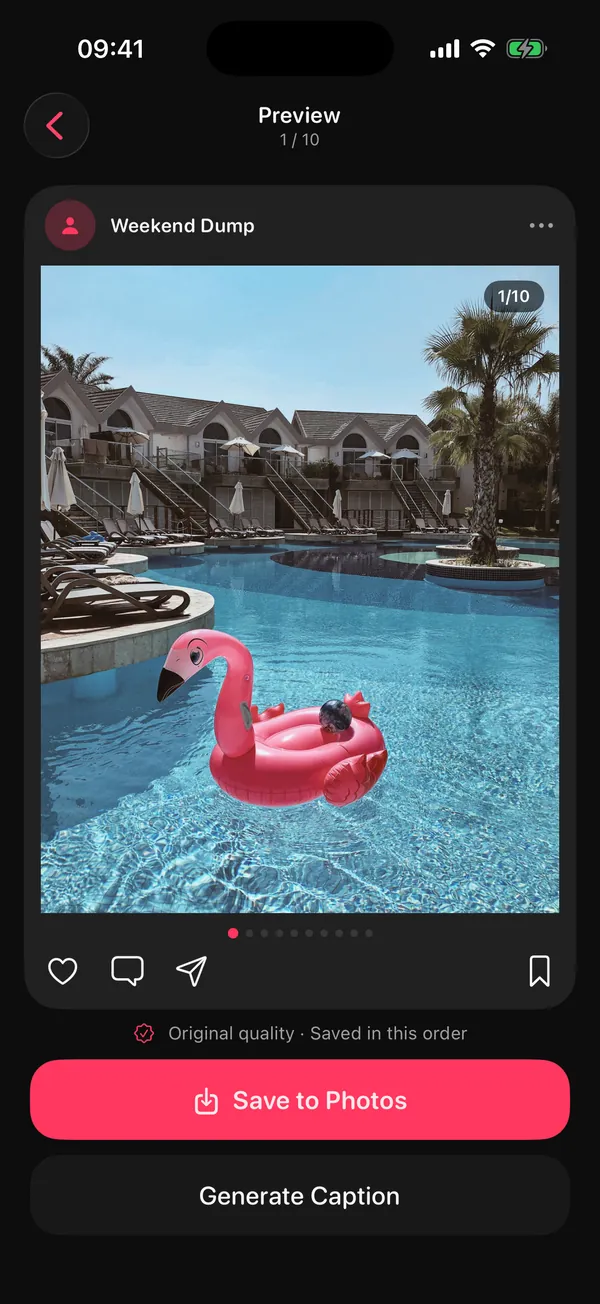
Sunday draft. Every Sunday evening, "Your week" is waiting: the best shots of the last seven days, best one first. You review instead of starting from zero.
DUMP / For creators
DUMP for creatorsYou shoot all week and post on Sunday, if you remember. DUMP turns that into a routine: every Sunday it drafts your week from the last seven days, on your iPhone. You check it, make it look like you, and post the carousel (or a swipe-video Reel).
For creators, small brands and anyone who wants to post consistently without the picking.
 On a computer?Scan with your iPhone camera
FreeNo account No watermark on imagesiOS 18.6+
Three things that quietly kill posting streaks, and what DUMP does about each one.
Sunday draft. Every Sunday evening, "Your week" is waiting: the best shots of the last seven days, best one first. You review instead of starting from zero.
Smart Dump. Drops blurry shots and burst repeats, mixes people, places and details, and keeps time order, on your iPhone. From this weekend, last month, this year or a trip it found.
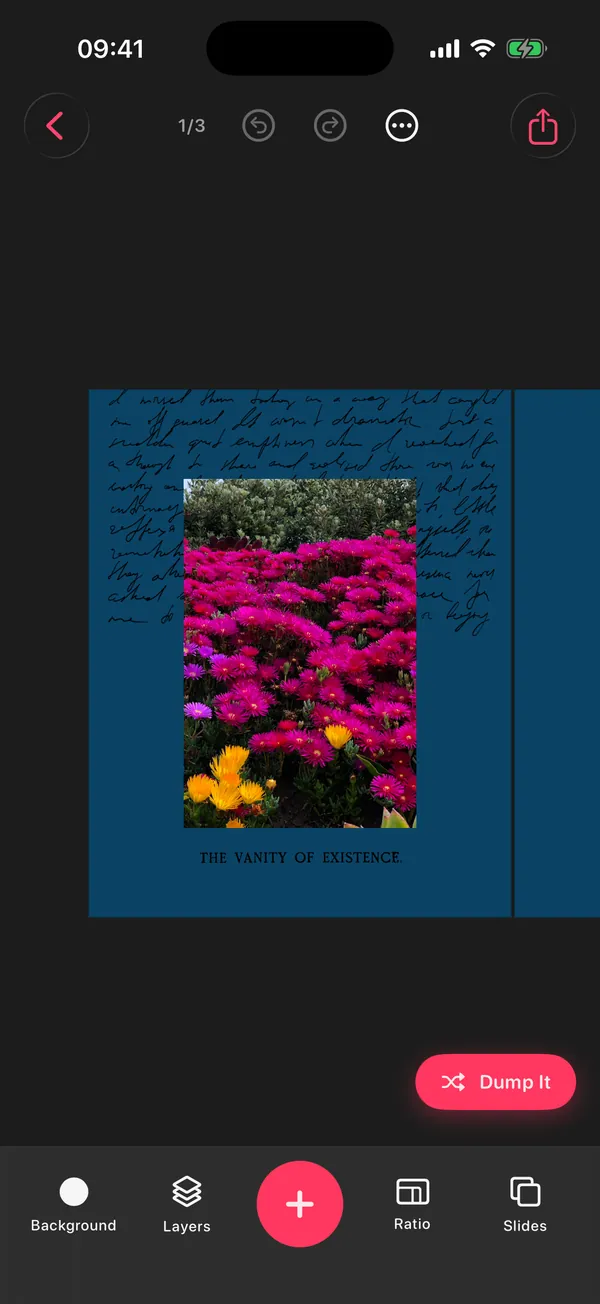
A repeatable look. Templates you fill in one tap, 28 grids, frames, film-style date stamps and seamless panoramas keep every week recognisably yours.
Shoot casually Monday to Saturday. On Sunday, check the draft, caption it and post. That's the whole system.
The free plan keeps 3 projects at a time. Saved albums stay in Photos when you delete an old project in DUMP, so the weekly habit works for free if you clear old projects; Premium removes the limit.
DUMP's Sunday notification opens a ready draft of your week. Missed a week? Make one in a couple of taps with Smart Dump and a moment: this weekend, last month, this year or a detected trip.
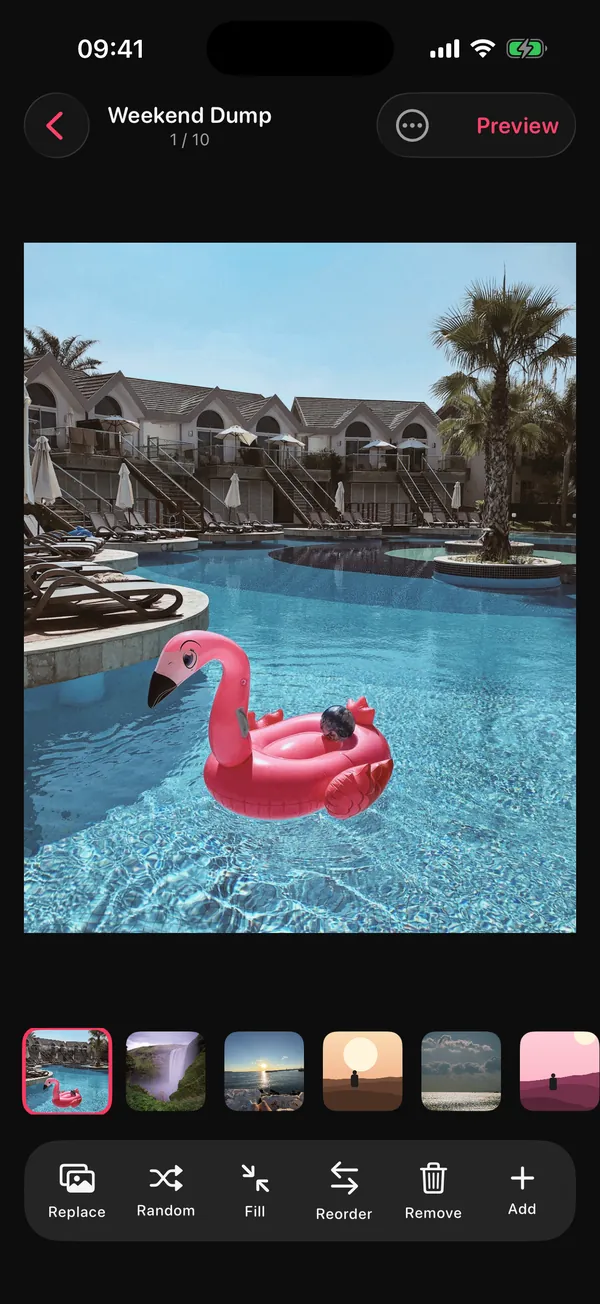
Pick a template, tap Dump It, and DUMP fills every empty slot from your library. Re-dump until it feels right; every change can be undone. Then add your consistent touch: frames, date stamps, cut-out stickers, text styles.
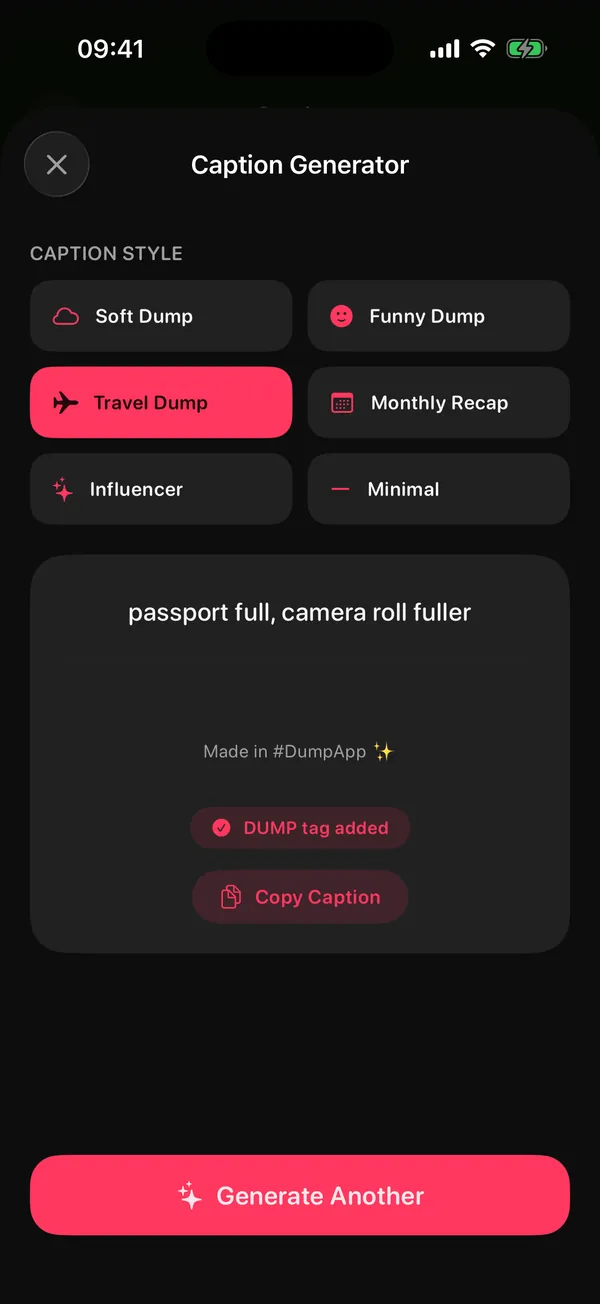
Post the carousel, then export the same dump as one swiping video for Reels (10 to 30 seconds, 1080 px wide). Stuck on the caption? The Caption Generator offers 60 hand-written lines in six moods. It isn't AI and doesn't read your photos.
Based on DUMP 3.0.1, the App Store version on 1 Nov 2026. Comparing options? See our honest photo dump app comparison.
| For creators | Free | Premium |
|---|---|---|
| Sunday draft, Smart Dump, trips | ✓ | ✓ |
| Slides per auto-built dump | Up to 10 | Up to 20 |
| Saved projects | 5 | Unlimited |
| Templates, frames, stickers, fonts, filters | Free set | Everything |
| Swipe video for Reels | — | ✓ |
| Caption Generator | — | ✓ |
| Watermark on images · Ads | None | None |
DUMP is free to download, with an optional Premium upgrade (weekly or yearly auto-renewing plan) — see the current price on the App Store. Cancel any time in Settings → [your name] → Subscriptions. Subscription terms.
Two other apps by the same developer fit around DUMP. Use them only if they help.

Swipe through a shoot and clear the misses; swipe up to file your selects into an album. Then pick that album as DUMP's source and it works from your keepers only.

A role-based planner: give "Creator" its own role, pick today's Big 3, and keep a posting habit going.
A weekly series in a ten-minute time box, with caption formulas.
PickingSix rules, a 10-slot order and a checklist.
AdvancedOne image that swipes across slides without a seam.
QualityStop compressing twice before you upload.
Sizes4:5, 3:4, 1:1 and why slide one decides the crop.
SeasonalYour 2026 in one carousel, without scrolling 12 months.
No. Instagram only lets approved scheduling tools publish carousels to professional accounts through its API; DUMP has no account or server, so the last tap is yours. DUMP saves your dump to a new Photos album in posting order and can open Instagram's composer for you; you pick the album, tap the slides in order and post.
On Sunday evening DUMP looks at your last seven days on your iPhone, picks the best shots, puts the strongest one first as the cover and keeps the rest in the order you took them. It needs reminders and notifications turned on. Nothing is uploaded.
Yes, with Premium. DUMP exports the whole dump as one swiping video, 10 to 30 seconds long and 1080 px wide. Add music in Instagram when you post it.
No. Exported images and videos have no watermark on the free plan or Premium. On the free plan, captions you copy can include a small #DumpApp tag; Premium lets you copy them without it.
DUMP is free: Random Dump, Smart Dump and the Sunday draft build up to 10 items, and you can keep 3 saved projects. Optional Premium (weekly or yearly plan, price on the App Store) adds 20-slide auto-built dumps, unlimited projects, every template, frame, sticker, font and filter, the Caption Generator and swipe-video export.
Free on iPhone and iPad. No account, no upload, no watermark on images.
On a computer?Scan with your iPhone camera