
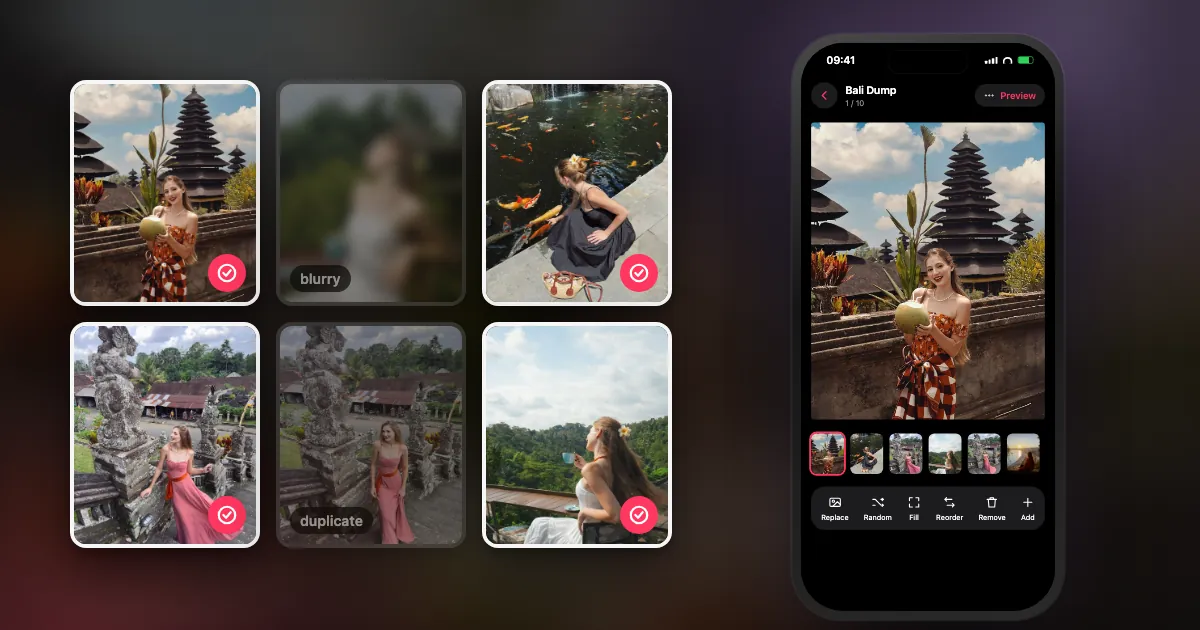
You took 400 photos last month. You want to post ten. Somewhere between those two numbers, most photo dumps quietly die in the camera roll.
Editing is rarely the problem. Choosing is. This guide gives you a picking system you can run in your head: six rules, a ten-slot order, a checklist, and the honest version of what an app can (and can't) do for you.
Why is picking photos for a dump so hard?
Because you are making dozens of tiny decisions with no structure: which of five near-identical shots, which moment goes first, whether the blurry one is charming or just blurry. A fixed set of rules turns that into a short checklist.
Most advice online says "pick photos that match your vibe". Lovely. Also useless at 11 pm when you are staring at 37 photos of the same dinner.
The fix is to decide how you choose once, then reuse it every time. That is what the six rules below are for.
What are the rules for picking photo dump photos?
Use six: a strong cover, a story in time order, a mix of people, places and details, one shot per burst, about one video for every three or four photos, and a quiet last slide.
Slide one is the only one people see in the feed. Use your sharpest, most "you" frame.
Keep it in the order it happened. Start, middle, best moment, wind-down.
Roughly a third people, a third places, a third small details.
From every run of near-identical shots, keep one: the sharpest.
A short clip every three or four photos adds motion without slowing the swipe.
Finish on something calm, funny or final. Reward the people who swiped to the end.
1. The Cover: why does the first photo matter most?
In the feed, your carousel is one photo. Slide one has to earn the swipe on its own. Pick a frame that is sharp, has one clear subject, and looks like you or your weekend. A wide group shot where nobody's face is readable makes a weak cover; a close, bright portrait or a striking place usually works.
2. The Arc: should a photo dump be in order?
Mostly, yes. Time order reads naturally: people follow the day without thinking about it. The only exception is the cover, which you pull forward from wherever it happened.
3. Mix 3-3-3: what makes a dump feel varied?
Variety is what separates a dump from "eleven selfies". Aim for roughly three people shots, three place shots and three details (food, hands, a sign, a ticket, a texture). It doesn't have to be exact; it just stops one type taking over.
4. Kill the Burst: how do you choose between similar photos?
Line them up and keep the sharpest one. If two shots say the same thing, one of them is stealing a slot from a different moment. (Small rebellion allowed: if the blurry one is the funny one, keep the funny one.)
5. One Video in Four: how many videos should a dump have?
About one clip for every three or four photos. Short is better: a few seconds of movement (waves, a toast, a laugh) adds life, while a long clip makes people stop swiping.
6. The Quiet Ending: what should the last photo be?
The last slide is your sign-off. A sunset, an empty table, feet on a train seat, a silly face. Something that says "that was the weekend".
What order should photos go in a photo dump?
Lead with your strongest photo, then tell the story in time order: arrival, details, people, the best moment, a quiet ending. Chronological order reads naturally, so the only photo you move is the cover.
Here is a ten-slot order that works for weekends, trips and months alike:
| Slot | What goes there | Example |
|---|---|---|
| 1 | The cover: your strongest frame | Close portrait in good light |
| 2 | Where you were | The street, the view, the venue |
| 3 | A detail | Coffee, ticket stub, a sign |
| 4 | People | Friends mid-laugh |
| 5 | A short video | Three seconds of waves |
| 6 | Another place | Somewhere new that day |
| 7 | A detail | Food, hands, a texture |
| 8 | The best moment | The photo you'll still like in a year |
| 9 | The funny or messy one | The blurry selfie, the spilled drink |
| 10 | The quiet ending | Sunset, the walk home, an empty room |
Swap slots freely; the point is the rhythm (place, detail, people, motion), not the exact numbers.
One technical rule sits underneath all of this: slide one decides the crop for every other slide. If your cover is square, Instagram crops the rest to square too. More in the carousel size guide.
How many photos should a photo dump have?
Instagram allows up to 20 photos and videos in one carousel (it doubled the limit from 10 in August 2024), but 8 to 12 is the sweet spot: enough to tell a story, short enough that people reach the end.
The 20-slide limit comes from Instagram itself (TechCrunch, 8 Aug 2024). Some popular guides still say 10, so if you read that somewhere, it is out of date.
Ten is a good default. Go longer only for a trip or a year, where every slide still earns its place. In DUMP, Random Dump and Smart Dump build up to 10 items on the free plan; Premium goes up to Instagram's 20.
How do you pick a weekend dump quickly?
Limit yourself to Saturday and Sunday only, delete the obvious misses, keep one shot per burst, then choose ten using the 3-3-3 mix. Or let DUMP's Smart Dump draft it from "Last weekend" and swap the few you don't love.
By hand, in Apple Photos
- Shrink the window. Scroll to the weekend in your Library and ignore everything else.
- Heart the keepers. Tap the heart on anything that might make it. Don't overthink; this is round one.
- Open Favorites and cut. Remove repeats until each moment has one photo.
- Count to ten. Check the 3-3-3 mix, choose the cover, decide the last slide.
With DUMP
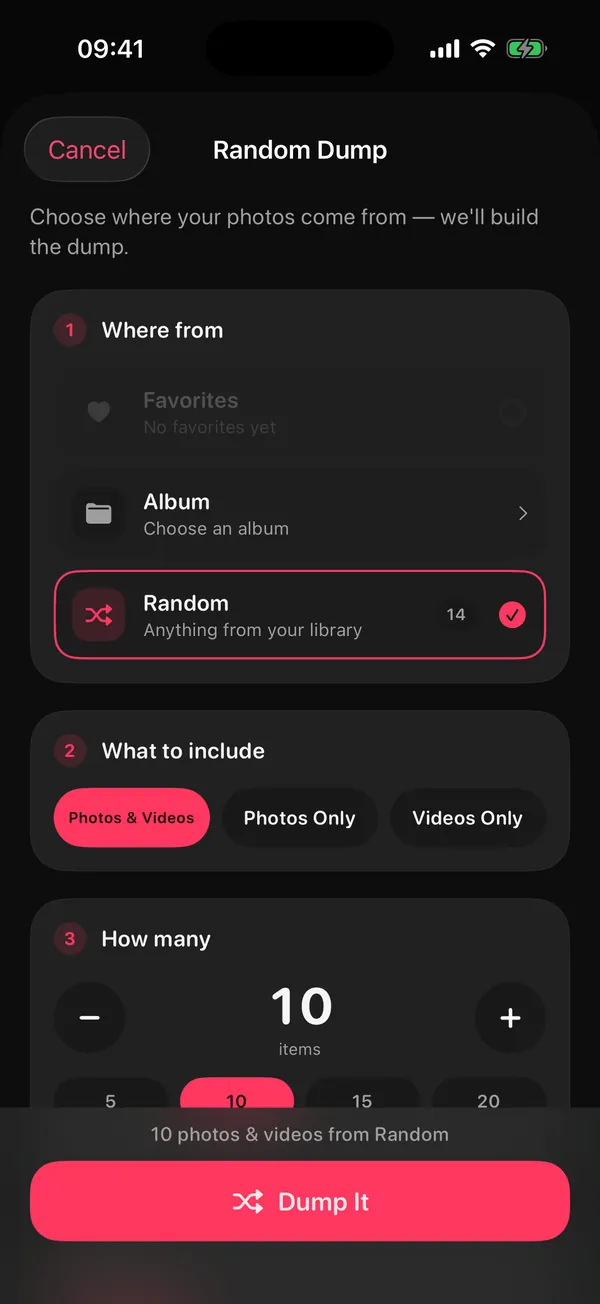
- Start a Random Dump. On the Home screen tap New Dump, choose Random Dump, and pick where the photos come from: Favorites, an album, or your whole library.
- Choose what to include and how many. Photos & Videos, and 10 items is a good start.
- Pick Smart Dump and a moment. In Order, choose Smart Dump, then Last weekend (or This weekend, This month, a trip...).
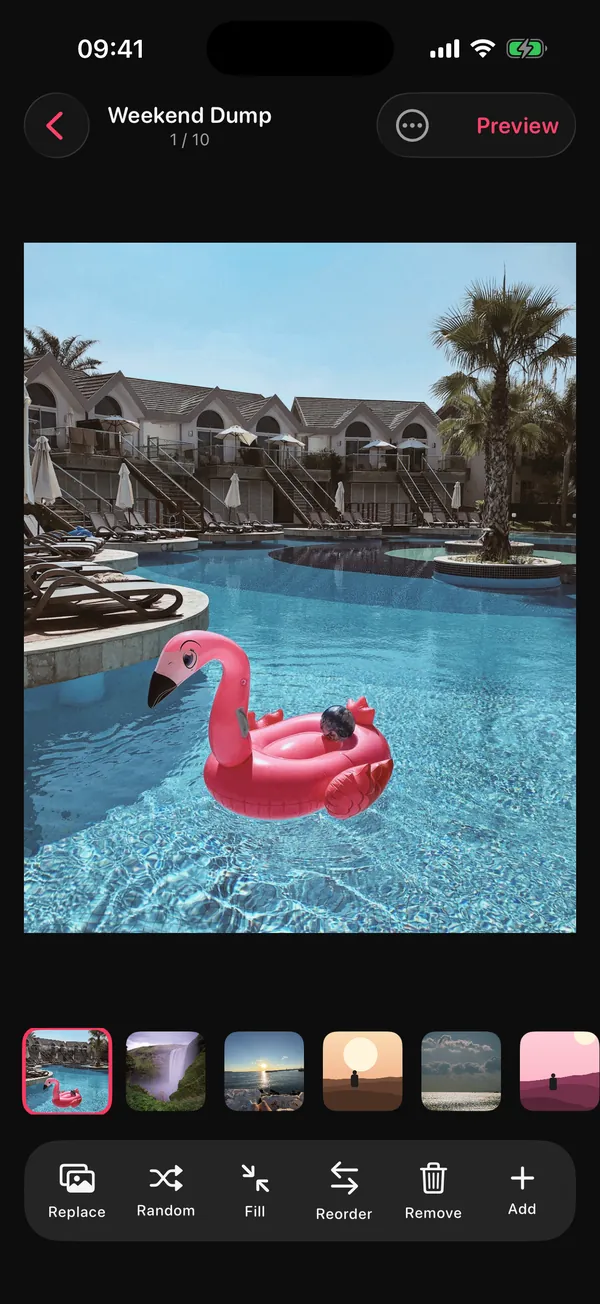
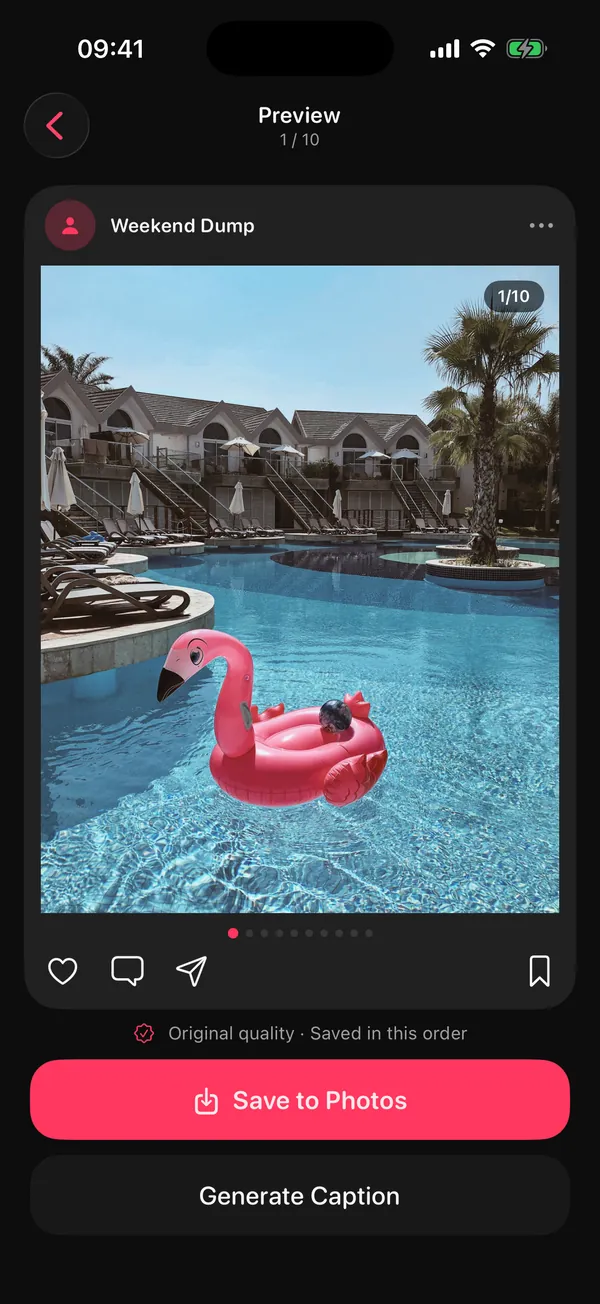
- Fix the cover, swap the misses. Drag your favorite to slot one, replace anything you don't love, preview, and save.
Smart Dump · From which moment
Can an app pick photo dump photos for you?
Yes, for the mechanical part. An app can reliably drop blurry shots and burst duplicates, balance the mix and keep things in order. It can't know which photo means the most to you, so treat its pick as a first draft.
Here is exactly what DUMP's Smart Dump does in version 3.0.1, checked against the app's code:
- Looks at up to 180 photos from the moment you chose, analysed at small size on your iPhone with Apple's Vision framework
- Drops shots below a sharpness floor and keeps only the sharpest of each burst or near-duplicate run
- Mixes people, places and close-up details (to favor photos you've hearted, choose Favorites as the source)
- Keeps about a quarter video when you include videos
- Leaves out screenshots and puts the result in the order you took it
And what it does not do, so you know where your judgement still matters:
- It doesn't detect closed eyes or "bad faces". It counts faces to balance the mix, and never identifies who anyone is.
- It doesn't choose the cover in Smart Dump; it keeps time order, so you drag your favorite to the front. (The Sunday "Your week" draft does put your best shot first.)
- For a long window like "This year", it looks at up to 180 photos spread evenly across the period. Great for a draft; add your must-haves by hand.
- Nothing is uploaded. There is no account and no server, and the App Store privacy label reads "Data Not Collected".
What are the most common photo dump picking mistakes?
Five come up again and again: a weak cover, five versions of the same moment, no details, too many slides, and mixed shapes that Instagram crops to match slide one.
- A group shot as the cover where nobody is recognisable at feed size.
- The sunset trilogy. Three sunsets are one sunset. Keep the best.
- All faces, no world. Without places and details, a dump reads like a selfie folder.
- Twenty because you can. If you hesitate over a slide, cut it.
- Mixing portrait and landscape without noticing that slide one sets the crop.
- Screenshots and receipts sneaking in by accident. A deliberate one can be the joke; an accidental one is clutter.
If the bigger problem is a camera roll full of misses before you even start, clean first: our sister app's guide on finding blurry and duplicate photos on iPhone walks through it.
Photo dump picking checklist
Before you post, run through these eight checks. If all eight pass, post it.
- Window: one weekend, month or trip, not "everything"
- Cover: sharp, one clear subject, looks like you
- Order: time order after the cover
- Mix: people, places and details all present
- Repeats: one photo per moment
- Motion: about one short video per three or four photos
- Length: 8 to 12 slides (20 is the hard limit)
- Ending: a quiet, funny or final last slide
Got the photos and need the next step? How to post a photo dump on Instagram covers ordering, quality and posting. Out of ideas for a theme? Try the 40 photo dump ideas and themes.
Frequently asked questions
Should the first photo of a photo dump be a selfie?
It can be, if it's your strongest and sharpest frame. What matters is that slide one works alone in the feed. A clear portrait often beats a wide group shot; a striking place works too.
How many videos should a photo dump have?
About one short clip for every three or four photos. Keep clips to a few seconds so people keep swiping. DUMP's Smart Dump aims for roughly a quarter video when you include videos.
Should a photo dump be in chronological order?
Mostly. Time order reads naturally, so keep it, and move only your cover to the front. Smart Dump in DUMP keeps the order you took the photos in.
Can I mix portrait and landscape photos in one dump?
You can, but Instagram crops every slide to the shape of slide one. Choose the cover's shape on purpose (4:5 or 3:4 for most phone photos) and check the crop before posting.
Does DUMP upload my photos to pick them?
No. Smart Dump runs on your iPhone with Apple's Vision framework. There's no account and no server, it works in airplane mode, and its App Store privacy label is "Data Not Collected".
Get a first draft of last weekend, picked for you
Smart Dump finds your sharpest, most varied shots on your iPhone, keeps them in order and saves the finished dump to a new Photos album. Free on iPhone and iPad, no account, no upload.
 On a computer?Scan with your iPhone camera
Free · iPhone & iPad · iOS 18.6+ · No account · Works offline
Sources
- TechCrunch, 8 Aug 2024: Instagram raised the carousel limit from 10 to 20 photos and videos.
- 9to5Mac, 29 May 2025: Instagram supports 3:4 photos in single posts and carousels.
- DUMP's Smart Dump behaviour described here was checked against the source code of DUMP 3.0.1, the version on the App Store on 1 Nov 2026.