 Gül Eda Aydemir
Guide · Creators
How to post consistently as a creator (without living on your phone)
Consistency isn't about willpower or a longer idea list. It's about removing the daily decisions that sit between “I took some photos” and “it's posted”. Here's a weekly loop that does exactly that, a 7-day sprint to set it up, and an honest toolkit, starting with the free apps already on your phone.
 By Gül Eda Aydemir, indie iOS developer · Updated · 13 min read
Quick answer
Run one weekly loop instead of deciding every day: capture a little daily, cull right after you shoot, batch-make a week of posts in one sitting, post on fixed days, and spend 15 minutes reviewing on Sunday. Pick a cadence you can keep for 8 weeks (3 feed posts a week is a solid start) and keep a “minimum post” for rough weeks.
Full disclosure: I make Solo.Swipe, DUMP, Solora, Solo.Shots and ATHA, which all appear below. Every step works with the Camera, Photos, Notes and Calendar apps you already have. My apps just remove friction, and I list exactly what each one costs.
On this page
Why is it so hard to post consistently?
Usually not because you're short of ideas. It's because every post needs a dozen small decisions (which photo, which order, which caption, when) and you're making all of them from scratch, on your phone, at the end of a long day.
The usual culprits:
- The camera roll is a mess, so finding “that one shot” takes ages.
- Every post starts from a blank page.
- You're waiting for a perfect post, so nothing goes out.
- There's no fixed posting time, so posting competes with everything else.
The fix is to make each of those decisions once a week, in a batch, instead of once per post.
How often should you post?
As often as you can keep up for two months. For most people starting out, that's about 3 feed posts a week. A rhythm you can sustain beats a burst you abandon.
There is data behind “more is more, up to what you can manage”. Buffer analysed more than 2 million posts from over 100,000 Instagram accounts and found that accounts posting 3–5 times a week grew followers faster and got more reach per post than accounts posting once or twice a week, and posting even more helped further. Buffer's own recommendation was 3–5 posts a week as the sustainable middle ground. It's one company's analysis of its users, so read it as a direction, not a law.
A starter mix for 3 posts a week: one photo dump or carousel, one short video, and one flexible post (a tip, a behind-the-scenes shot or a before/after). Once that feels easy for a month, add a fourth.
What is the weekly creator loop?
It's five steps that turn a week of moments into a week of posts: capture, cull, make, post and review. Each step has a fixed slot, so nothing waits for motivation.
- CaptureEvery day · 2 min. Shoot little and often.
- CullAfter each shoot · 10 min. Keepers into one album.
- MakeOnce a week · 60 min. Batch all posts.
- PostFixed days · 10 min. Plus 15 min of replies.
- ReviewSunday · 15 min. Keep what worked.
Step 1: What should you capture during the week?
Shoot little and often, and shoot for the post, not just the moment. For anything worth posting, grab five shots: the wide view, a detail, hands doing the thing, the place, and a person (or the finished result). Those five already make a carousel.
- Wide: where are we?
- Detail: the texture, the label, the one small thing
- Action: hands making, pouring, holding, fixing
- Place: light, background, the mood
- Person or result: you, a friend, or the finished thing
You don't need an app for this step. Keep a running shot list in the Notes app with your content pillars at the top (more on those below), and use the Camera you already have.
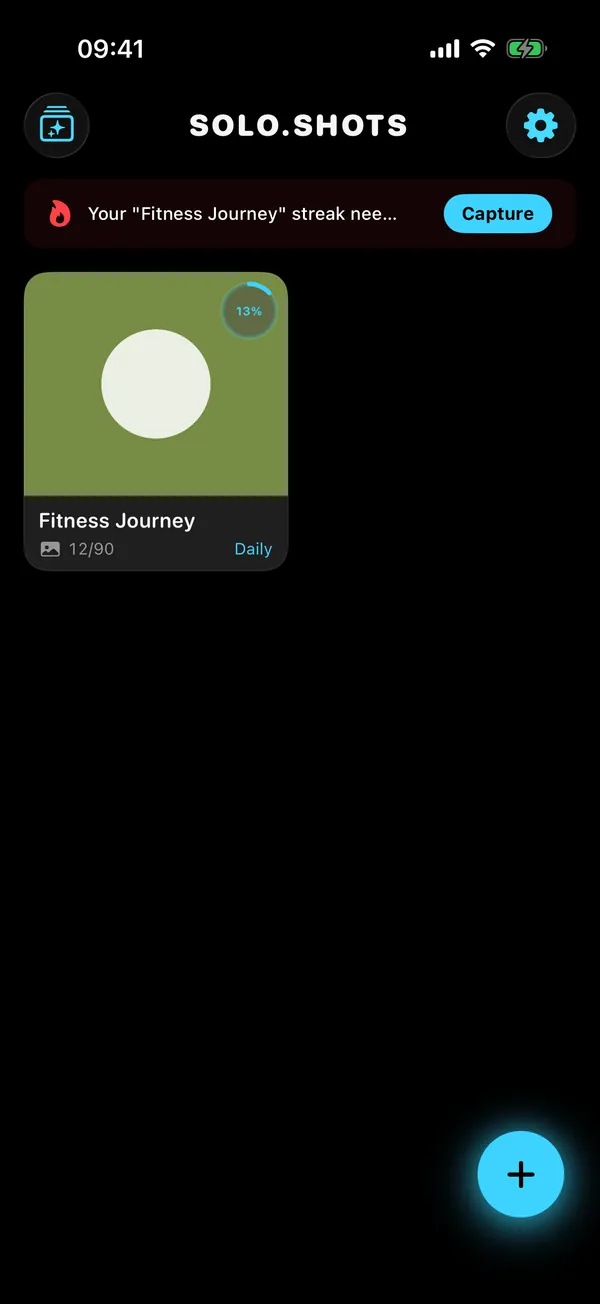
If your content is a change over time (a training block, a renovation, a plant, a pregnancy, hair growth), make it a series. Solo.Shots shows a see-through “ghost” of your previous photo so every shot lines up, reminds you daily, weekly (on Mondays) or monthly, and turns the series into a timelapse in 9:16, 1:1 or 16:9. Free: 1 project and up to 100 photos, with ads and a small watermark. Premium is optional; see the current price on the App Store. The setup that keeps a series consistent (same spot, height and distance) is in how to take progress photos that line up.
Step 2: How do you cull photos fast after a shoot?
Do it within a day, while you still remember which shots were good: delete the obvious misses, then put the keepers in one album named after the post. A ten-minute cull now saves a lot of scrolling later.
- Open the shoot (one day in Photos).
- First pass: delete blurry, eyes-closed and near-identical shots. Keep only the best of each burst. (Not sure a blink shot is safe to bin? Here's when to delete closed-eye photos.)
- Second pass: put the 5–15 best into an album named after the post, like “Market Saturday”.
- Favorite the one you'd use as the cover.
You can do this in Photos. Tap Select, choose the keepers and use Add to Album. It's slower with hundreds of shots, but it works.
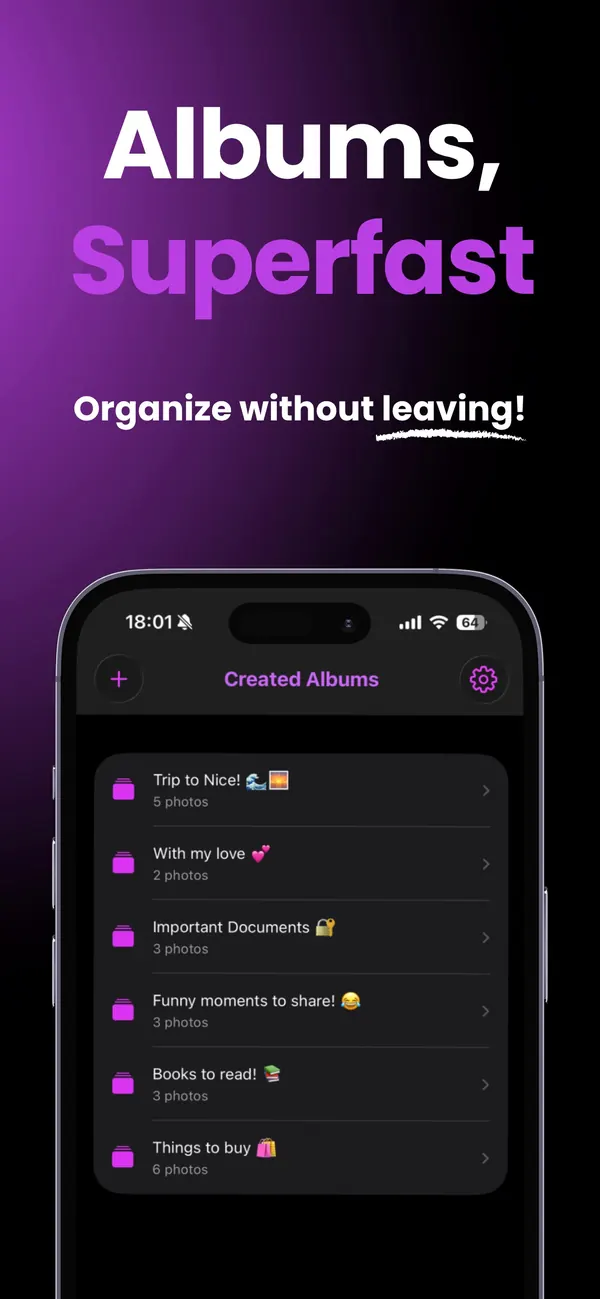
If you'd rather decide one photo at a time, Solo.Swipe turns this into a swipe: left to delete, right to keep, up to file the photo straight into an album. Its Created Albums tab then offers a “Create a post with DUMP” shortcut. Free with ads (50 deletions a day, +20 per optional ad); Pro is an optional monthly or yearly plan; see the current price on the App Store. The full method is in Solo.Swipe's shoot-to-post culling guide.
Step 3: How do you batch a week of posts in one sitting?
Block one hour, open the albums from your week, and make every post back to back: pick, order, crop, caption, save. Making three posts in a row is much quicker than making one post three times, because you only get set up once.
- 5 min: choose this week's posts, one per album.
- 30 min: build them. Put your strongest image first and keep one aspect ratio per post (here's the carousel size guide, and six rules for picking and ordering photos).
- 15 min: write all the captions in one note: a hook line, one useful detail, a question.
- 10 min: save everything in posting order, ready to go.
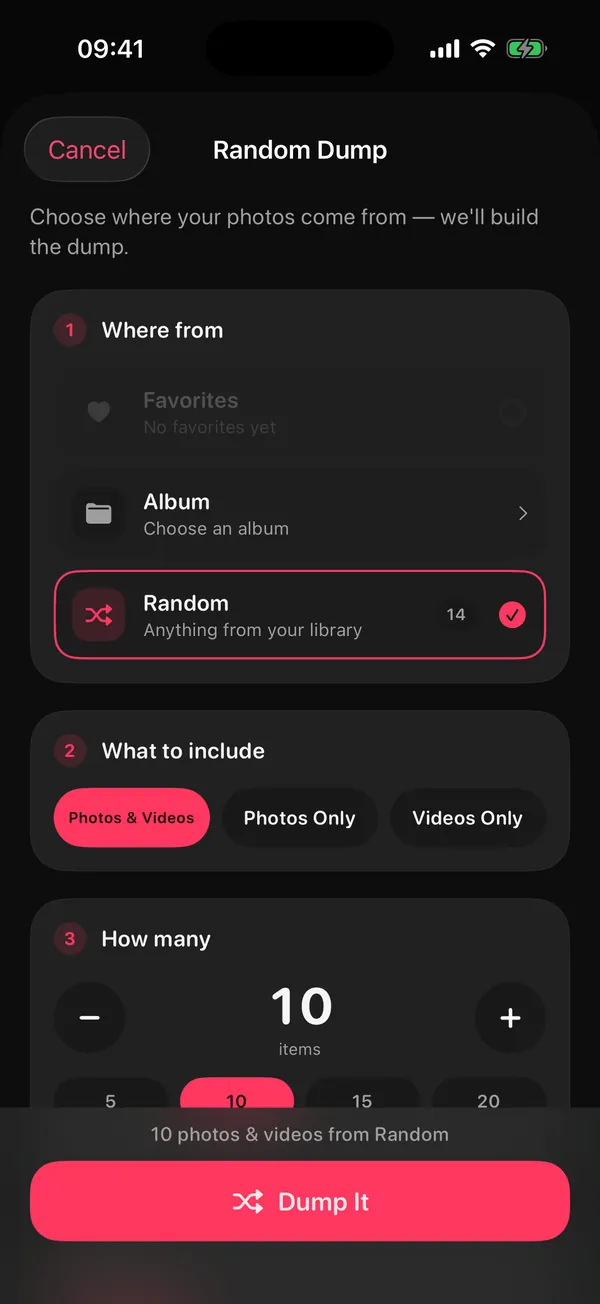
DUMP is built for the 30-minute build. Its Smart Dump looks through your recent photos on your iPhone, drops blurry shots and near-duplicates, mixes people, places and details, and builds an ordered carousel. You can also start from an album or your Favorites, or fill a template with one “Dump It” tap. When you save a swipe carousel, DUMP adds your original photos to a new album in posting order, without re-compressing them. And every Sunday it can send a “Your week” draft of your best shots from the last 7 days, which is a ready-made weekly post.
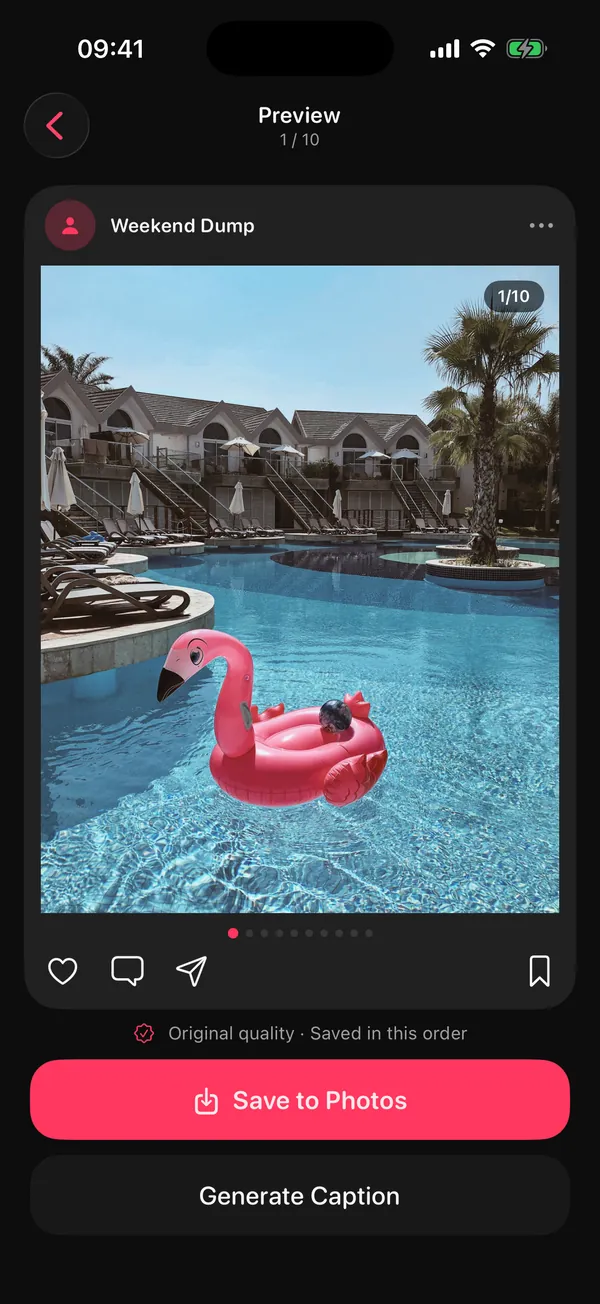
Two honest notes: DUMP can't trim video yet, so edit Reels in a video editor; and its Caption Generator (a Premium feature) offers 60 hand-written caption starters, not AI. On the free plan, captions you copy from DUMP get a short “Made in #DumpApp” tag.
Step 4: When should you post?
On fixed days you choose in advance, at a time when you can stay around for 15 minutes to reply to comments. The best posting time is the one you'll actually keep.
- Put your posting days in your calendar like appointments (for example Monday, Wednesday and Saturday at 7 pm)
- Post from the album you saved in order: select all, paste the caption, share
- Stay 15 minutes to reply, then close the app
If you made the post in DUMP, its Instagram button hands off to Instagram's composer with the slides already waiting in their album, in order.
Step 5: What should you check in a weekly review?
Three things, in 15 minutes: what worked (saves, shares, replies), what was easiest to make, and what you'll post next week. Choose next week's posts before you finish.
- Which post got the most saves or shares? Make another one like it.
- Which post was quickest to make? That's your “minimum post”.
- Did you hit your cadence? If not, lower it rather than feel guilty.
- Pick next week's three posts and the shoots they need.
- Delete last week's leftover outtakes so the next cull starts clean.
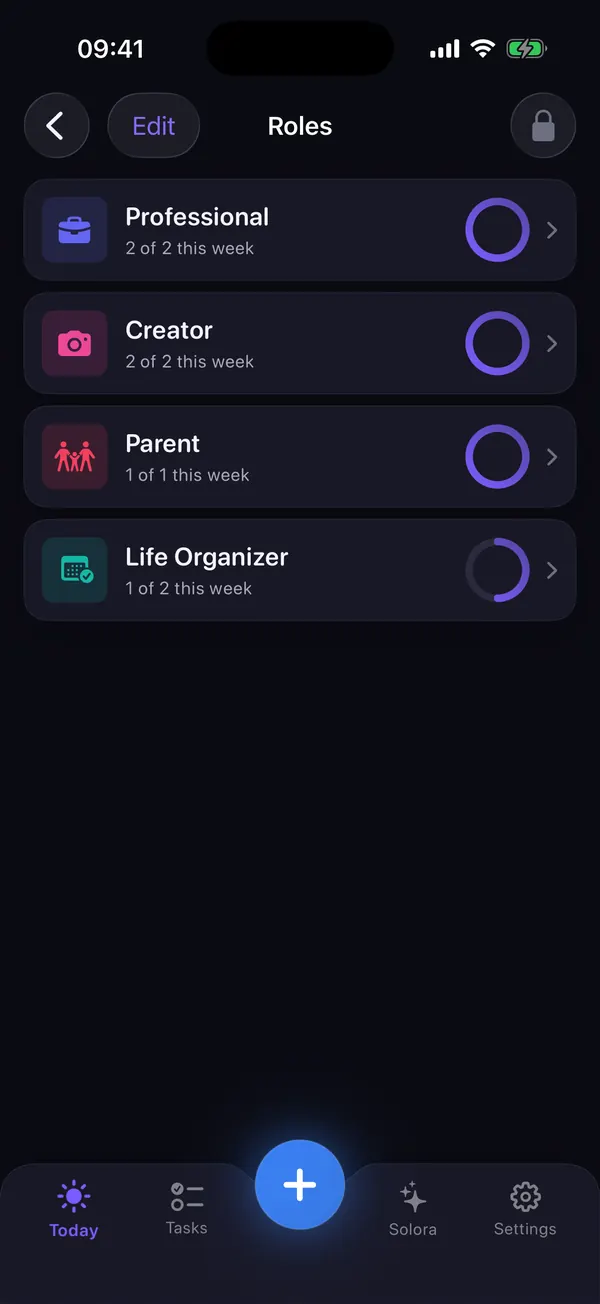
Solora can hold this rhythm for you: a Creator role with a weekly target (say, 3 posts), a “film” or “post” habit with an easier version for low weeks and streaks that survive sick days, and a content series as a project with its own moodboard. Its Weekly Review shows which role slipped. Free: 4 roles, 15 active tasks, 20 habits and 5 projects; optional Premium (monthly, yearly or one-time lifetime; price on the App Store). For the rest of life, the same idea fits in a 15-minute weekly review.
What are content pillars, and how many do you need?
Content pillars are the 3–4 recurring topics your account is about. They kill the blank page: instead of “what should I post?”, you ask “which pillar is due?”. With 3 posts a week and 3 pillars, each pillar gets one post.
| Account | Pillar 1 | Pillar 2 | Pillar 3 |
|---|---|---|---|
| Food | Recipes | Where I eat | Kitchen behind the scenes |
| Fitness | Workouts | Monthly progress timelapse | What I eat on training days |
| Travel | Places | Practical tips | Weekly photo dump |
| Small business | Product in use | How it's made | Answers to customer questions |
| Student | Study setups | Tips that worked | My week in photos |
What should you post when you have nothing to post?
Post your week. A photo dump of ordinary moments, a before/after or a behind-the-scenes shot needs no new shoot and still gives people a reason to stop scrolling.
- A weekly photo dump (DUMP's Sunday “Your week” draft does the picking)
- A before and after: a room, a dish, an edit, a month of training
- Behind the scenes of your last post
- One tip you'd tell a friend, as a 3-slide carousel
- A “this or that?” question with two photos
- What you'd do differently about something you posted months ago
- A monthly timelapse from a Solo.Shots series
- An older post that still holds up, re-shared with a fresh caption
Want the weekly dump to become a series people expect? The Sunday Dump routine covers what to shoot, a 10-minute Sunday routine and caption formulas. Need more ideas? DUMP's 40 photo dump themes and caption formulas gives each theme a slide-by-slide structure, and there are formulas for a travel dump and a year-in-review recap.
The 7-day creator sprint (printable)
Use this once to set the loop up. Each day takes 10–60 minutes, and by day 7 you have three finished posts and next week planned.
| Day | Do this | Time | Done when | Optional app |
|---|---|---|---|---|
| Day 1 | Choose 3 content pillars and your cadence (start with 3 posts a week). Put the posting days in your calendar. | 15 min | Pillars and posting days are written down. | None: Notes and Calendar |
| Day 2 | Write a shot list per pillar, then shoot the five-shot formula for one post. | 20 min | One shoot is done. | Camera; Solo.Shots for a series |
| Day 3 | Cull that shoot: delete the misses, file keepers into one album per post, favorite the cover. | 10 min | One album per post. | Solo.Swipe (free with ads) |
| Day 4 | Batch session: build 3 posts and save them in posting order. | 60 min | Three posts are ready. | DUMP (free: 10 photos per dump) |
| Day 5 | Write all 3 captions in one note: hook, one useful detail, a question. | 20 min | Captions are ready to paste. | None: Notes |
| Day 6 | Publish post 1 at your fixed time, then reply to comments for 15 minutes. | 25 min | Post is live and replies are done. | |
| Day 7 | 15-minute review; pick next week's posts and shoots. Set up a Creator role and a posting habit if you like. | 15 min | Next week is planned. | Solora (free: 4 roles) |
Week 2 onward: posts 2 and 3 are already made. From now on you only need one shoot, one cull, one batch session and one review a week.
Prints just the plan, black on white.
Your creator toolkit: what does each app do, and what does it cost?
Your phone already covers most of the loop: Camera, Photos albums, Notes and Calendar. Add an app only where you feel friction. Here's where mine fit, with exact prices.
| App | Loop step | What it removes | Free version | Paid plan | Your data |
|---|---|---|---|---|---|
 Solo.Swipe | Cull | Deciding on hundreds of shots by scrolling a grid | 50 deletions a day (+20 per optional ad); shows ads | Optional Pro, monthly or yearly (price on the App Store) | Photos analysed on the device; Google AdMob ads; Firebase usage stats and crash reports (no in-app switch in version 5.0). App Store label: “Data Used to Track You” |
 DUMP | Make | Picking and ordering slides; re-compressing photos for swipe carousels (your originals go into an album in posting order) | 10 photos per dump, 5 saved projects; no ads; shared captions get a #DumpApp tag | Optional Premium, weekly or yearly (price on the App Store) | “Data Not Collected”; no SDKs; works offline |
 Solora | Plan and review | Forgetting what's due and which part of life slipped | 4 roles, 15 active tasks, 20 habits, 5 projects; no ads | Optional Premium, monthly, yearly or one-time lifetime (price on the App Store) | “Data Not Collected”; on-device AI |
 Solo.Shots | Capture (series) | Progress shots that never line up | 1 project, up to 100 photos; ads and a small watermark | Optional monthly Premium (price on the App Store) | No account, no analytics SDK; Google AdMob ads in the free version. App Store label: “Data Used to Track You” (for ads) |
 ATHA | Before you film or go live | Helps you settle before filming (a 2-minute box-breathing break; see ATHA for creators) | Everything; no ads | Nothing to buy | “Data Not Collected”; no network requests |
US prices from the App Store, checked 15 October 2026; your local store shows your price. Subscriptions renew until you cancel them in your Apple account settings.
When are these apps the wrong choice?
When your workflow already lives somewhere else. Some honest cases:
- You shoot on a dedicated camera and edit in a desktop editor. Cull there, not on your phone.
- Your content is mostly video. DUMP can't trim clips yet, so cut Reels and TikToks in a video editor.
- You need a shared calendar or client approvals. Solora is a personal planner with no sharing and no sync between devices; a team tool fits better.
- You want to find every similar photo across years. Solo.Swipe's Duplicates mode (a Pro feature) only pairs photos taken in the same second at the same size, so it won't catch every near-duplicate.
The creator loop on your phone
Three apps, one step each. Start with the step that hurts most.
Swipe to delete, keep, or file keepers into the post's album. Free with ads; optional Pro.
Download on theApp StoreSmart Dump picks the best shots on your iPhone; saves originals in posting order. Free; optional Premium.
Download on theApp StoreA Creator role with a weekly target, posting habits with easier versions, a weekly review. Free to start.
Download on theApp StoreQuestions creators ask
How many times a week should I post on Instagram?
Start with what you can sustain for 8 weeks, which for most people is about 3 feed posts a week. Buffer's analysis of more than 2 million posts found that accounts posting 3–5 times a week grew faster than those posting once or twice, and posting more helped further, but only post more if you can keep the quality up.
How do I batch content as a beginner?
Shoot once, then make several posts in one sitting. Start small: one shoot at the weekend, one hour on Sunday to make three posts, and fixed posting days during the week.
What should I post when I have no ideas?
Post your week as a photo dump, a before and after, or the behind the scenes of something you already made. Rotating 3 content pillars also means you never start from zero.
How do I stay consistent when I'm busy or burned out?
Lower the cadence instead of stopping, and keep a “minimum post” you can make in 10 minutes, such as a weekly photo dump. A smaller schedule you keep beats a bigger one you quit.
Do I need to pay for apps to post consistently?
No. Photos albums, the Notes app and a calendar cover the whole loop. The free versions of Solo.Swipe, DUMP and Solora add speed; their paid tiers mostly matter at higher volume (more than 10 slides per post, 50 deletions a day or 4 roles), or if you want DUMP's extra templates, fonts and filters, no ads in Solo.Swipe, or Solora's calendar-aware AI day planning.
Related guides
Sources
- Buffer (Kirsti Lang; data analysis by Julian Winternheimer), How often should you post on Instagram? What data from 2 million posts tells us, published 13 August 2025. Buffer's own data and methodology.
Source checked on 15 October 2026. App details were checked against each app's code and App Store listing the same day.