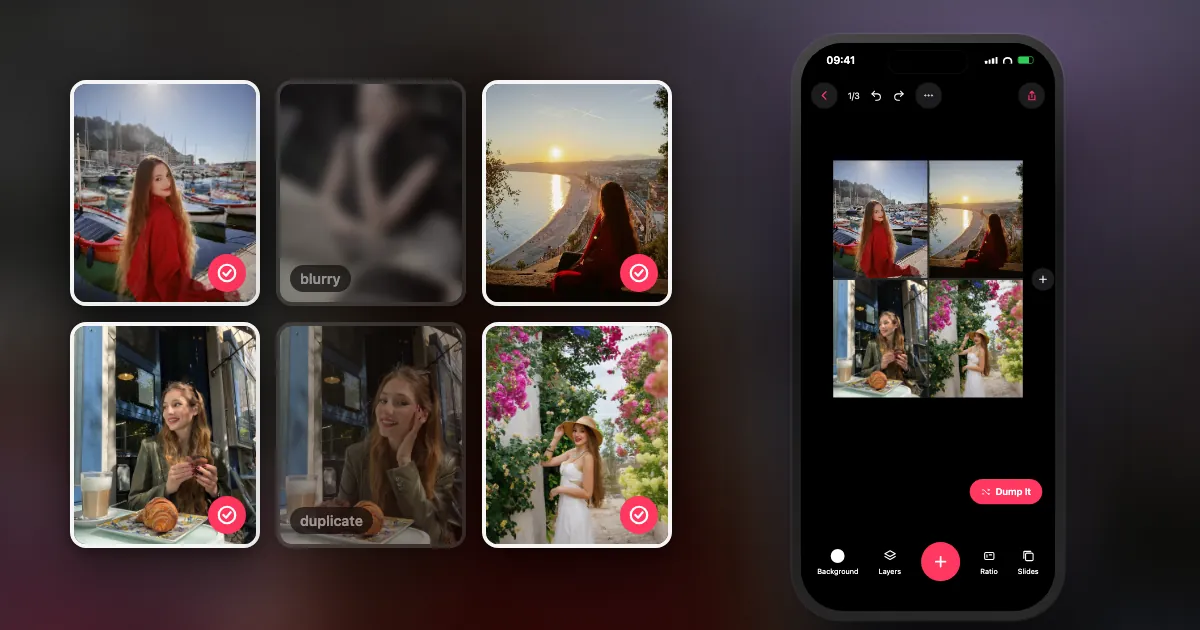
What are the steps to make a collage?
The same six steps work in any tool. Deciding the theme and the shape first saves the most time, because changing either later means redoing the layout.
- Choose a theme and 3 to 6 photos. Gather a few extra, and choose one to lead. Not sure what to make? Browse these 30 collage ideas.
- Set the shape first. Portrait 4:5 for an Instagram post, 9:16 for Stories, or your paper size for print. Everything else depends on this.
- Pick a layout. Use a grid when the photos have equal weight, a hero layout when one matters most, and freeform for a scrapbook look.
- Place the strongest photo in the largest cell. The top left or the centre is where the eye starts. Match vertical photos to vertical cells so they lose less to the crop.
- Tidy it up. Move each photo inside its cell so no faces are cut. Keep the gaps even, or remove them completely.
- Export at full quality. Save at the highest setting and never screenshot the result. Look at it at phone size, and fix anything that reads as a blur.
How do you make a collage on an iPhone?
The Photos app has no collage button. Use Shortcuts or Freeform for free, or a collage app if you want templates and exact sizes.
I go through each method with exact steps in how to make a collage on iPhone. The quick version: Shortcuts builds uniform grids, Freeform does loose scrapbooks and Keynote gives you exact dimensions. Apps are faster when you want frames and templates.
How do you make a collage on Android?
Google Photos is the usual free starting point on Android. Select your photos, open the Create (or Add to) menu, choose Collage, and save.
- Open Google Photos and long-press to select a few photos.
- Open the menu for adding or creating, then choose Collage. Menu names can vary slightly between versions.
- Choose a design and save it. It goes into your library as a new image.
If you need more layouts, PicCollage, PhotoGrid, Canva and Adobe Express all have Android apps. DUMP does not; it is iPhone and iPad only.
How do you make a collage on a computer?
Canva and Adobe Express are the quickest in a browser. If you prefer not to upload anything, PowerPoint or Keynote can do it on your own machine.
In a browser: sign in to Canva or Adobe Express, search for a collage template, drag in your photos and download. Both handle Windows and Mac, and they are good for print because you can set exact dimensions.
With PowerPoint or Keynote: set a custom slide size to the shape you want, insert your photos, crop them and use the alignment guides. Then export the slide as an image (in PowerPoint, Save As and choose PNG or JPEG). It takes more effort, but your photos stay on your computer and you control the size exactly.
How do you make a collage on paper?
Print your photos, cut them, arrange everything on the page before gluing, photograph the layout so you can rebuild it, then glue from the back layer forwards.
You need card or thick paper, scissors, and a glue stick (it wrinkles paper less than liquid glue). Print on matte paper if you can, because it is easier to glue and write on. Place the background pieces first and the main photos last. Press the finished page under a heavy book overnight so it dries flat.
What are the most common collage mistakes?
Too many photos, faces cut off by cell edges, mixed editing styles, and low-resolution exports. All four are easy to fix before you share.
- Too many photos: a 16-photo grid on a phone is 16 tiny thumbnails. Go smaller, or split it into a carousel.
- Cut-off faces: most apps let you drag a photo inside its cell.
- Mixed edits: one heavily filtered photo in a natural set will stand out. Use the same treatment on all of them.
- Blurry export: usually a low-quality save or a screenshot. Here is what happens to your photos on Instagram.
- Wrong shape: a square collage posted to Stories leaves empty space. Check the Instagram post sizes before you begin.
Frequently asked questions
How do I make a collage of pictures for free?
Use Google Photos on a phone, Freeform or Shortcuts on an iPhone, or the free plan of Canva or Adobe Express in a browser. PowerPoint or Keynote also work if you already have them.
How do I put multiple pictures into one picture?
That is a collage. Use a collage tool, choose a layout with the right number of cells, add your photos and save the result as a single image.
What is the best size for a photo collage?
For Instagram, 1080 × 1350 px (4:5). For Stories, 1080 × 1920 px. For print, aim for about 300 pixels per inch at the printed size.
Can I make a collage in Microsoft Word?
Yes, by inserting pictures and using wrap and alignment tools, but PowerPoint is easier because you can export a slide as an image at a chosen size.
Why does my collage look blurry?
Usually because of a low-quality export, a screenshot of the canvas, or starting from compressed copies of your photos. Use originals and export at 1080 px wide or more.
Make a collage in a couple of taps
DUMP has 28 grids, freeform pages and templates, and fills empty slots from your photos at the tap of a button. Free on iPhone and iPad, no account, no watermark on images.
 On a computer?Scan with your iPhone camera
Free · iPhone & iPad · iOS 18.6+ · No account · Works offline

My advice: make the first one badly and quickly. You will know what you want to change as soon as you see it on your phone.
Indie iOS developer, and the maker of DUMP. Say hello on Instagram or at solostaseraofficial@gmail.com.
Sources
- Google Photos Help: creating collages and other creations.
- Microsoft PowerPoint Help: saving a slide as a picture and setting a custom slide size.
- DUMP facts were checked against the source code of DUMP 3.0.1, the version on the App Store on 1 Nov 2026.