 Solora

Why do side projects stall?
Mostly because there's no decision about when they happen, and because the next step is too vague to start when you're tired at 9 pm.
"Work on the app" can't be started after a full day. "Write the empty state for the settings screen" can. The same is true of the opposite failure: without a limit, a project you love quietly takes your sleep, your friends and your weekends.
What's a simple system for a side project?
- Separate the roles.
Your employer's work and your own should never share a list. Besides making planning easier, it's a good boundary. Check your employment contract about outside work, too.
- Choose a small weekly target.
Two focused sessions, not "as much as possible". Solora counts completed tasks against a role's weekly target, so you can see it land.
- Claim the time in advance.
Tuesday evening and Saturday morning beats "when I have energy". Protect the slot, and let it be short.
- End each session by writing the next step.
Stop with one specific, startable task. That makes the next session much easier to begin.
- One side project item a day, at most.
On a workday, your Big 3 might be one work outcome, one thing for you or your family, and one small project step.
- Review for 15 minutes each week.
Did it move? What did it cost? If your health or relationships paid for it, lower the target. See the weekly review.


What does a realistic week look like?
| Day | Side project | Note |
|---|---|---|
| Mon | None | Job first; write down ideas only |
| Tue | 45-minute session | The next step is already written |
| Wed–Thu | None or a tiny task | Family, friends, exercise |
| Fri | None | Leave work at work |
| Sat | 2-hour session | Do the hardest step here |
| Sun | 15-minute review | Pick the next step for Tuesday |
That's around three hours a week. It doesn't sound like much, but it adds up to over 150 hours a year, and you can keep it up.
How does Solora help with a side project?
Solora keeps the project visible next to the rest of your life, rather than hiding it in a separate work tool.
- Role templates: Employee, Developer, Designer, Founder, Entrepreneur and Freelancer are all there, or you can make your own.
- Launch a Product template: steps for market research, scope, MVP, marketing, testing, launch day and feedback.
- AI project breakdown: on supported devices, it turns a goal into timed steps, and the free plan includes 3 a month.
- Evening Shutdown: decide what happens to every open task, so it stops following you to bed.
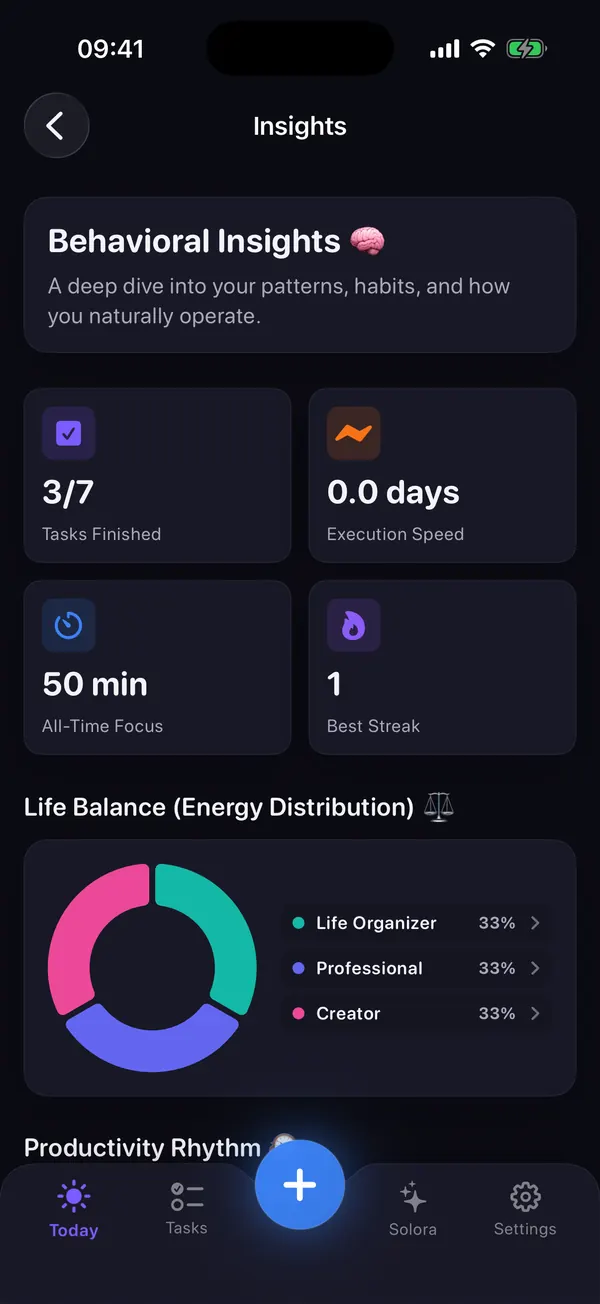
- Insights: shows your balance across roles, focus minutes and your biggest blocker.
- Privacy: no account, no server, so your idea stays on your phone.
When isn't Solora the right tool?
Solora isn't a developer or team tool. Use GitHub Issues, Linear, Trello or similar for bugs, sprints or work with a cofounder.
It has no shared lists, no sync with your computer and no web app. Think of it as the place that decides when the project happens and what the one next step is. Details can live in whatever tool suits the project. If you're a working parent too, the working parents guide will help you balance it all.
Try it
Try Solora free, with no account
Roles, a daily Big 3 and habits that survive bad days, on iPhone and iPad. It's listed on the App Store as Solora: AI Daily Planner.
 On your computer?Scan with your iPhone camera
Free plan: 4 roles, 15 active tasks, 20 habits, 5 projects, 5 assistant chats a day. Premium: monthly, yearly or one-time Lifetime. iOS 18.6 or later; the assistant needs iOS 26 with Apple Intelligence.
Frequently asked questions
How many hours a week should I spend on a side project?
Choose an amount you could keep up in a bad week. Around three focused hours, split over two sessions, adds up to more than 150 hours a year, and it's more sustainable than bursts of late nights.
How do I work on a side project when I'm tired after work?
Finish each session by writing one specific next step so you don't have to decide anything later, and keep the first task small enough to start while tired. Save harder work for a weekend session.
What is a good app for planning a side project with a full-time job?
For keeping a side project in balance with your job and life on iPhone, Solora offers separate roles, weekly targets, a Launch a Product template and a Weekly Review. For bugs, sprints or teamwork, use a dedicated project tool too.
Can I work on my side project during my job?
Check your employment contract. Many employers have rules about outside work, intellectual property and using company equipment, so keep the two separate unless you've confirmed otherwise. This isn't legal advice.
Sources
All checked on 3 November 2026.

Thanks for reading. If this helped, or if I got something wrong, I'd love to hear from you.
Independent iOS developer and the maker of Solora, so read my take on it with that in mind. The methods here work on paper too. Say hello on Instagram or at solostaseraofficial@gmail.com.