Guide · Comparison
Best self timer camera apps for iPhone (2026), compared honestly
Written by the developer of SHOOTS, so read it with that in mind. Every claim about another app links to where we checked it.
 By Gül Eda Aydemir7 min read
- A few posed photos, Apple Watch on your wrist: Apple’s Camera Remote. Free, live preview, already installed.
- One quick group shot: the built-in Camera timer (3, 5 or 10 seconds).
- The most features and the longest track record: Lens Buddy (4.9 stars from about 34K US ratings).
- Simple and light, older iPhones welcome: Photo Timer+ (iOS 13+) or TimerCam (one-time upgrade, 8 languages).
- Hands-free interval photoshoots you start with a raised palm or “Cheese”, a free Watch, iPhone or iPad remote, no ads or tracking: SHOOTS. New, and ours.
The comparison table
| iPhone Camera timer | Apple Watch Camera Remote | Lens Buddy | Photo Timer+ | TimerCam | SHOOTS | |
|---|---|---|---|---|---|---|
| Price model | Built in | Built in (needs Apple Watch) | Free download, PRO subscriptions in-app | Free with ads; in-app purchase removes ads | Free with ads; one-time TimerCam Plus | Free download; optional SHOOTS+ |
| Start delay | 3, 5 or 10 s | 3 s timer, on or off | “Fully customizable timer” | “Variable lengths” | 5, 10, 15 or 30 s | Instant, 3, 5, 10, 15, 30 or 60 s |
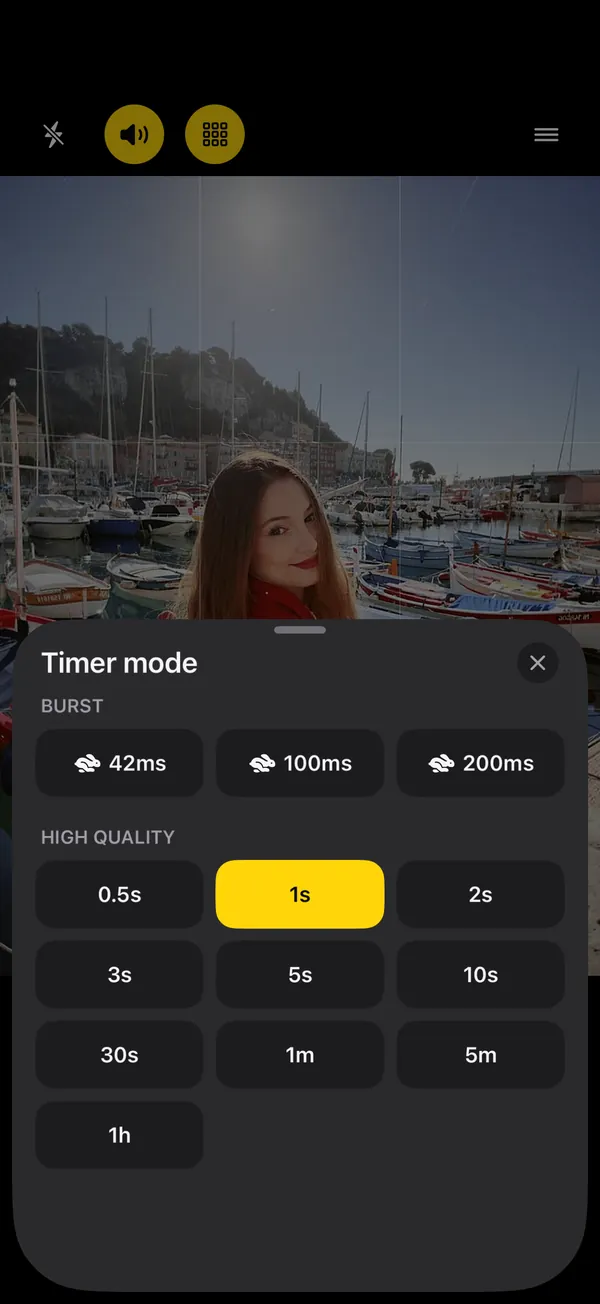
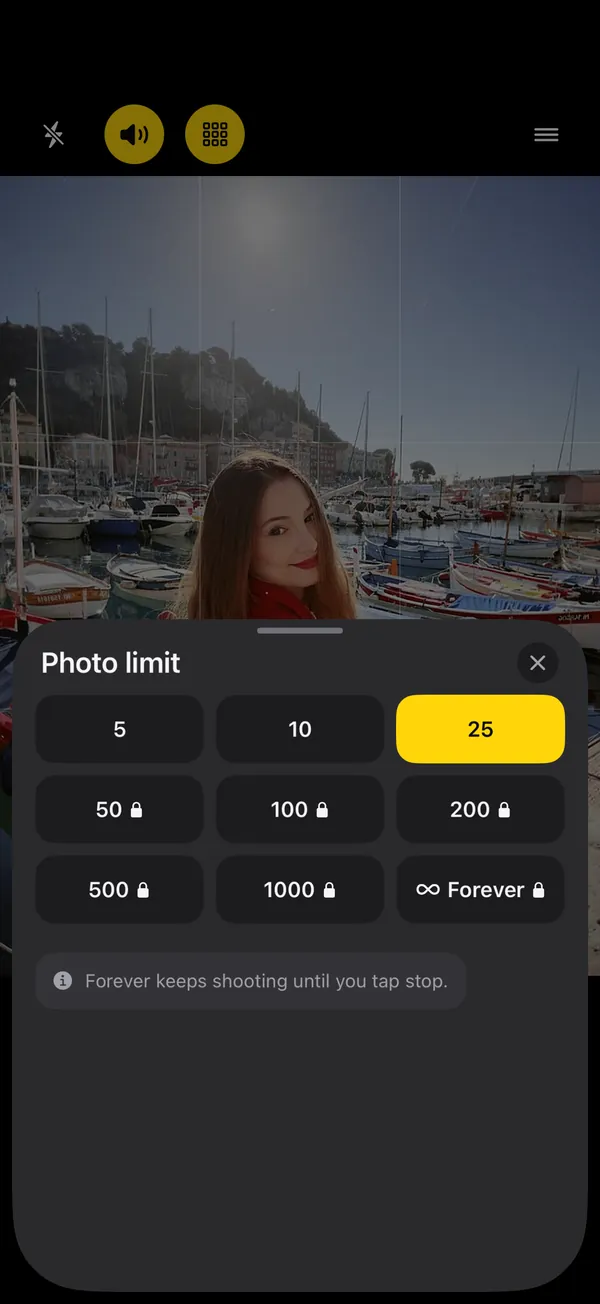
| Repeats on its own | No | No, one photo per tap | Yes, interval you set | Yes, 3 s to 1 min apart | Free: 3 photos, 3 s apart. Plus: 0.5–60 s, unlimited | 0.5 s to 1 h, up to 25 photos free; bursts and up to 1,000 or Forever with SHOOTS+ |
| Burst | Swipe the shutter (by hand) | Not in Apple’s guide | Yes | Not listed | Not listed | 42, 100, 200 ms (SHOOTS+) |
| Start without touching the phone | Volume buttons, Camera Control; Smart Take on iPhone Duo | It is the remote | Shortcuts support, Lock Screen control (release notes) | Not listed | Not listed | Raise your palm, say “Cheese”, Siri & Shortcuts, widgets, Control Center, volume buttons; all free |
| Apple Watch | Via Camera Remote | It is the Watch app | Watch app listed | Not listed | Not listed | Free remote; live viewfinder SHOOTS+ (with iPhone) |
| Second iPhone or iPad as remote | Not in Apple’s Camera guide | n/a | Not listed | Not listed | Not listed | Free controls; live picture SHOOTS+ |
| Voice and sounds | Not covered here | Not covered here | Sound effects, announcements, compliments | Countdown audio | Countdown sound, last 3 s | Countdown beeps, 5 shutter sounds, announcements; Pose Coach and compliments SHOOTS+ |
| Pro formats | Camera app’s own | Camera app’s own | 48MP, RAW on Pro iPhones, Live, Portrait, video | Not listed | JPEG or HEIF (Plus) | HEIF, JPEG; ProRAW and 48 MP SHOOTS+; Portrait, Live, the + Video modes, Video, Cinematic SHOOTS+ |
| Reviewing shots | Photos app | Review on the Watch | Gallery with ratings, editor | Preview, saves to Photos | Plus: gallery, KEEP/PASS, on-device picks | One album per shoot, favorites, 30-day Trash; no editor |
| Privacy | Apple app | Apple app | Data not linked to you; no tracking listed | Data used to track you; ads | Data used to track you; ads | Collects no data; no ads |
| Needs | Any iPhone | Apple Watch | iOS 16+, watchOS 9+ | iOS 13+ | iOS 15.6+ | iOS 18.6+, watchOS 10.6+ |
| Languages | System languages | System languages | English | English | English + 7 | 11 languages; recorded voice in English |
| US ratings | n/a | n/a | 4.9 (about 34K) | 4.7 (about 8.4K) | 4.9 (116) | New, no rating history yet |
“Not listed” means the App Store page doesn’t mention it, not that the app can’t do it. Privacy for the other apps comes from their App Store privacy labels; for SHOOTS it’s our own description of the app: no account, no ads, no analytics, no tracking.
iPhone Camera timer
Good at: it’s already there, it uses everything your iPhone’s camera can do, and photos land straight in Photos. Apple’s iPhone User Guide lists a 3, 5 or 10 second timer (the iOS 18 version listed 3 or 10). You can press the shutter with a volume button or, on supported models, Camera Control, and on iPhone Duo, Apple suggests Smart Take instead of the timer: it takes up to 20 photos over a couple of minutes when you strike a pose or hold still (checked 24 October 2026). Watch out: there’s no interval or photo count, so on other iPhones you get one moment per press. Ways around that are in How to take more than one photo on an iPhone timer.
Apple Watch Camera Remote
Good at: a free live viewfinder on your wrist, zoom with the Digital Crown, tap-to-expose, flash, Live Photo, video and a review screen, per Apple’s guide. For a few posed photos it’s hard to beat. Watch out: one photo per tap, a 3-second timer or none, and about 33 feet (10 m) of range. Details in our Apple Watch camera remote guide.
Lens Buddy
Good at: the longest feature list here. Its App Store page lists an interval you set, burst mode, Photo Booth mode, 48MP, RAW on Pro iPhones, Live and Portrait, video, tracking focus, grid and level, sounds and announcements, and a built-in gallery where you rate your photos. Recent release notes add an editor (cropping and adjustments), Shortcuts support, and compliments and announcements in 10 more languages. It has an Apple Watch app, runs on iOS 16 or later, and has the biggest rating history here by far. Watch out: it’s free to download with PRO subscriptions; the listing marks camera roll integration (saving and sorting into albums) as requiring a paid subscription. Its privacy label lists purchases, usage data and diagnostics, not linked to you.
Photo Timer+
Good at: simplicity. Its App Store page describes a timer with variable lengths, countdown audio, flash control and multiple photos from 3 seconds to 1 minute apart. It’s tiny (4 MB), runs on iOS 13, and has about 8.4K ratings averaging 4.7. Watch out: it contains ads (an in-app purchase removes them), its privacy label lists location, identifiers, usage data and diagnostics as data used to track you, and no Apple Watch app is listed.
TimerCam
Good at: a clear free version and a one-time upgrade. Its App Store page lists 5 to 30 second delays, a grid and level, flash modes and an interval of 3 photos 3 seconds apart for free; TimerCam Plus (a one-time purchase, no subscription) unlocks intervals from 0.5 to 60 seconds, unlimited photos, a gallery with KEEP and PASS sorting, on-device photo recommendations, 16:9 and HEIF, and removes ads. It’s available in English and 7 other languages. Watch out: ads in the free version, a privacy label that lists identifiers and usage data as used to track you, no Apple Watch app listed, and only 116 US ratings so far.
SHOOTS (ours)
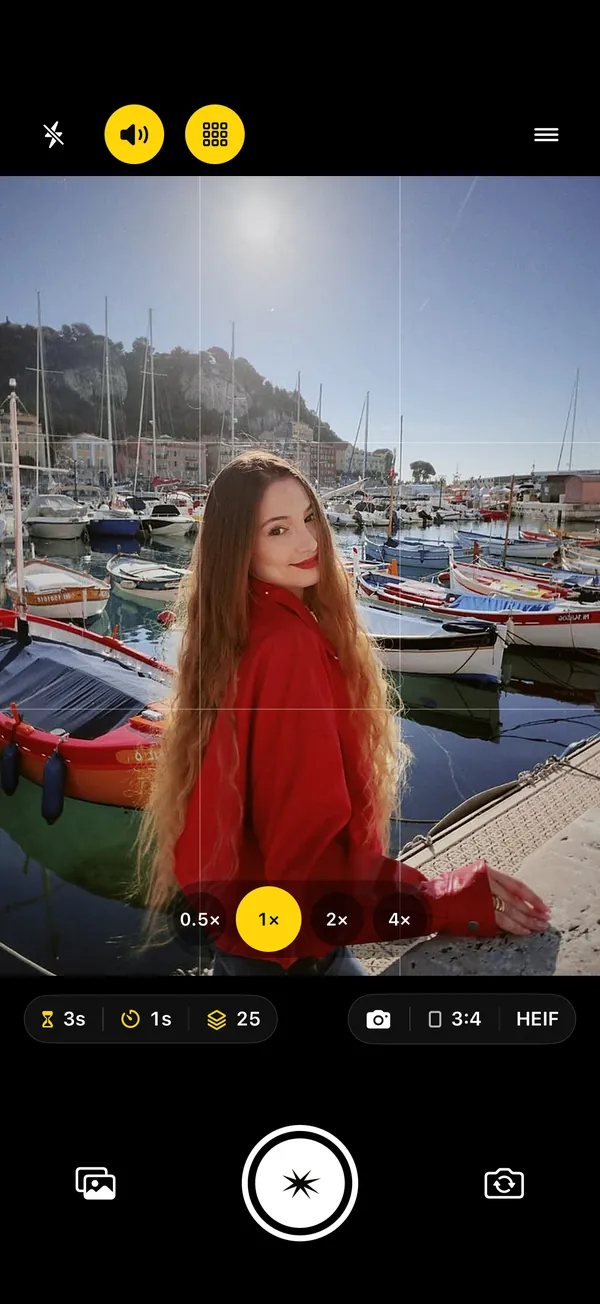
Good at: long, hands-free interval photoshoots. Photoshoot start from Instant to 60 seconds, intervals from 0.5 seconds to 1 hour (the widest range among the apps here that publish one), and up to 25 photos per shoot for free. You can start a shoot without touching the phone: raise your palm or say “Cheese”, ask Siri, tap a widget or the Control Center control, or press a volume button, all free. The Apple Watch remote is free (start, stop, resume, zoom, flip, flash, mode), and a second iPhone or iPad can be the remote too; the live picture on the Watch or the other device is SHOOTS+. A voice announces the start and end of the shoot and warns about battery, storage and heat; with SHOOTS+, Pose Coach calls your next pose between shots. The app is in 11 languages, every shoot gets its own album, and SHOOTS collects no data: no account, no ads, no analytics. More on the features page.
Watch out: it’s brand new (version 1.0, October 2026), so there’s no rating history yet. It needs iOS 18.6 or later, and the Apple Watch app works with iPhone only. The recorded voice is English (in other languages the iPhone’s own voice reads the lines), and “Cheese” is only recognized in English. There’s no editor, no filters, no smile trigger and no automatic best-shot picking (our separate app DUMP does that). Bursts, more than 25 photos, the live viewfinder on a Watch, iPhone or iPad, ProRAW, 48 MP, video modes, Pose Coach and compliments are SHOOTS+.
How to choose in 30 seconds
- Just need one photo now? Use the Camera timer. Don’t install anything.
- Have an Apple Watch and want to see the frame? Try Camera Remote first. It’s free.
- Want lots of features and an editor in one app? Lens Buddy.
- On an older iPhone, or want the lightest app? Photo Timer+ or TimerCam.
- Want to start a shoot and forget the phone exists, with long intervals, a palm or “Cheese” start, a Watch, iPhone or iPad remote and nothing tracking you? That’s why we built SHOOTS.
Whatever you pick, the technique matters more than the app. Start with How to take good photos of yourself when no one’s around, and the right rhythm in Interval shooting on iPhone.
How we compared
On 22 October 2026 we read each app’s US App Store page (description, release notes, privacy label, compatibility, languages and ratings) and Apple’s support guides for the Camera timer and Camera Remote. On 24 October 2026 we re-read the same pages for hands-free starts and remotes, and Apple’s guides for Camera basics, Camera Control and Smart Take. Ratings are US store figures from 22 October. We only included claims we could find on those pages. If something here is out of date, tell us via support and we’ll fix it.
Questions people ask
What is the best self timer app for iPhone?
Is there a free self timer app that takes multiple photos?
Can the iPhone camera take photos at intervals?
Which self timer apps work with Apple Watch?
Can a self timer app start without touching the phone?
Which self timer apps don’t track you?
Gül Eda Aydemir is the independent iOS developer behind SHOOTS, DUMP and Solo.Swipe. She designs, builds and answers support for every app herself. Say hi at solostaseraofficial@gmail.com.
Prop up your iPhone, step into frame and let SHOOTS run the whole photoshoot.
Download on theApp Store
On a computer?Scan with your iPhone camera
Keep reading
How to take good photos of yourself when no one's around
No tripod, no friend, no stranger you have to trust with your phone. Just a ledge, a timer and a plan.
Gül Eda Aydemir · 6 min read
How to take more than one photo on an iPhone timer (and space them out)
Apple’s timer counts down and shoots one moment. Here’s how to squeeze more out of it, and when to switch to an interval camera.
Gül Eda Aydemir · 7 min read
How to start a photoshoot without touching your phone
The worst part of a timer shot is the sprint from the phone to your spot. Here are all the ways to skip it, with Apple’s Camera and with SHOOTS.
Gül Eda Aydemir · 7 min read