Journal · Pose Coach
Never run out of poses
Every photographer has a running script: chin down, turn, walk to me, laugh. Now your propped-up iPhone has one too.
 By the SHOOTS Journal · edited by Gül Eda Aydemir5 min read
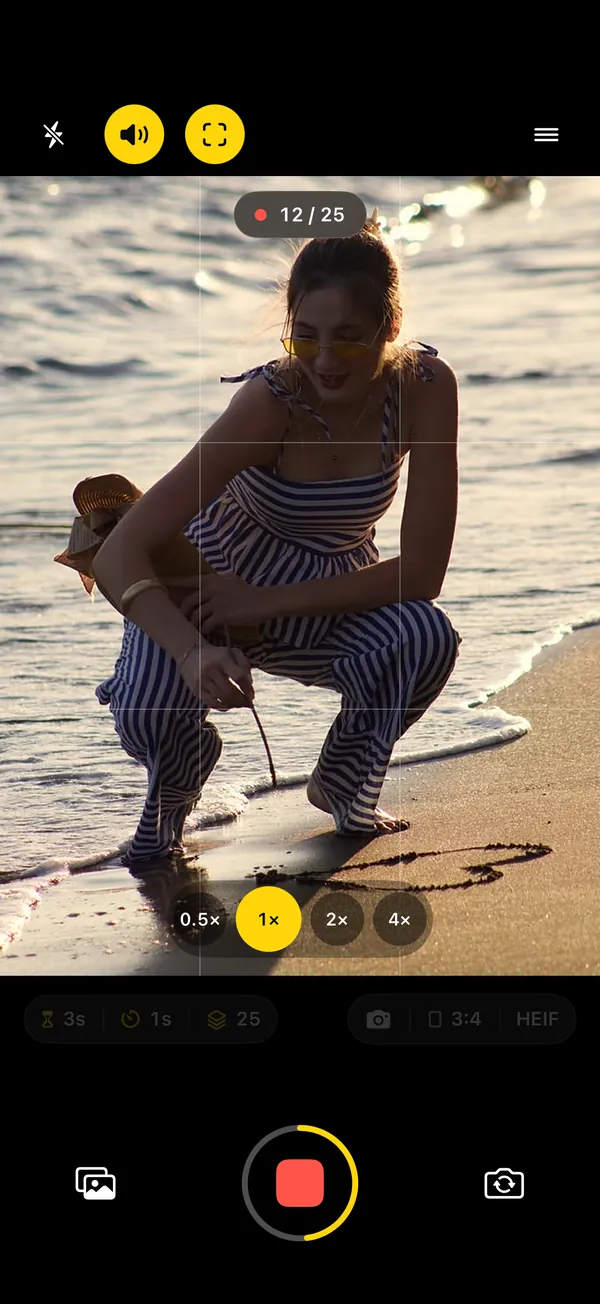
Watch any photographer at work and you’ll notice they never stop talking. Not small talk: direction. Chin down. Little more. Turn your shoulder to me. Now walk. Walk. Look back. Laugh, a real one. Half of the job is the camera; the other half is that voice, quietly moving you from one good frame to the next, so you never have to think about what your hands are doing.
Shoot yourself on a timer and that voice is the first thing to go. You get three poses in, then your mind goes blank, and frames fourteen to twenty-five are the same face with increasing panic. The Pose Coach in SHOOTS exists for exactly that moment.
What it does
Between shots, a photographer’s voice calls your next pose. Not at random: SHOOTS looks at the frame first and picks a cue that fits how you’re standing in it. You prop the phone, start the shoot (with the shutter, a raised palm, “Cheese” or a remote, see how to start a photoshoot hands-free), and from then on someone is directing.
Tap to hear a few of them:
How it reads the frame
About once or twice a second, SHOOTS looks at a camera frame, on the iPhone itself, with Apple’s Vision framework. Nothing is uploaded, and nothing is kept. It’s asking one question: how is this person framed?
- Face and shoulders, legs out of the picture: close-up cues. “Rest your chin on your hand.” “Smile with just your eyes.” “Tuck your hair behind your ear.” “Look up and away. Dreamy!” “Blow me a kiss!”
- Knees or feet in the picture: full-body cues. “Now walk toward me.” “Hand on your hip.” “Cross one leg in front of the other.” “Turn sideways and look back at me.” “Give me a spin!” “Crouch down low.” “Jump! Big energy!”
- Either way: cues that work at any distance. “Chin down, just a little.” “Turn your shoulder toward me.” “Look over your shoulder at me.” “Now a soft smile.” “Give me a real laugh!” “Surprise me. Any pose you like!”
- Nobody there, or half out of the picture: framing help. “Step into the frame so I can see you.” “Come a little closer to the middle.”
One thing it never does is say left or right. Which side is “your left” depends on the camera and the way you’re facing, and a coach that gets it wrong is worse than no coach at all. So it says “turn your shoulder toward me”, and lets your body work out which one.
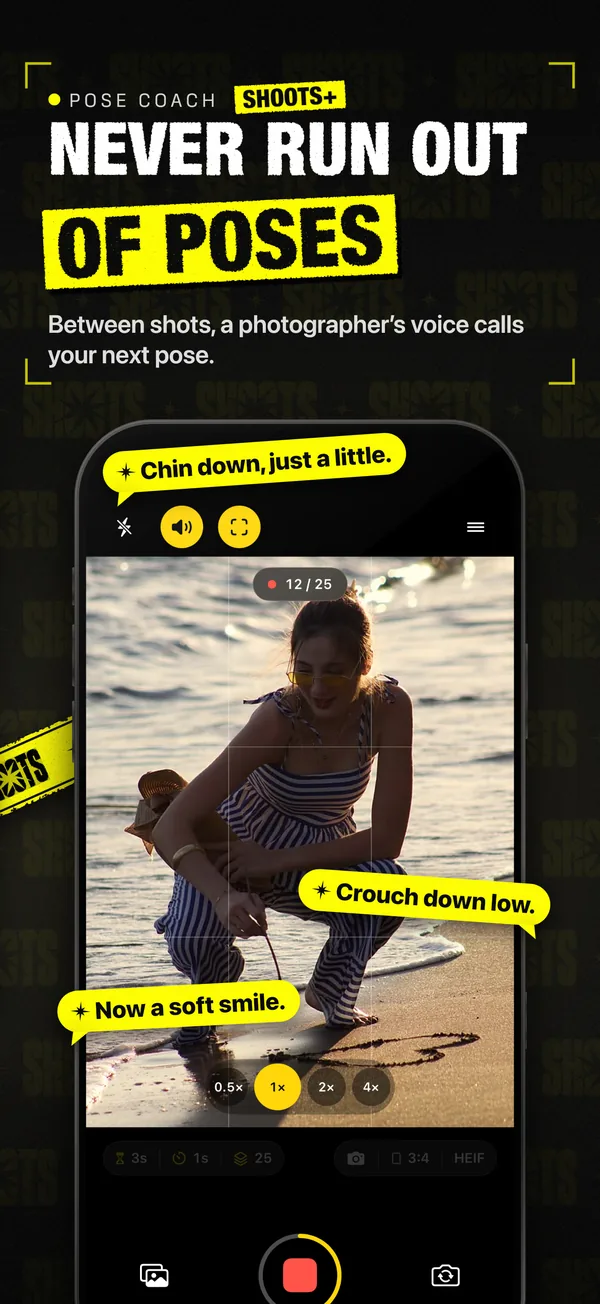
The rhythm: hold it for a couple of shots
A good photographer doesn’t change the pose every click; they let you settle, then shoot it twice. The Pose Coach works the same way. It calls a new pose right after a photo lands, so the whole interval is yours to move into it, and then lets you hold each pose for at least five seconds, a couple of shots, before the next cue. Recent cues are set aside so none comes back soon, which keeps a 25-photo shoot from feeling like a loop.
That makes the interval matter:
| Timer mode | How it feels |
|---|---|
| 1 s | Several frames per pose. Great for walking, spins and laughs: movement inside one cue. |
| 2–3 s | The sweet spot: two or so frames per pose, one to settle and one to keep. |
| 5 s and up | About one pose per frame. Calm, editorial, good for outfits. |
The reasoning behind each interval is in Interval shooting on iPhone.
Compliments, Pose coach or Both
The Pose Coach is one half of Talk to me, the SHOOTS voice that runs during a shoot. Turn it on in the camera’s Sound sheet (or Settings → Feedback), then pick under Coaching:
| Coaching | What you hear | Pick it when |
|---|---|---|
| Compliments | Cheering the whole shoot: “Honestly? Iconic.” | You know your poses and want the energy |
| Pose coach | Your next pose, between shots: “Chin down”, “Now walk toward me” | You want direction, not applause |
| Both | The next pose between shots, and cheering in between | The full photographer experience |
Announcements (“Here we go — the photoshoot is starting.” and “That’s a wrap!”) are a separate switch and free. Why a voice helps at all is in A hype crew in your pocket.
How to get the most out of it
- Frame for the poses you want. Want walks, spins and jumps? Make sure your legs are in the picture, so it reads full body. Want face-and-hands moments? Move the phone closer.
- Turn the voice up. The Voice volume slider is in the Sound sheet. Sounds follow the Silent switch, and SHOOTS tells you when Silent Mode is on.
- Do it, then make it yours. Take the cue literally on the first frame, then exaggerate it on the second. That second frame is often the keeper.
- Start it from your spot. Pair the coach with a raised-palm start and the first instruction you hear is from the coach, not from your own nerves.
- Keep a favorite list anyway. The coach is great at filling gaps; your own signature poses still belong in the set. Steal a few from 12 poses that work on a self-timer.
Your face can’t freeze if someone keeps giving it something to do.
Where it lives
The Pose Coach is part of SHOOTS+, the optional upgrade, together with compliments under Talk to me; see the App Store for details. Everything it needs to see happens on your iPhone, like everything else in SHOOTS: no account, no ads, no tracking. It works on iPad too, which is handy when the iPad is the camera.
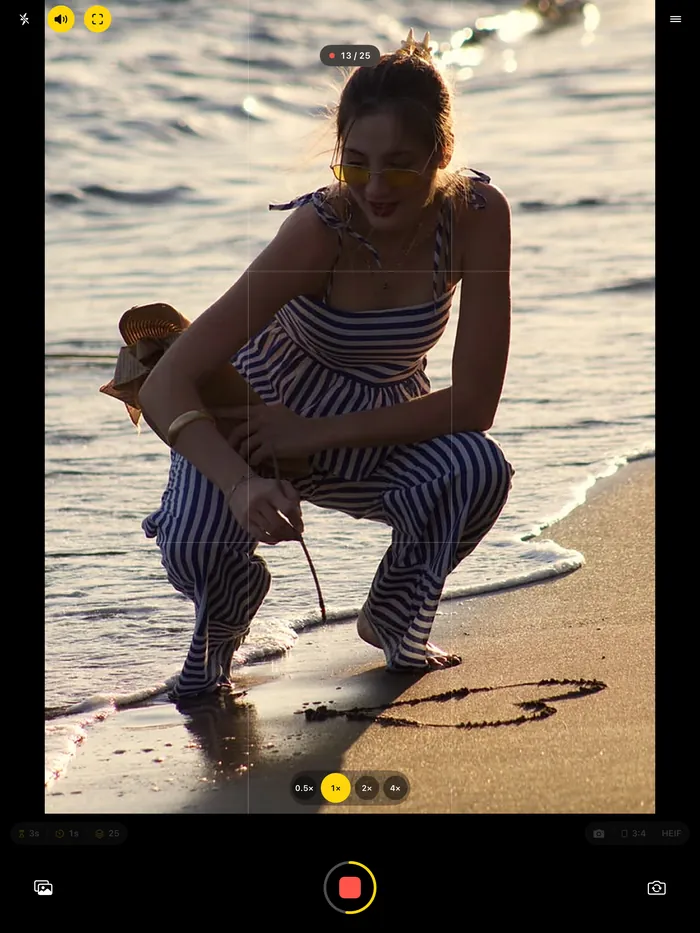
Afterward, the shoot lands in its own album in the gallery. Pick the keepers, turn them into a carousel with DUMP, and clean the rest out of your camera roll with Solo.Swipe. New to solo shoots? Start with how to take good photos of yourself alone, or copy the 10-minute solo photoshoot.
Questions people ask
What is the SHOOTS Pose Coach?
How does the Pose Coach know if I’m close up or full body?
Can I have compliments and pose tips at the same time?
What language does the Pose Coach speak?
Gül Eda Aydemir is the independent iOS developer behind SHOOTS, DUMP and Solo.Swipe. She designs, builds and answers support for every app herself. Say hi at solostaseraofficial@gmail.com.
Prop up your iPhone, step into frame and let SHOOTS run the whole photoshoot.
Download on theApp Store
On a computer?Scan with your iPhone camera
Keep reading
Be your own paparazzi: why the 2000s flash photo is back, and how to shoot it alone
Hard flash, a background gone black, a glint off your sunglasses. The red-carpet photo never needed a red carpet. It just needed someone to fire the flash, and that someone can be your iPhone.
SHOOTS Journal · 7 min read
Shoot it, DUMP it, swipe the rest: my 3-app camera roll routine
Twenty-five photos in, one carousel out, and a camera roll that doesn't make me sigh. The whole routine, from shutter to post.
Gül Eda, xoxo · 5 min read
Why I built SHOOTS
Because nobody should have to choose between being in the photo and taking it.
Gül Eda, xoxo · 6 min read