Guide · Intervals
Interval shooting on iPhone: which interval for which shot
Too fast and every photo looks the same. Too slow and you miss the moment. Here’s the right rhythm for each kind of shot.
 By Gül Eda Aydemir6 min read
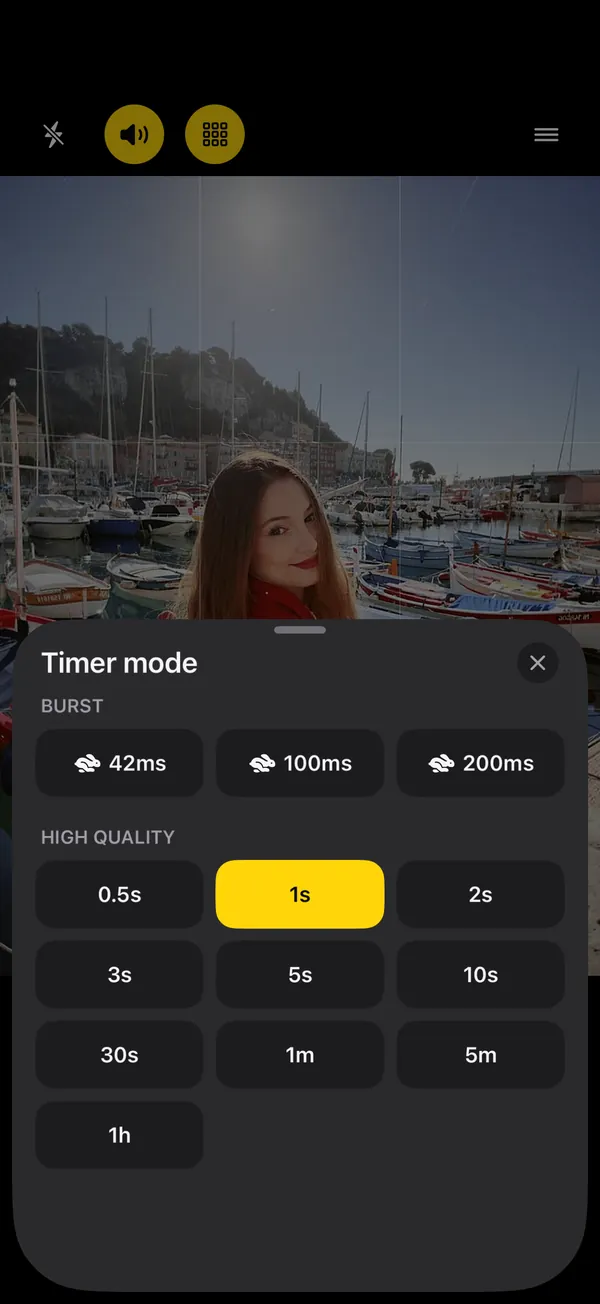
- Burst (42–200 ms, SHOOTS+): jumps, spins, hair flips, splashes.
- 0.5–1 s: walking, twirling, dancing, laughing.
- 3 s: natural posing. The default for most solo shoots.
- 5–10 s: bigger pose changes, outfit details, groups rearranging.
- 30 s–1 min: golden hour, long sessions, outfit swaps.
- 5 min–1 h: light changing across hours. Still photos, not a video.
Total time ≈ start delay + (photos − 1) × interval.
An interval is the gap between photos in a hands-free shoot. It’s the single setting that decides whether you come home with twenty-five different photos or one photo twenty-five times. The iPhone’s own Camera app doesn’t have an interval setting (its timer counts down and shoots once, see how to take more than one photo on an iPhone timer), so this guide uses SHOOTS, the interval camera we make. The rhythm advice works in any app.
What interval shooting is (and isn’t)
Interval shooting gives you separate still photos, spaced evenly in time. You set a Photoshoot start (how long before the first photo), a Timer mode (the gap) and a Photo limit (how many), tap the shutter and step into frame. In SHOOTS you can also start it from your spot, by raising your palm or saying “Cheese” (see How to start a photoshoot hands-free).
It is not a timelapse video. SHOOTS takes stills, full stop. If you want a video that speeds time up, the iPhone Camera app has a Time-lapse mode (Apple’s guide, checked 22 October 2026). If you have a series of photos and want to turn them into a timelapse, that’s what Solo.Shots does.
The cheat sheet
| Timer mode | Best for | Photo limit | Shoot length |
|---|---|---|---|
| Burst: 42 ms, 100 ms, 200 ms (SHOOTS+) | Jumps, spins, hair flips, splashes, a dog mid-leap | 25 to 100 | About 1 to 5 s for 25 photos |
| 0.5 s, 1 s | Walking toward the camera, twirling, dancing, laughing | 25 | 12 to 24 s |
| 2 s, 3 s | Natural posing with small changes | 25 | 48 s to about 1¼ min |
| 5 s | Bigger pose changes, outfit details, seated portraits | 10 to 25 | 45 s to 2 min |
| 10 s | Groups rearranging, props, moving between two spots | 10 | 1½ min |
| 30 s, 1 min | Golden hour, long creative sessions, swapping outfit pieces | 25 | 12 to 24 min |
| 5 min, 1 h | Light changing across hours, a slow day at the beach, a long event | 25 or Forever (SHOOTS+) | 2 hours to a full day |
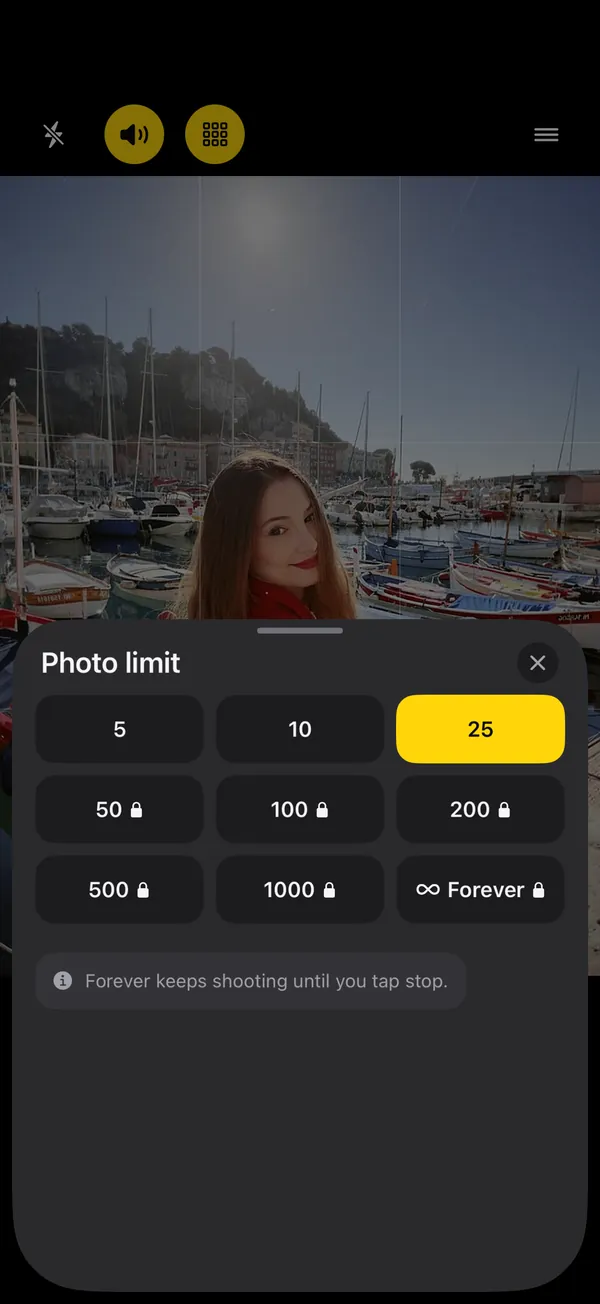
Shoot length here is from the first photo to the last; add your start delay on top. Free shoots go up to 25 photos. Limits of 50 to 1,000 photos, and Forever (keeps shooting until you tap stop), are part of SHOOTS+.
Fast: bursts and 0.5–1 second
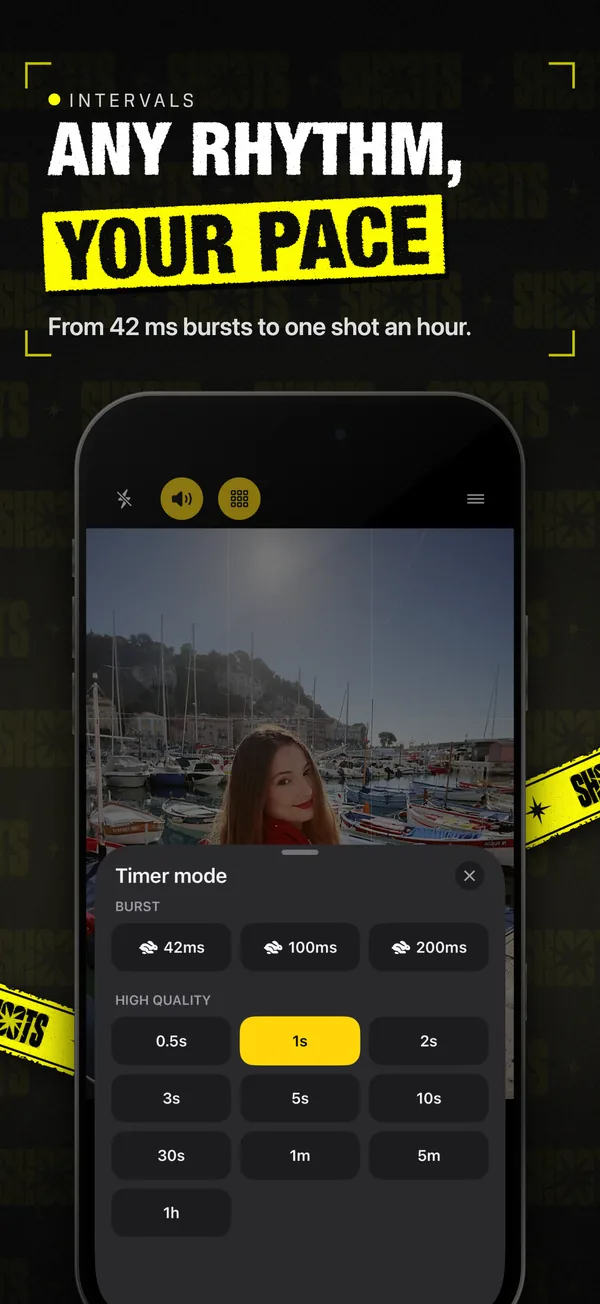
Movement needs speed. A jump lasts well under a second, so even a 0.5 second interval may catch only one frame of it. That’s what the burst intervals are for (about 42 ms, 100 ms and 200 ms, part of SHOOTS+): a quick run of frames, and one of them has you at the top of the jump with your hair in the air.
One trade-off to know: anything faster than 0.5 seconds shoots for speed rather than full processing. Use bursts to catch the moment, and the high-quality intervals (0.5 s and slower) for your hero portraits. The Quick shutter sound, short and crisp, is made for bursts.
For walking shots, 1 second is the sweet spot. Start a few steps back, walk slowly toward the phone, and almost every mid-step frame looks natural.
Posing pace: 2 to 5 seconds
3 seconds is the interval we’d pick for most solo shoots. It’s long enough to move your weight, turn your chin or change your hands, and short enough that you don’t freeze up between frames. Drop to 2 seconds if you’re confident and just making micro-changes. Go up to 5 seconds when each pose is a bigger move: turning to show the back of an outfit, sitting down, picking up a prop.
Using the Pose coach (SHOOTS+)? It calls a new pose right after a shot and has you hold each one for at least 5 seconds, so on a 2 or 3 second interval you get two or so frames of every pose: one to settle, one to keep. At 5 seconds and up, it’s about one pose per frame. More in Never run out of poses.
Set the shutter sound to Beep (one beep the moment each photo is taken) and you’ll always know when to hold still. Need ideas for what to do on every beep? Try 12 poses that work on a self-timer.
- Photoshoot start
- 10 s
- Timer mode
- every 3 s
- Photo limit
- 25 photos
- Shutter sound
- Beep
- Countdown beeps
- On
Slow: 30 seconds to 1 hour
Long intervals are for when time is part of the story:
- Golden hour. The light changes minute by minute around sunset. A photo every 30 seconds or every minute for 25 photos covers the best 12 to 24 minutes, and you can relax into it instead of rushing.
- Outfit swaps at home. A 1 minute interval lets you change a jacket or shoes between frames without touching the phone. See outfit photos at home.
- A long day in one place. A beach, a picnic, a studio session. Every 5 minutes or every hour, from one fixed spot.
Remember these are still photos, each in your gallery. That’s great for picking the best light; if you want them to play as a video, bring them into Solo.Shots.
Fast intervals catch movement. Slow intervals catch time. Three seconds catches you.
Long shoots: battery, storage and heat
A long interval shoot is a marathon for your iPhone. What SHOOTS does, and what you should do:
- Battery. SHOOTS keeps the screen awake during a shoot so the camera stays ready, and that uses power. It shows a warning when the battery runs low (“plug in for long shoots”), and the voice announcements say it out loud. For anything over half an hour, plug in or use a power bank.
- Storage. SHOOTS warns when you’re under about 1 GB free, and stops the shoot if storage runs out. 48 MP and ProRAW (both SHOOTS+, on supported iPhones; on iPhone 17 Pro, 48 MP works on the ultra-wide and telephoto cameras too) make bigger files than HEIF, and the “Record video too” modes (Photo + Video, Portrait + Video, Live + Video, also SHOOTS+) film the whole shoot, so plan for that on long shoots.
- Heat. Sun, charging and a long shoot together can make an iPhone hot. If it overheats, SHOOTS pauses the shoot to protect the phone and continues when it cools. Keep it in the shade, and don’t prop it on a sun-baked wall or car.
- Where photos go. Save captures to App Only keeps a 500-photo shoot out of your camera roll until you’ve picked the keepers. But App Only storage is not included in iCloud or device backups, so save the photos you love to Photos afterward.
Do the math before you start
Total time ≈ start delay + (photos − 1) × interval. A few examples:
- 10 s start, 1 s interval, 25 photos: about 34 seconds.
- 10 s start, 3 s interval, 25 photos: about 1½ minutes.
- 10 s start, 1 min interval, 25 photos: about 24 minutes.
- 10 s start, 1 h interval, 25 photos: a full day.
If the number surprises you, change the interval before the photo limit. It’s easier to stay natural for 25 photos at a good rhythm than 100 photos at the wrong one.
After the shoot
The faster the interval, the more near-duplicates you get. Every shoot lands in its own album in the SHOOTS gallery: heart your favorites, drag across the rest to select and delete. DUMP picks the sharpest, most varied frames for a carousel and skips burst near-duplicates, and Solo.Swipe keeps the rest of your camera roll from turning into a backlog.
Want a ready-made plan? The 10-minute solo photoshoot has exact settings for each stage of a shoot.
Questions people ask
What is interval shooting on iPhone?
What’s the best interval for self-portraits?
Can SHOOTS make a timelapse video?
Will a long interval shoot drain my battery?
Why are burst photos not as sharp as normal ones?
Gül Eda Aydemir is the independent iOS developer behind SHOOTS, DUMP and Solo.Swipe. She designs, builds and answers support for every app herself. Say hi at solostaseraofficial@gmail.com.
Prop up your iPhone, step into frame and let SHOOTS run the whole photoshoot.
Download on theApp Store
On a computer?Scan with your iPhone camera
Keep reading
How to take good photos of yourself when no one's around
No tripod, no friend, no stranger you have to trust with your phone. Just a ledge, a timer and a plan.
Gül Eda Aydemir · 6 min read
How to take more than one photo on an iPhone timer (and space them out)
Apple’s timer counts down and shoots one moment. Here’s how to squeeze more out of it, and when to switch to an interval camera.
Gül Eda Aydemir · 7 min read
How to start a photoshoot without touching your phone
The worst part of a timer shot is the sprint from the phone to your spot. Here are all the ways to skip it, with Apple’s Camera and with SHOOTS.
Gül Eda Aydemir · 7 min read