Journal · Posing
12 poses that work on a self-timer
No photographer to say “chin down”. No problem. These are the poses that hold up when the only direction you get is a beep.
 By the SHOOTS Journal · edited by Gül Eda Aydemir5 min read
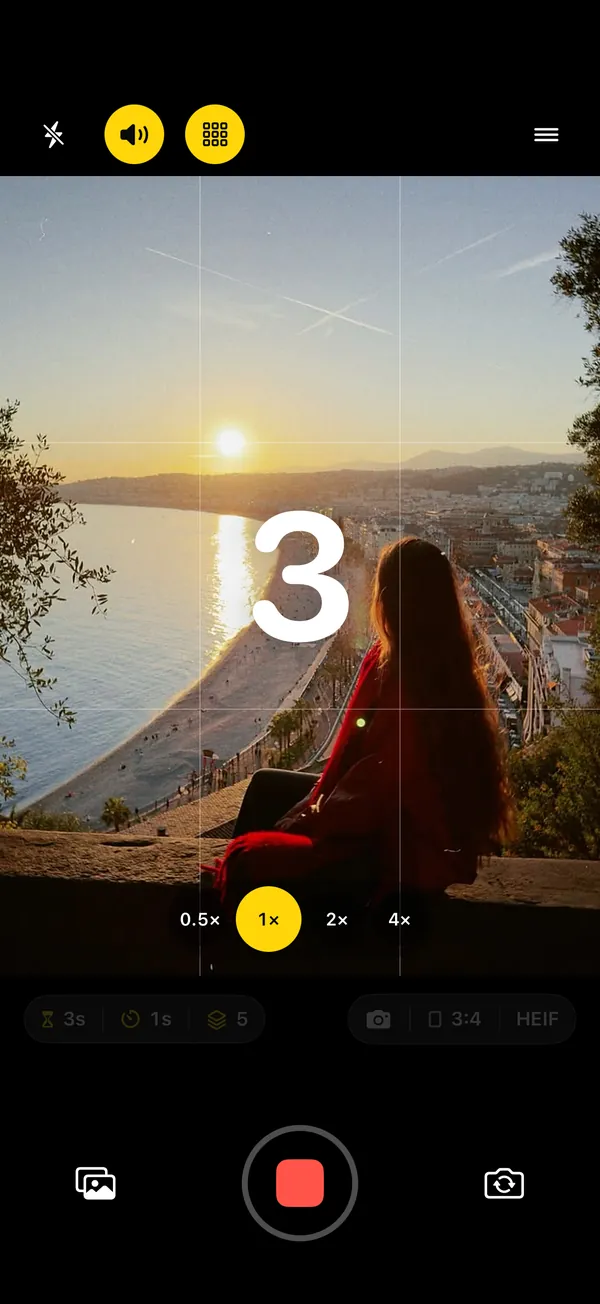
Posing for a timer is its own skill. With a photographer, you react: they talk, you laugh, they say "there!" and you hold it. On a timer there's nobody to react to, you can't see the screen, and your hands suddenly feel like they belong to someone else. What you do get is a photographer with infinite patience, who will happily take twenty-five frames while you figure it out.
So the trick isn't one perfect pose. It's a handful of poses that look good from a fixed camera, with a rhythm that matches each one. If you haven't set up a solo shoot before, start with how to take good photos of yourself alone, then come back with the phone propped and ready.
Three rules before the poses
- Move a little on every frame. Weight to the other foot, chin left, chin right, hand to hair. Small changes give you 25 different photos instead of one photo 25 times.
- Look away more than you look at the lens. Candid-looking frames come from looking at something real: the view, your coffee, your shoes.
- Match the interval to the pose. One photo a second for anything that moves, every 3 seconds for anything posed, 5 seconds or more for anything that needs a reset. The why behind each one is in interval shooting on iPhone.
The 12 poses
1. The walk-in
Start five or six steps behind your spot and walk slowly toward the phone, arms loose, eyes just past the lens. Interval: 1 s. Mid-step frames almost always look natural.
2. The look-back
Walk away from the phone, then turn your head over your shoulder on the beep, as if someone called your name. Interval: 1 s.
3. The wall lean
One shoulder on the wall, weight on the back foot, front knee softly bent; change where your hands are each frame. Interval: 3 s.
4. The ledge sit
Sit on a wall, a step or a bench, cross your ankles or pull one knee up, and look out at the view instead of at the camera. Interval: 3 s.
5. The look-away
Stand still and give your eyes a real target off to the side: the sea, a sign, a passing bike. Switch targets every frame. Interval: 3 s.
6. The busy hands
Fix an earring, push up your sunglasses, roll a sleeve, adjust a collar. Hands with a job never look awkward. Interval: 2 s.
7. The coffee break
Sit at a table, cup in both hands, eyes down at the cup, then up past the lens, then down again. Interval: 3 s.
8. The crouch
Squat low, forearms on your knees, and look down at something on the ground (draw in the sand if you're on a beach), then glance up. Interval: 3 s.
9. The hair flip and spin
Flip your hair or turn a full circle; do it twice, because the first one is always too careful. Interval: 1 s, or a burst interval with SHOOTS+ to catch the hair in mid-air.
10. The laugh
Start with a fake laugh, a big one, and keep going; somewhere around the third beep it turns into a real one. Interval: 1 s.
11. The paparazzi hand
Sunglasses on, palm half-raised toward the lens, chin down, as if the cameras caught you leaving. Best at night with the flash on. Interval: 1 s. The full look is in Be your own paparazzi.
12. The view shot
Turn your back to the camera and face the view, and let the place be half of the photo; on the 0.5× lens, stay near the center of the frame, where it stretches you least. Interval: 5 s. Perfect for trips; more in solo travel photos.
The cheat sheet
| Interval | Poses |
|---|---|
| 1 s | Walk-in, look-back, hair flip and spin, laugh, paparazzi hand |
| 2 s | Busy hands |
| 3 s | Wall lean, ledge sit, look-away, coffee break, crouch |
| 5 s | View shot, or any pose where you walk back to a mark between frames |
| Burst (SHOOTS+) | The single frame where the hair is in the air |
Put them together: the five-by-five
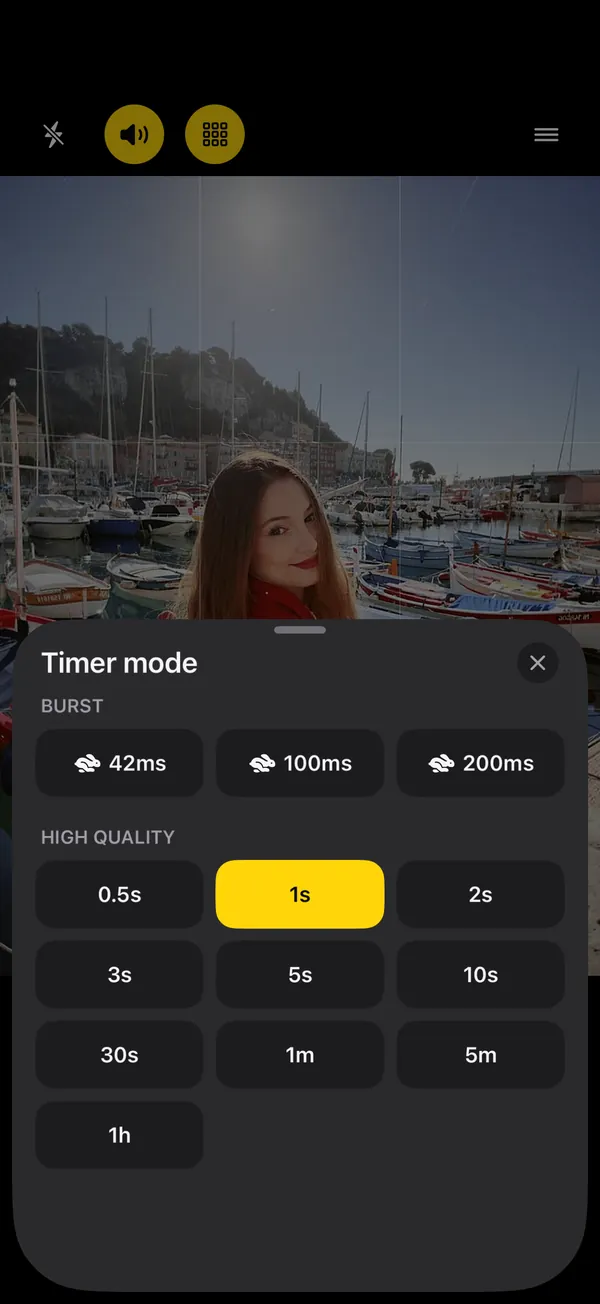
A 25-photo round splits neatly into five poses with five frames each. Pick five from the 3 second group, and you have a complete posed set that never stalls halfway because you ran out of ideas. Then do a second, faster round with the 1 second poses.
- Photoshoot start
- 10 s
- Timer mode
- every 3 s
- Photo limit
- 25 photos
- Shutter sound
- Beep
- Countdown beeps
- On
- Talk to me
- Coaching: Both (SHOOTS+)
The Beep shutter sound in SHOOTS plays one beep the moment each photo is taken, so you always know when to switch. Count five beeps, change pose. It's the closest thing to a photographer saying "next".
Or let someone call the poses for you. With SHOOTS+, turn on Talk to me and set Coaching to Pose coach (or Both, for compliments in between). Between shots a photographer's voice calls your next pose, and it looks at the frame first: up close you get face-and-shoulder cues like "Rest your chin on your hand." or "Smile with just your eyes.", with your legs in the picture you get "Now walk toward me.", "Crouch down low." or "Give me a spin!" Each pose holds for a couple of shots. It covers several of the twelve above, and it never runs out of ideas at frame fourteen. More in Never run out of poses, and on why a voice helps at all.
The camera doesn't need you to be a model. It needs you to keep moving.
After the shoot
Twelve poses over two rounds is fifty frames. In the SHOOTS gallery, heart the ones you like, drag across the thumbnails to select the rest and delete them (they wait in Trash for 30 days). Save the keepers to Photos, then turn them into a carousel with DUMP and clear the rest of your camera roll with Solo.Swipe. The full recipe, with timings, is in the 10-minute solo photoshoot. Shooting outfits? The lean, the busy hands and the walk-in are the core of outfit photos at home.
Questions people ask
How do you pose for a self-timer photo?
Is there an app that tells you how to pose?
What is the best self-timer interval for posing?
Gül Eda Aydemir is the independent iOS developer behind SHOOTS, DUMP and Solo.Swipe. She designs, builds and answers support for every app herself. Say hi at solostaseraofficial@gmail.com.
Prop up your iPhone, step into frame and let SHOOTS run the whole photoshoot.
Download on theApp Store
On a computer?Scan with your iPhone camera
Keep reading
Be your own paparazzi: why the 2000s flash photo is back, and how to shoot it alone
Hard flash, a background gone black, a glint off your sunglasses. The red-carpet photo never needed a red carpet. It just needed someone to fire the flash, and that someone can be your iPhone.
SHOOTS Journal · 7 min read
Never run out of poses
Every photographer has a running script: chin down, turn, walk to me, laugh. Now your propped-up iPhone has one too.
SHOOTS Journal · 5 min read
Shoot it, DUMP it, swipe the rest: my 3-app camera roll routine
Twenty-five photos in, one carousel out, and a camera roll that doesn't make me sigh. The whole routine, from shutter to post.
Gül Eda, xoxo · 5 min read